

Qt 6.12 LTS is out! See what's new in the release
blog
QStyle:Lineargradient
-
I want green to red lineargradient, but it separate into parts.
QProgressBar{background-color: #FFFFFF;}
QProgressBar::chunk{height: 20px; background-color: qlineargradient(spread:pad, x1:0, y1:0, x2:0, y2:1, stop:0 rgba(0,255, 0, 255), stop:1 rgba(255,0,0, 255));}
-
Can you give more details on the requirement. Question was not very clear to me.
-
Hi
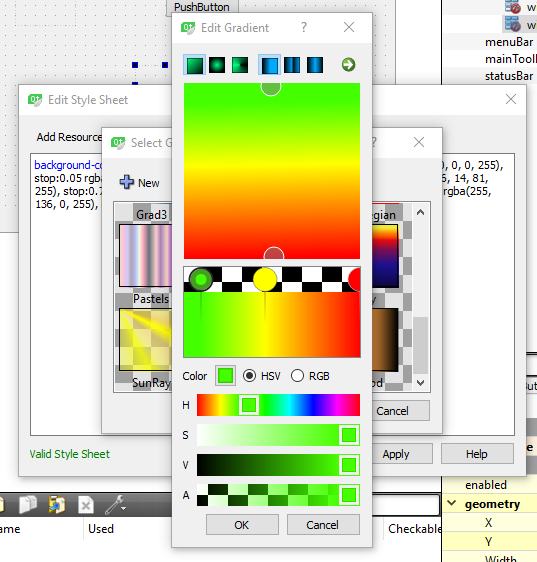
You can use the build in editor
Right click, change stylesheet -> Gradient -> edit
-
I want green to red lineargradient, but it separate into parts.
QProgressBar{background-color: #FFFFFF;}
QProgressBar::chunk{height: 20px; background-color: qlineargradient(spread:pad, x1:0, y1:0, x2:0, y2:1, stop:0 rgba(0,255, 0, 255), stop:1 rgba(255,0,0, 255));}


