Skip to content
  • Categories
  • Recent
  • Tags
  • Popular
  • Users
  • Groups
  • Search
  • Get Qt Extensions
  • Unsolved
Collapse
Brand Logo
  1. Home
  2. Qt Development
  3. QML and Qt Quick
  4. Variabels in Componenets?

Variabels in Componenets?

Scheduled Pinned Locked Moved Unsolved QML and Qt Quick
7 Posts 3 Posters 2.2k Views 1 Watching
  • Oldest to Newest
  • Newest to Oldest
  • Most Votes
Reply
  • Reply as topic
Log in to reply
This topic has been deleted. Only users with topic management privileges can see it.
  • M Offline
    M Offline
    MilloMille
    wrote on last edited by MilloMille
    #1

    Hello,
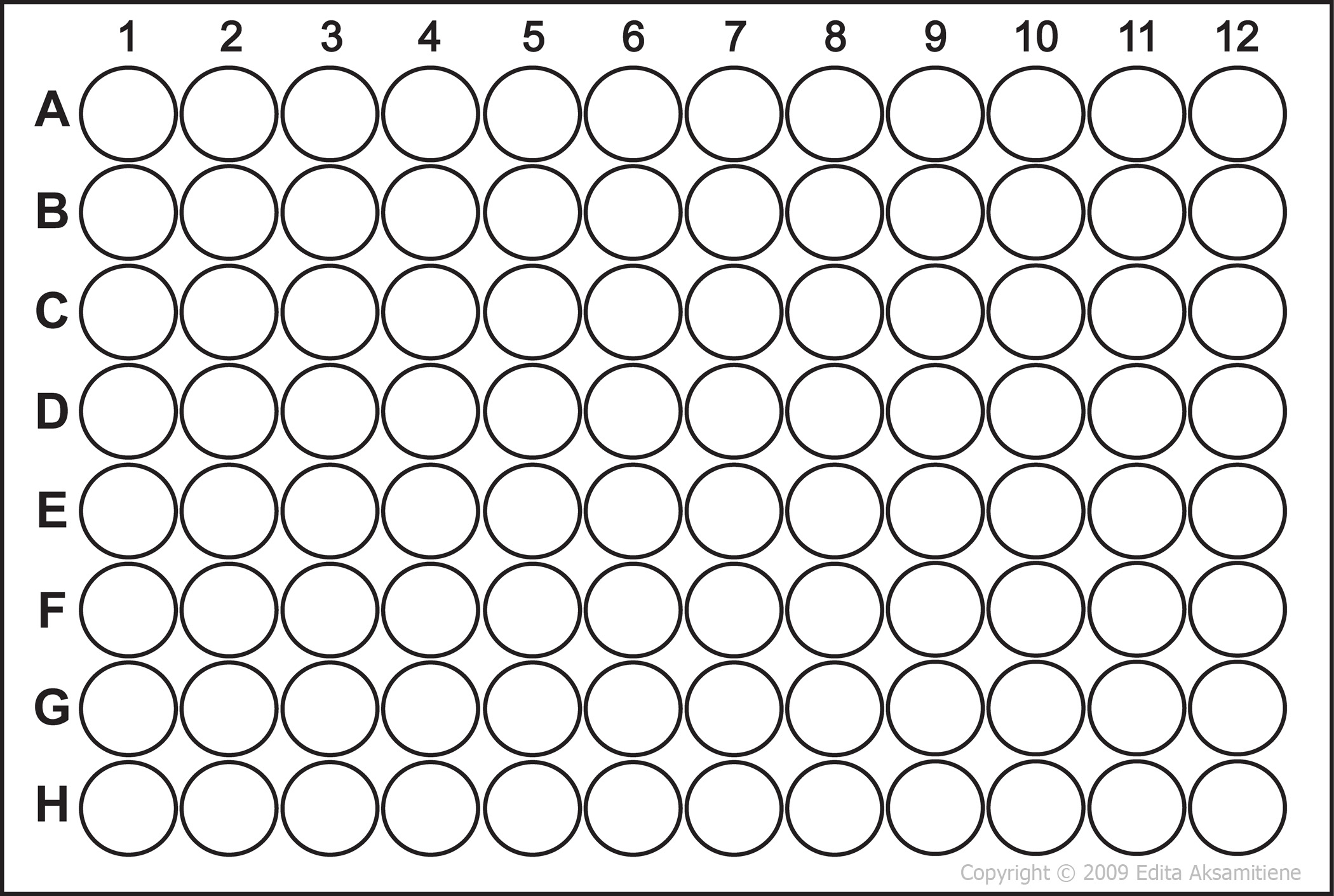
    i have a image very similar to this:
    alt text

    I want the user to be able to select the wholes he wants. Therefore I made a component of a transparent round button. Next I wanted to lay a grid over the picture and insert the buttons. Unfortunately you cant put variables in components. There is no error or anything but there is nothing beeing displayed when I load the components.

    If I dont use variables the buttons wouldnt match the wholes as soon as the window size changes.

    • First of, is my approach alright or is there a easier way?
    • Second, how can I include variables so that the size of the button changes as the window changes?

    EDIT:
    I just had another idea:
    I could set the width and height of the round button as fixed. Then i divide the grid evenly over the whole picture and stretch the buttons so that they fill out the grid. Unfortunately I dont think I can tell the grid to split the the rows and colums over the wole picture or is there a way?

    1 Reply Last reply
    0
    • dheerendraD Offline
      dheerendraD Offline
      dheerendra
      Qt Champions 2022
      wrote on last edited by
      #2

      U can add variables to components. Can you share code which is not working?

      Dheerendra
      @Community Service
      Certified Qt Specialist
      http://www.pthinks.com

      1 Reply Last reply
      2
      • p3c0P Offline
        p3c0P Offline
        p3c0
        Moderators
        wrote on last edited by
        #3

        @MilloMille

        Unfortunately you cant put variables in components.

        What do you mean by this statement ? You can add variables, properties in any custom components.

        Second, how can I include variables so that the size of the button changes as the window changes?

        Use GridLayout instead. Here is a small demo where the inner rectangle size increases/decreases when window size changes.

        Item {
            width: 300
            height: 300
        
            GridLayout {
                id: grid
                anchors.fill: parent
                columns: 3
                rows: 3
                rowSpacing: 0
                columnSpacing: 0
        
                Repeater {
                    model: 9
                    Rectangle {
                        Layout.fillHeight: true
                        Layout.fillWidth: true
                        color: "red"
                        border.color: "black"
                    }
                }
            }
        }
        

        157

        M 1 Reply Last reply
        1
        • p3c0P p3c0

          @MilloMille

          Unfortunately you cant put variables in components.

          What do you mean by this statement ? You can add variables, properties in any custom components.

          Second, how can I include variables so that the size of the button changes as the window changes?

          Use GridLayout instead. Here is a small demo where the inner rectangle size increases/decreases when window size changes.

          Item {
              width: 300
              height: 300
          
              GridLayout {
                  id: grid
                  anchors.fill: parent
                  columns: 3
                  rows: 3
                  rowSpacing: 0
                  columnSpacing: 0
          
                  Repeater {
                      model: 9
                      Rectangle {
                          Layout.fillHeight: true
                          Layout.fillWidth: true
                          color: "red"
                          border.color: "black"
                      }
                  }
              }
          }
          
          M Offline
          M Offline
          MilloMille
          wrote on last edited by MilloMille
          #4

          @p3c0 said in Variabels in Componenets?:

          Use GridLayout instead. Here is a small demo where the inner rectangle size increases/decreases when window size changes.

          GridLayout worked very well for me. Thanks for your help.
          Just out of curiosity I will still post my code from before:

          
                  Image{
                             // deleted this code because it doesnt matter
          
                      Rectangle{                                                  // Rectangle that frames the wells without surroundings
                          width: (parent.paintedWidth*0.785)                      // calculated width of the wells without surrounding
                          height: (parent.paintedHeight*0.860)                    // height of the wells
                          anchors.centerIn: parent                                //approximate position of the frame
                          color: "#11ffffff"
                          border.width: 3                                         //just so I can see if the frame fits
                          border.color: "blue"
          
                          Component{
                              id:smallwell
          
                              Rectangle{
                                  width: 28
                                  height: 28
                                  radius: 14
                                  // more smart stuff I deleted because it doesnt matter
                              }
                          }
          
                          Grid {
                              columns: 8
                              rows: 6
                              Repeater{
                                  model: 48
                                  Loader { sourceComponent: smallwell }
                              }
                          }
          

          The code worked well when the width, height and radius of the component were integers, but when I tried to use

          width: (parent.width/8)
          

          I got nothing.

          p3c0P 1 Reply Last reply
          0
          • M MilloMille

            @p3c0 said in Variabels in Componenets?:

            Use GridLayout instead. Here is a small demo where the inner rectangle size increases/decreases when window size changes.

            GridLayout worked very well for me. Thanks for your help.
            Just out of curiosity I will still post my code from before:

            
                    Image{
                               // deleted this code because it doesnt matter
            
                        Rectangle{                                                  // Rectangle that frames the wells without surroundings
                            width: (parent.paintedWidth*0.785)                      // calculated width of the wells without surrounding
                            height: (parent.paintedHeight*0.860)                    // height of the wells
                            anchors.centerIn: parent                                //approximate position of the frame
                            color: "#11ffffff"
                            border.width: 3                                         //just so I can see if the frame fits
                            border.color: "blue"
            
                            Component{
                                id:smallwell
            
                                Rectangle{
                                    width: 28
                                    height: 28
                                    radius: 14
                                    // more smart stuff I deleted because it doesnt matter
                                }
                            }
            
                            Grid {
                                columns: 8
                                rows: 6
                                Repeater{
                                    model: 48
                                    Loader { sourceComponent: smallwell }
                                }
                            }
            

            The code worked well when the width, height and radius of the component were integers, but when I tried to use

            width: (parent.width/8)
            

            I got nothing.

            p3c0P Offline
            p3c0P Offline
            p3c0
            Moderators
            wrote on last edited by
            #5

            @MilloMille said in Variabels in Componenets?:

            The code worked well when the width, height and radius of the component were integers, but when I tried to use
            width: (parent.width/8)

            I got nothing.

            If this item is the loaded item by the Loader then parent might be different. Instead try using id of that item on which this items width should be based on.

            157

            1 Reply Last reply
            1
            • M Offline
              M Offline
              MilloMille
              wrote on last edited by
              #6

              I'm sorry but I'm having troubles again:
              I want to have a button to mark all the holes. But i dont know how I can change the color of all the items the repeater created. I can change single items via:

              repeaterID.itemAt(<index of the element>).color = "red"
              

              for example. But I dont know how I can change the color of all items at once.

              p3c0P 1 Reply Last reply
              0
              • M MilloMille

                I'm sorry but I'm having troubles again:
                I want to have a button to mark all the holes. But i dont know how I can change the color of all the items the repeater created. I can change single items via:

                repeaterID.itemAt(<index of the element>).color = "red"
                

                for example. But I dont know how I can change the color of all items at once.

                p3c0P Offline
                p3c0P Offline
                p3c0
                Moderators
                wrote on last edited by
                #7

                @MilloMille said in Variabels in Componenets?:

                . But i dont know how I can change the color of all the items the repeater created.

                Quite simple. Create a property which will initially hold the default color. Then bind this to the color property of Rectangle. Then when required update this property.

                ...
                property color _color: "red"
                ...
                Repeater {
                    model: 9
                    Rectangle {
                        Layout.fillHeight: true
                        Layout.fillWidth: true
                        color: grid._color
                        border.color: "black"
                    }
                }
                
                //Update depending on your required condition
                Timer {
                    interval: 1000; running: true;
                    onTriggered: grid._color = "green"
                }

                

                157

                1 Reply Last reply
                1

                • Login

                • Login or register to search.
                • First post
                  Last post
                0
                • Categories
                • Recent
                • Tags
                • Popular
                • Users
                • Groups
                • Search
                • Get Qt Extensions
                • Unsolved