
Does not see files in qrc file
-
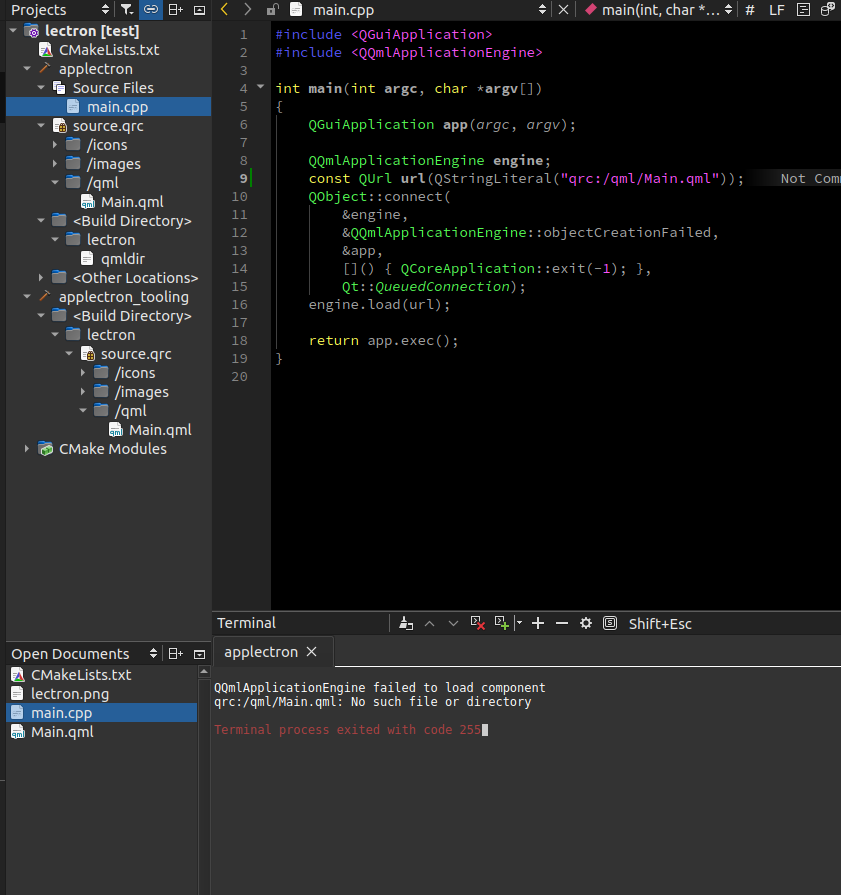
In the image above, my file structure is detected by qt creator and the file location paths are visible. When I try to run the same path as main.cpp, it says there is no file. What is the reason for this?
qrc file
<!DOCTYPE RCC>
<RCC version="1.0">
    <qresource prefix="/icons">
        <file alias="black">assets/icons/black.svg</file>
    </qresource>
    <qresource prefix="/images">
        <file alias="lectron">assets/images/lectron.png</file>
        <file alias="no_video_background">assets/images/NoVideoBackground.jpg</file>
    </qresource>
    <qresource prefix="/qml">
        <file alias="Main.qml">qml/Main.qml</file>
    </qresource>
</RCC>
cmake file:
cmake_minimum_required(VERSION 3.16) project(lectron VERSION 0.1 LANGUAGES CXX) set(CMAKE_CXX_STANDARD_REQUIRED ON) find_package(Qt6 6.5 REQUIRED COMPONENTS Quick) qt_standard_project_setup() qt_add_executable(applectron main.cpp ) qt_add_qml_module(applectron URI lectron VERSION 1.0 RESOURCES source.qrc ) -
It's qml/qml/Main.qml
Qt Online Installer direct download: https://download.qt.io/official_releases/online_installers/
Visit the Qt Academy at https://academy.qt.io/catalog -
It's qml/qml/Main.qml
@Christian-Ehrlicher I tried this too but it didn't work
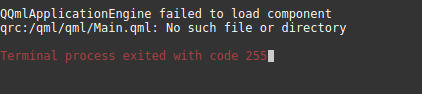
I made an assignment in the qrc file using alias, so I wrote one qml
<qresource prefix="/qml">
        <file alias="Main.qml">qml/Main.qml</file>
    </qresource>
Is there something I'm missing in the cmake file?
When I delete Main.qml from qrc file and write
qt_add_qml_module(applectron
URI lectron
VERSION 1.0
QML_FILES
qml/Main.qml
directly in cmake file, the code works but why doesn't it work in qrc file? What is my error?
I can't see the images on the qml side either.
Image {
        id: image
        anchors.fill: parent
        source: "qrc:/images/no_video_background"
        fillMode: Image.Stretch
        z: -1
    }
qrc:/lectron/qml/Main.qml:18:5: QML Image: Cannot open: qrc:/images/no_video_background

