
Qt 6.11 is out! See what's new in the release
blog
layer effect
-
Hi,
I'm working with Slider like below, but handle not takes background shape overflows the background.
How can i solve this problem?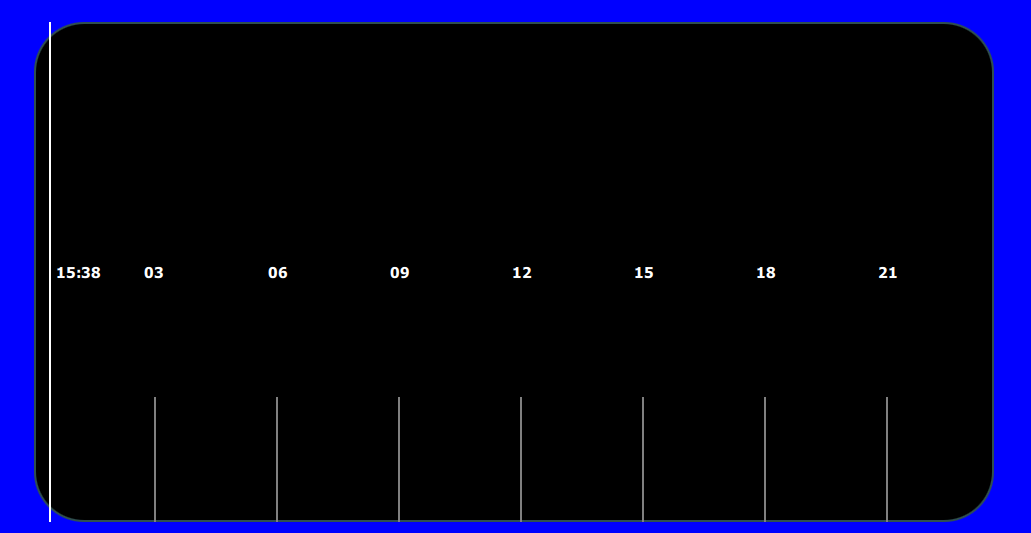
My qml code;
background: Rectangle
{
id : backgroundRectId
anchors.fill: parent
radius: 50
color : "black"
border {width: 2 ; color : "#2f4f4f"}Row { id : indicatorRowId anchors.fill: parent spacing: parent.width / 8 leftPadding: spacing Repeater { id : repeaterId model : 7 Rectangle { id : indicatorRectId width: 2 height: backgroundRectId.height*0.25 anchors.bottom: parent.bottom color : "gray" } } } Repeater { id : textRepeaterId model : 7 Text { id : textId x : sliderId.positionFromValue((modelData + 1) * 180) - width / 2 anchors.verticalCenter: parent.verticalCenter color : "white" font.pointSize: 9 font.bold: true text : (modelData * 3 + 3) < 10 ? "0" + (modelData * 3 + 3) : (modelData * 3 + 3) } } } handle : Item { id : handleId width : rowId.width height: parent.height x : sliderId.handlePosition() layer.enabled: true layer.effect: OpacityMask { maskSource: backgroundRectId } Row { id : rowId height: parent.height spacing: 5 Rectangle { id : handleBarId width: 2 anchors.verticalCenter: parent.verticalCenter height: parent.height } Text { id : handleTextId color : "white" anchors.verticalCenter: parent.verticalCenter font.pointSize: 9 font.bold: true text : "15:38" } } }Best regards.
-
S SGaist moved this topic from General and Desktop on