
Skip to content
  • Categories
  • Recent
  • Tags
  • Popular
  • Users
  • Groups
  • Search
  • Get Qt
  • Unsolved
Collapse
qtws26_logo

The Qt Event of the Year: Qt World Summit 2026

Save Your Spot >
Brand Logo
  1. Home
  2. Qt Development
  3. Qt Creator and other tools
  4. My Kits are broken without reason
Qt 6.12 LTS is out! See what's new in the release blog

My Kits are broken without reason

Scheduled Pinned Locked Moved Solved Qt Creator and other tools
3 Posts 2 Posters 887 Views 1 Watching
  • Oldest to Newest
  • Newest to Oldest
  • Most Votes
Reply
  • Reply as topic
Log in to reply
This topic has been deleted. Only users with topic management privileges can see it.
  • EngelardE Offline
    EngelardE Offline
    Engelard
    wrote on last edited by Engelard
    #1

    Hi everybody.
    Have'nt launch qt-creator like for ~10 months, everything was working fine back then, and now i came back, need to make quite small program quickly, but i can't because all Kits are broken somehow. Nothing was changed with my PC in this year. At least i did'nt remove any compilers or debuggers, everything stays the same, and i can't even figure out what's wrong with it now...
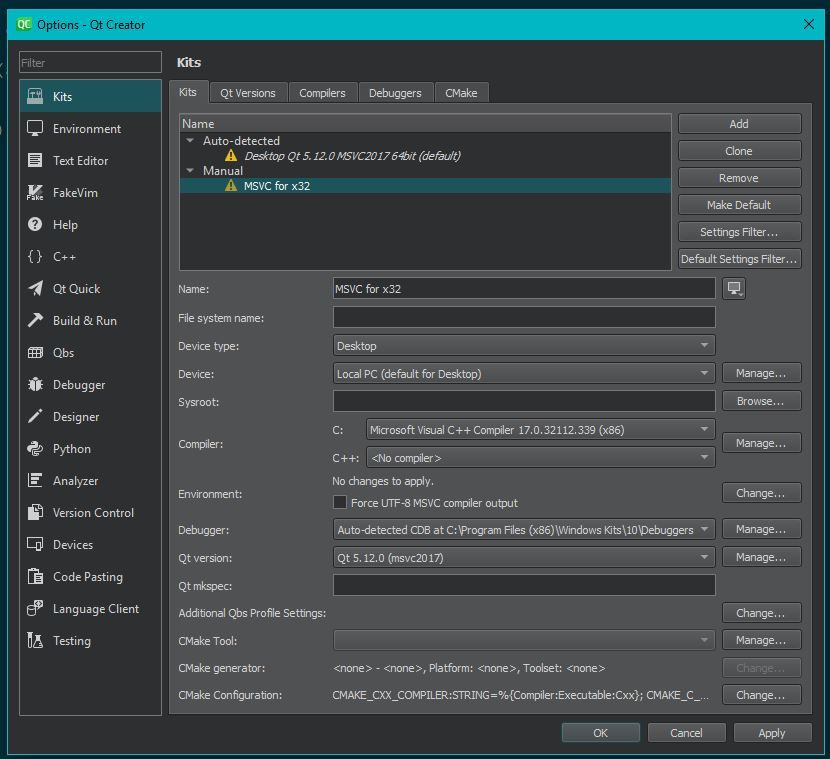
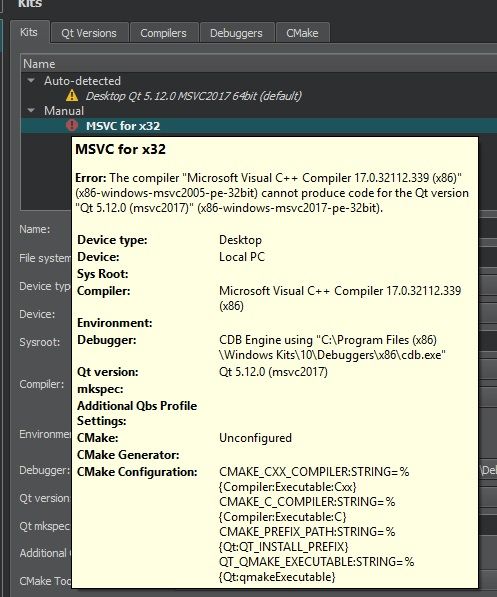
    1.JPG

    2.JPG

    3.jpg

    1 Reply Last reply
    0
    • Christian EhrlicherC Online
      Christian EhrlicherC Online
      Christian Ehrlicher
      Lifetime Qt Champion
      wrote on last edited by
      #2

      Then select the correct msvc2017 compiler instead the ancient version from 2005

      Qt Online Installer direct download: https://download.qt.io/official_releases/online_installers/
      Visit the Qt Academy at https://academy.qt.io/catalog

      EngelardE 1 Reply Last reply
      1
      • Christian EhrlicherC Christian Ehrlicher

        Then select the correct msvc2017 compiler instead the ancient version from 2005

        EngelardE Offline
        EngelardE Offline
        Engelard
        wrote on last edited by
        #3

        @Christian-Ehrlicher OMG, it really is. But i did'nt install such stuff, but it is possible that i clicked checkbox "install VS C++" with some old game recently, but it would'nt reinstall newer version i already had, am i right?

        Now qt creator raised old good errors for my #include "Windows.h" , "windows.h file not found". .pro file is good, it has LIBS += -lUser32 in it.

        What do i miss here?:
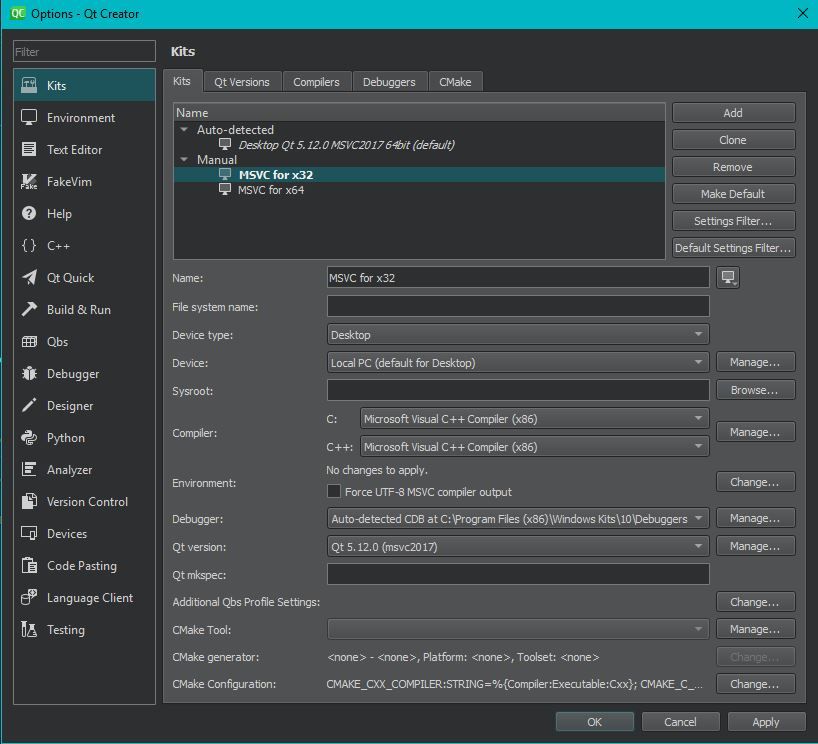
        344.JPG

        1 Reply Last reply
        0
        • EngelardE Engelard has marked this topic as solved on

        • Login

        • Login or register to search.
        • First post
          Last post
        0
        • Categories
        • Recent
        • Tags
        • Popular
        • Users
        • Groups
        • Search
        • Get Qt
        • Unsolved