
resize by clicking the column edges
-
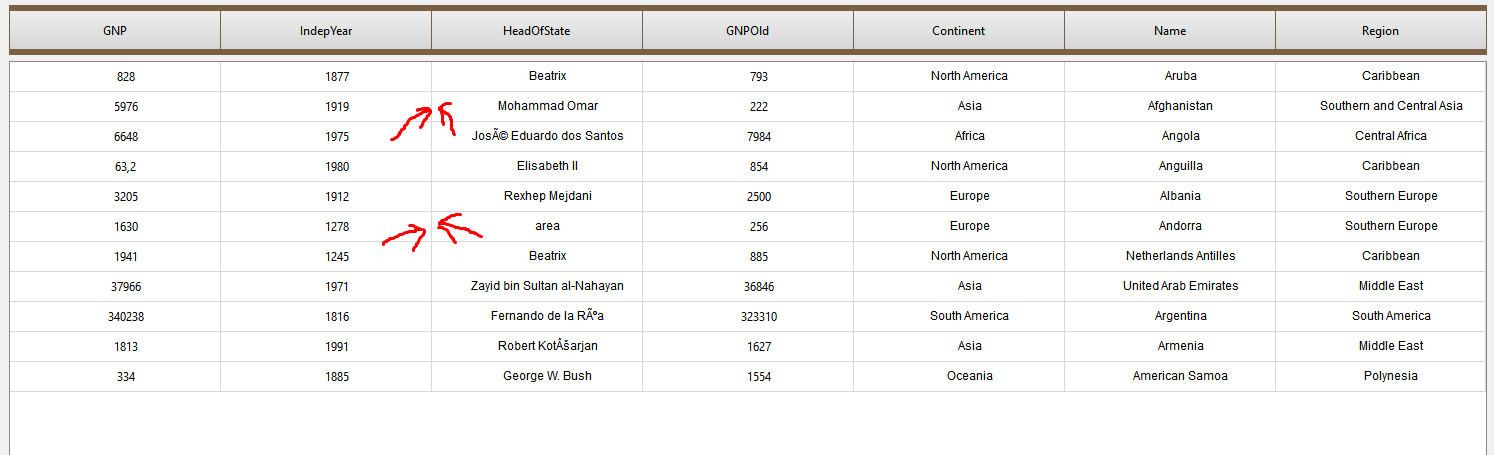
hello, there is a tableview as in the picture. I want to adjust the width of the column by clicking and dragging the edges of the column on this view. (not by clicking on the header).
How can I do that ? any idea ?
Thanks.@Nevez said in resize by clicking the column edges:
How can I do that ? any idea ?
Since it's not supported out-of the box you have to derive from QTableView and implement it by yourself.
-
@Nevez
It seems to me that if you won't use the existing header-only drag-resize facility ofQHeaderViewyou are going to have to do the whole thing yourself. You will need to:- Recognize a mouse-down anywhere over the
QTableView(or itsviewPort()). - Look at its horizontal position to determine whether it is "close enough" to an existing column divider to count as having moused-down on a column "edge". This is complex, allowing for viewport, "visual indexes", whether the table view has been scrolled horizontally, etc.
- Do some kind of "drag" operation, showing a divider line.
- Figure out the final, new width you want to adjust the column to.
You could take a a look e.g. https://codebrowser.dev/qt5/qtbase/src/widgets/itemviews/qheaderview.cpp.html to see the kind of work it does. The code at void QHeaderView::mousePressEvent(QMouseEvent *e) shows how that starts a mouse-down operation, it includes
int handle = d->sectionHandleAt(pos);
...
} else if (sectionResizeMode(handle) == Interactive) {
which is the resize-columns case.
Seems like an enormous amount of work, with all it has to deal with! I certainly would not want to do so :)
Maybe you could do something like recognise when your mouse down is over a column divider and then somehow forward it to the
QHeaderViewat the corresponding horizontal place, so that you then get it to handle the drag-resize for you, but that may be messy/not easy. - Recognize a mouse-down anywhere over the


