Small examples for game development in Qt, OpenGL, Box2D, Bullet Physics, OpenAL, and so on.
-
Rotate a 3D vector around X, Y, Z axes
In my example, three vectors are rotated 10 degrees around the X, Y and Z axes:
- Rotate the vector (0.f, 0.f, 1.f) 10 degrees around the X axis. Output: (0, -0.173648, 0.984808)
- Rotate the vector (1.f, 0.f, 0.f) 10 degrees around the Y axis. Output: (0.984808, 0, -0.173648)
- Rotate the vector (0.f, 1.f, 0.f) 10 degrees around the Z axis. Output: (-0.173648, 0.984808, 0)
#include <QtGlobal>
#include <QtMath>
#include <QtGui/QOpenGLFunctions>
#include <QtGui/QVector3D>
#include <QtOpenGL/QOpenGLWindow>
#include <QtWidgets/QApplication>

class OpenGLWindow : public QOpenGLWindow, private QOpenGLFunctions
{
    virtual void initializeGL() override
    {
        initializeOpenGLFunctions();

        // Rotate a 3D vector around the x-axis
        QVector3D vector1(0.f, 0.f, 1.f);
        QVector3D origin1(0.f, 0.f, 0.f);
        float r1 = qDegreesToRadians(10.f);
        QVector3D out1 = rotateX(vector1, origin1, r1);
        qDebug() << out1;

        // Rotate a 3D vector around the y-axis
        QVector3D vector2(1.f, 0.f, 0.f);
        QVector3D origin2(0.f, 0.f, 0.f);
        float r2 = qDegreesToRadians(10.f);
        QVector3D out2 = rotateY(vector2, origin2, r2);
        qDebug() << out2;

        // Rotate a 3D vector around the z-axis
        QVector3D vector3(0.f, 1.f, 0.f);
        QVector3D origin3(0.f, 0.f, 0.f);
        float r3 = qDegreesToRadians(10.f);
        QVector3D out3 = rotateZ(vector3, origin3, r3);
        qDebug() << out3;
    }

    QVector3D rotateX(const QVector3D &vector, const QVector3D &origin, float rad)
    {
        // Translate point to the origin
        QVector3D pos;
        pos.setX(vector.x() - origin.x());
        pos.setY(vector.y() - origin.y());
        pos.setZ(vector.z() - origin.z());

        // Perform rotation
        QVector3D rot;
        rot.setX(pos.x());
        rot.setY(pos.y() * qCos(rad) - pos.z() * qSin(rad));
        rot.setZ(pos.y() * qSin(rad) + pos.z() * qCos(rad));

        // Translate to correct position
        QVector3D out;
        out.setX(rot.x() + origin.x());
        out.setY(rot.y() + origin.y());
        out.setZ(rot.z() + origin.z());

        return out;
    }

    QVector3D rotateY(const QVector3D &vector, const QVector3D &origin, float rad)
    {
        // Translate point to the origin
        QVector3D pos;
        pos.setX(vector.x() - origin.x());
        pos.setY(vector.y() - origin.y());
        pos.setZ(vector.z() - origin.z());

        // Perform rotation
        QVector3D rot;
        rot.setX(pos.z() * qSin(rad) + pos.x() * qCos(rad));
        rot.setY(pos.y());
        rot.setZ(pos.z() * qCos(rad) - pos.x() * qSin(rad));

        // Translate to correct position
        QVector3D out;
        out.setX(rot.x() + origin.x());
        out.setY(rot.y() + origin.y());
        out.setZ(rot.z() + origin.z());

        return out;
    }

    QVector3D rotateZ(const QVector3D &vector, const QVector3D &origin, float rad)
    {
        // Translate point to the origin
        QVector3D pos;
        pos.setX(vector.x() - origin.x());
        pos.setY(vector.y() - origin.y());
        pos.setZ(vector.z() - origin.z());

        // Perform rotation
        QVector3D rot;
        rot.setX(pos.x() * qCos(rad) - pos.y() * qSin(rad));
        rot.setY(pos.x() * qSin(rad) + pos.y() * qCos(rad));
        rot.setZ(pos.z());

        // Translate to correct position
        QVector3D out;
        out.setX(rot.x() + origin.x());
        out.setY(rot.y() + origin.y());
        out.setZ(rot.z() + origin.z());

        return out;
    }
};

int main(int argc, char *argv[])
{
    QApplication::setAttribute(Qt::ApplicationAttribute::AA_UseDesktopOpenGL);
    QApplication app(argc, argv);
    OpenGLWindow w;
    w.show();
    return app.exec();
}
pro
QT += core gui openglwidgets

win32: LIBS += -lopengl32

CONFIG += c++17

SOURCES += \
    main.cpp
Source: https://glmatrix.net/docs/vec3.js.html#line564
Using GLM:
// Input vector
auto v = glm::vec3(0.f, 0.f, 1.f);
std::cout << v.x << ", " << v.y << ", " << v.z << std::endl;
// Rotation
auto rotationMatrix = glm::rotate(glm::mat4(1.f), glm::radians(10.f), glm::vec3{1.f, 0.f, 0.f});
auto newVector = rotationMatrix * glm::vec4(v, 0.f);
std::cout << newVector.x << ", " << newVector.y << ", " << newVector.z << std::endl;
// Output: 0, -0.173648, 0.984808
Stack Oveflow: https://stackoverflow.com/a/78633772/4159530
-
This post is deleted!
-
I have found two solutions how I can make the first person movement in the browser. Qt doesn't allow it because it is impossible to call
emscripten_request_pointerlock()from Qt application: https://bugreports.qt.io/browse/QTBUG-126513The solution is to use SDL3, Emscripten, and Bullet Physics: Click to run a demo in the browser
The demo allows to move with first person and third person view:

Baked shadows and textures using SDL3, Emscripten, OpenGL ES 2.0, Bullet Physics, and C++

-
8 8Observer8 referenced this topic on
-
Critical problems for WebAssembly
- Background color of parent window is changed to black: https://bugreports.qt.io/browse/QTBUG-120651
- emscripten_request_pointerlock() returns EMSCRIPTEN_RESULT_UNKNOWN_TARGET: https://bugreports.qt.io/browse/QTBUG-126513
- Dealing with keyboard layout for input on Qt WebAssembly: https://forum.qt.io/post/790688
-
Transformed triangle in OpenGL 3.3 and Qt 6.9
Video: https://www.youtube.com/watch?v=AGHZsOrazEU
Source: https://github.com/8Observer8/basics-of-opengl33-and-qt6

-
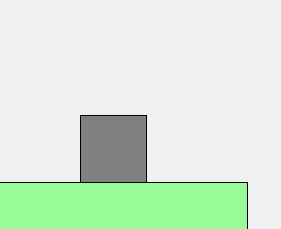
Debug drawer for Box2D v3 using QPainter
It uses
b2World_Drawto draw Box2D objects for debugging. You can just download and run it without compiling libs because it include libs for Windows (MinGW) and Android.Source: https://github.com/8Observer8/debug-drawer-qpainter-box2dv3-qt6-cpp
-
-
 C Christian Ehrlicher locked this topic on
-
C Christian Ehrlicher unlocked this topic
-
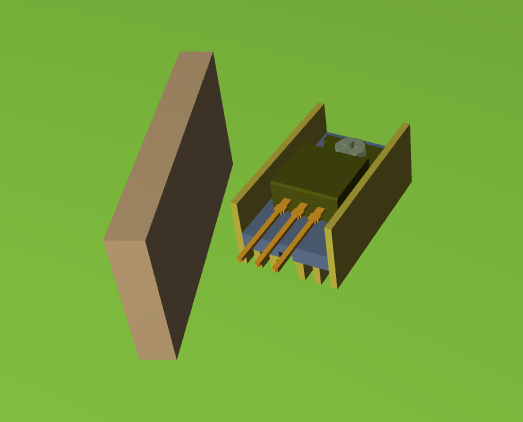
Tank-transistor movement with Bullet Physics
View Live Wasm-Demo - you can control the tank-transistor with WASD-keys in the browser
-
Tutorials from Box2D/Box3D creator Erin Catto on the control character:
-
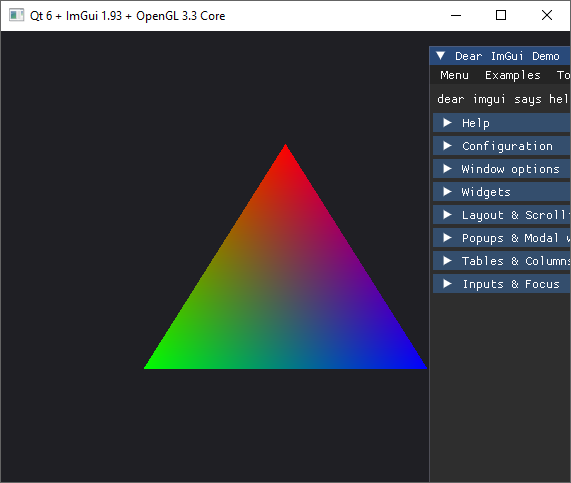
Dear ImGui + Qt 6 + OpenGL 3.3 for Windows
Source code: https://github.com/ivan-enzhaev/imgui-opengl-test-qt6
-
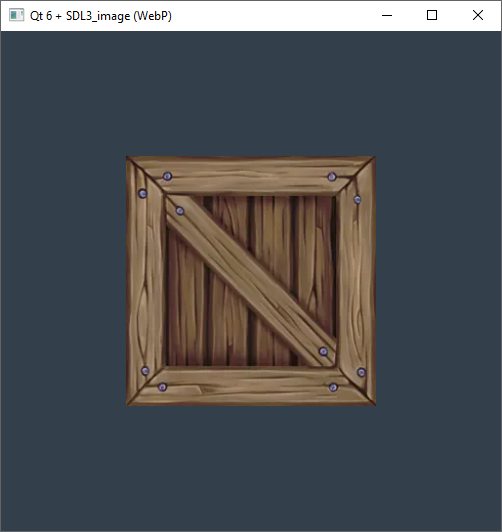
Qt 6 + SDL3_image (WebP) + Modern OpenGL 3.3 Core (Desktop)
A step-by-step guide to configuring and running a static desktop project integrating Qt 6 and SDL3_image with WebP support and an OpenGL 3.3 context on Windows and Ubuntu.
The free texture
clear_01.pngused in this project was downloaded from OpenGameArt (Crate #5) and converted to WebP format (clear_01.webp).Source code: https://github.com/ivan-enzhaev/sdl3-image-webp-opengl-qt6-desktop