Why is drawcall batching (using my own QSGNodes) slower?
-
Hi,
I'm investigating how to draw hundreds of QML items very fast. I subclassed QQuickItem and create my own QSGNodes with geometry and material in its updatePaintNode() function.
My test consist of 1000 items, each with two random sized circles with random colors:
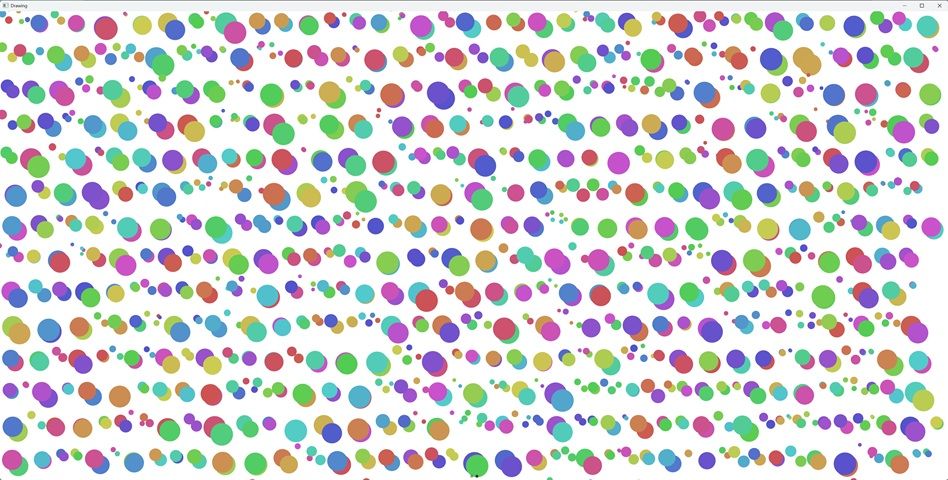
All circles move contineously.
I'm using 2 nodes in the scene graph. One for each circle. In my first version I used a QSGFlatColorMaterial for each item/circle, each with an other color. So I expected this to be slow because drawcalls can not be batched.
When enabling the feature to show the batching this is confirmed:
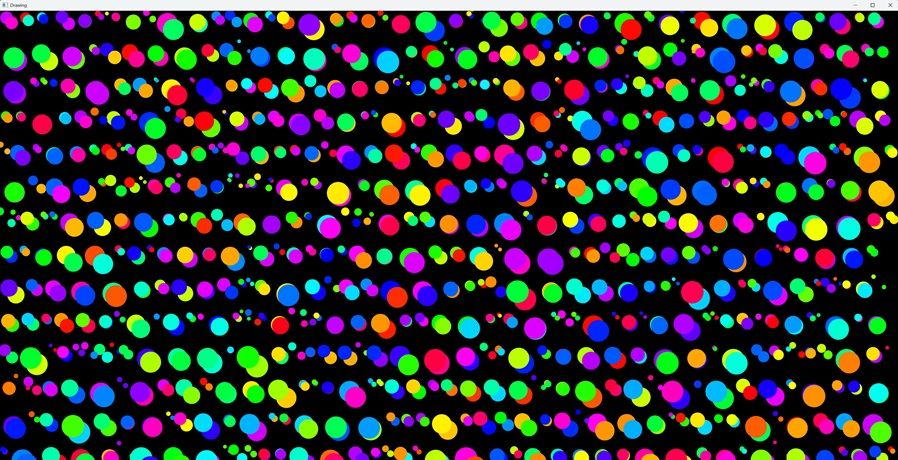
Each color is a separate batch. When enabling rendering info it says:
Renderer::render() QSGAbstractRenderer(0x1a8dec6aef0) "rebuild: none"
Rendering:
 -> Opaque: 2000 nodes in 680 batches...
 -> Alpha: 0 nodes in 0 batches...
 - 0x1a8d95a7860 [  upload] [noclip] [opaque] [  merged]  Nodes:    3  Vertices:  3072  Indices:  3078  root: 0x0
 - 0x1a8d95a8c60 [  upload] [noclip] [opaque] [  merged]  Nodes:    5  Vertices:  5120  Indices:  5130  root: 0x0
 - 0x1a8d95a8120 [  upload] [noclip] [opaque] [  merged]  Nodes:    4  Vertices:  4096  Indices:  4104  root: 0x0
 ...
Some batching seems to happen, but a lot of drawcalls.
So I switched to the QSGVertexColorMaterial so that I could give all items and circles the same material.
When enabling the feature to show the batching again:
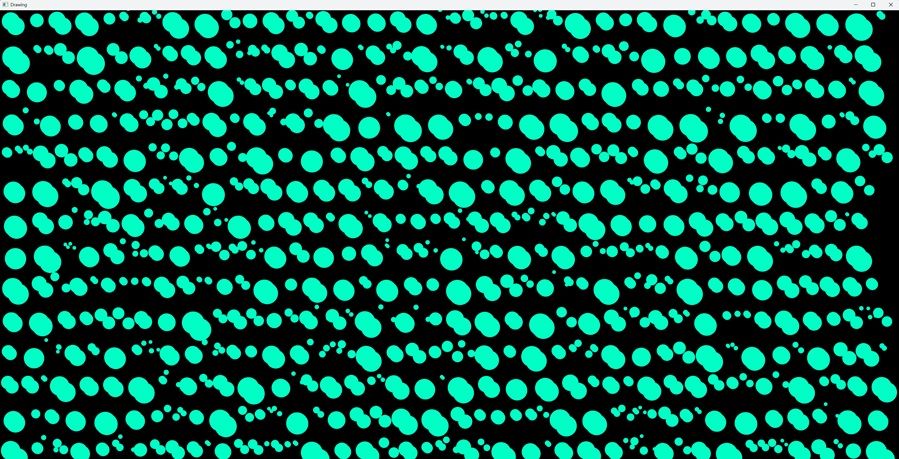
So it seems all is drawn in one batch! which is confirmed using the render info:
Renderer::render() QSGAbstractRenderer(0x2354aaaf0c0) "rebuild: none"
VSync  19 ( 40.4986ms )
Rendering:
 -> Opaque: 2000 nodes in 1 batches...
 -> Alpha: 0 nodes in 0 batches...
 - 0x2350540ab20 [  upload] [noclip] [opaque] [  merged]  Nodes: 2000  Vertices: 2048000  Indices: 2052000  root: 0x0 sets: 32
 -> times: build: 0, prepare(opaque/alpha): 0/0, sorting: 0, upload(opaque/alpha): 13/0, record rendering: 0
But the strange thing is that the render time for the first one is about 37 ms. While for the fully batched one it is 40 ms. In stead of much faster it is even slightly slower!
How is this possible? People always say that the number of drawcalls is often the problem with slow rendering.This is updatePaintNode of the first version:
QSGNode *MyQuickItem::updatePaintNode(QSGNode* oldNode, UpdatePaintNodeData*)
{
   QSGNode* parentNode = oldNode;
    QSGGeometryNode *node;
    QSGGeometry *geometry;

    const int segments = 1024;
    const int vertexCount = segments;

    if (!parentNode) {
        parentNode = new QSGNode;

        // Circle 1 Node Setup
        QSGGeometryNode* node1 = new QSGGeometryNode;
        node1->setGeometry(new QSGGeometry(QSGGeometry::defaultAttributes_Point2D(), vertexCount));
        node1->geometry()->setDrawingMode(QSGGeometry::DrawTriangleStrip);
        QSGFlatColorMaterial* material1 = new QSGFlatColorMaterial;
        material1->setColor(m_dialColor);
        node1->setMaterial(material1);
        node1->setFlag(QSGNode::OwnsGeometry);
        node1->setFlag(QSGNode::OwnsMaterial);
        parentNode->appendChildNode(node1);

        // Circle 2 Node Setup
        QSGGeometryNode* node2 = new QSGGeometryNode;
        node2->setGeometry(new QSGGeometry(QSGGeometry::defaultAttributes_Point2D(), vertexCount));
        node2->geometry()->setDrawingMode(QSGGeometry::DrawTriangleStrip);
        QSGFlatColorMaterial* material2 = new QSGFlatColorMaterial;
        material2->setColor(m_indicatorColor);
        node2->setMaterial(material2);
        node2->setFlag(QSGNode::OwnsGeometry);
        node2->setFlag(QSGNode::OwnsMaterial);
        parentNode->appendChildNode(node2);
    }

    // Fetch our nodes
    QSGGeometryNode* c1Node = static_cast<QSGGeometryNode*>(parentNode->childAtIndex(0));
    QSGGeometryNode* c2Node = static_cast<QSGGeometryNode*>(parentNode->childAtIndex(1));

    // Circle 1: Left side
    QSGGeometry::Point2D* vertices1 = c1Node->geometry()->vertexDataAsPoint2D();
    addCircleGeometry(vertices1, 0, m_dialRadius * 1.1f +mPosDelta, m_dialRadius * 1.1f +mPosDelta, m_dialRadius, m_dialColor, segments);
    // Circle 2: Right side
    QSGGeometry::Point2D* vertices2 = c2Node->geometry()->vertexDataAsPoint2D();
    addCircleGeometry(vertices2, 0, m_dialRadius * 1.9f -mPosDelta, m_dialRadius * 1.9f -mPosDelta, m_dialRadius, m_indicatorColor, segments);

    c1Node->markDirty(QSGNode::DirtyGeometry);
    c2Node->markDirty(QSGNode::DirtyGeometry);

    return parentNode;
}
This is updatePaintNode of the second version:
QSGNode *MyQuickItem::updatePaintNode(QSGNode* oldNode, UpdatePaintNodeData*) { QSGNode* parentNode = oldNode; QSGGeometryNode *node; QSGGeometry *geometry; const int segments = 1024; const int vertexCount = segments; if (!parentNode) { parentNode = new QSGNode; // Circle 1 Node Setup QSGGeometryNode* node1 = new QSGGeometryNode; node1->setGeometry(new QSGGeometry(QSGGeometry::defaultAttributes_ColoredPoint2D(), vertexCount)); node1->geometry()->setDrawingMode(QSGGeometry::DrawTriangleStrip); QSGVertexColorMaterial* material1 = new QSGVertexColorMaterial; // Shared material type enables batching! material1->setFlag(QSGMaterial::Blending, false); node1->setMaterial(material1); node1->setFlag(QSGNode::OwnsGeometry); node1->setFlag(QSGNode::OwnsMaterial); parentNode->appendChildNode(node1); // Circle 2 Node Setup QSGGeometryNode* node2 = new QSGGeometryNode; node2->setGeometry(new QSGGeometry(QSGGeometry::defaultAttributes_ColoredPoint2D(), vertexCount)); node2->geometry()->setDrawingMode(QSGGeometry::DrawTriangleStrip); QSGVertexColorMaterial* material2 = new QSGVertexColorMaterial; // Shared material type enables batching! material2->setFlag(QSGMaterial::Blending, false); node2->setMaterial(material2); node2->setFlag(QSGNode::OwnsGeometry); node2->setFlag(QSGNode::OwnsMaterial); parentNode->appendChildNode(node2); } // Fetch our nodes QSGGeometryNode* c1Node = static_cast<QSGGeometryNode*>(parentNode->childAtIndex(0)); QSGGeometryNode* c2Node = static_cast<QSGGeometryNode*>(parentNode->childAtIndex(1)); // Circle 1: Left side QSGGeometry::ColoredPoint2D* vertices1 = c1Node->geometry()->vertexDataAsColoredPoint2D(); addCircleGeometry(vertices1, 0, m_dialRadius * 1.1f +mPosDelta, m_dialRadius * 1.1f +mPosDelta, m_dialRadius, m_dialColor, segments); // Circle 2: Right side QSGGeometry::ColoredPoint2D* vertices2 = c2Node->geometry()->vertexDataAsColoredPoint2D(); addCircleGeometry(vertices2, 0, m_dialRadius * 1.9f -mPosDelta, m_dialRadius * 1.9f -mPosDelta, m_dialRadius, m_indicatorColor, segments); c1Node->markDirty(QSGNode::DirtyGeometry); c2Node->markDirty(QSGNode::DirtyGeometry); return parentNode; } -
The problem is not the number of draw calls, but that you are generating circles with 1024 segments instead of about 32-64,