Skip to content
  • Categories
  • Recent
  • Tags
  • Popular
  • Users
  • Groups
  • Search
  • Get Qt Extensions
  • Unsolved
Collapse
Brand Logo
  1. Home
  2. Qt Development
  3. General and Desktop
  4. How to change cornerWidget style in QTabWidget?
Qt 6.11 is out! See what's new in the release blog

How to change cornerWidget style in QTabWidget?

Scheduled Pinned Locked Moved Solved General and Desktop
14 Posts 5 Posters 5.4k Views 2 Watching
  • Oldest to Newest
  • Newest to Oldest
  • Most Votes
Reply
  • Reply as topic
Log in to reply
This topic has been deleted. Only users with topic management privileges can see it.
  • E Offline
    E Offline
    Eugene Zelenko
    wrote on last edited by Eugene Zelenko
    #5

    Desired result: all buttons should have same height and margins from top and bottom. Tool button margins from left and right could be changes when tool button is inserted into container widget with QHBoxLayout. More precisely, I'd like to change size/margins of tool button, not scroll buttons.

    mrjjM 1 Reply Last reply
    0
    • E Eugene Zelenko

      Desired result: all buttons should have same height and margins from top and bottom. Tool button margins from left and right could be changes when tool button is inserted into container widget with QHBoxLayout. More precisely, I'd like to change size/margins of tool button, not scroll buttons.

      mrjjM Offline
      mrjjM Offline
      mrjj
      Lifetime Qt Champion
      wrote on last edited by
      #6

      @Eugene-Zelenko
      Hi
      You can set a minimum size to it
      list_tool_button_->setMinimumSize(32,64);
      but its different pr platform so not sure its what you want.
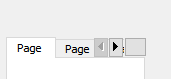
      alt text

      1 Reply Last reply
      0
      • E Offline
        E Offline
        Eugene Zelenko
        wrote on last edited by
        #7

        @mrjj said in How to change cornerWidget style in QTabWidget?:

        list_tool_button_->setMinimumSize(32,64);

        I tried this. Button was enlarged, but misaligned.Normal.png

        My application also has command-line option to set QT_SCALE_FACTOR, so fixed size is not best solution.

        Does QTabWidget has style options that affect corner widgets?

        mrjjM 1 Reply Last reply
        0
        • E Eugene Zelenko

          @mrjj said in How to change cornerWidget style in QTabWidget?:

          list_tool_button_->setMinimumSize(32,64);

          I tried this. Button was enlarged, but misaligned.Normal.png

          My application also has command-line option to set QT_SCALE_FACTOR, so fixed size is not best solution.

          Does QTabWidget has style options that affect corner widgets?

          mrjjM Offline
          mrjjM Offline
          mrjj
          Lifetime Qt Champion
          wrote on last edited by
          #8

          @Eugene-Zelenko said in How to change cornerWidget style in QTabWidget?:

          Does QTabWidget has style options that affect corner widgets?

          Not that i have seen. basically its just a widget.

          1 Reply Last reply
          0
          • Christian EhrlicherC Offline
            Christian EhrlicherC Offline
            Christian Ehrlicher
            Lifetime Qt Champion
            wrote on last edited by Christian Ehrlicher
            #9

            Internally the corner widgets get the correct geometry. I guess it's due to the fact that the QToolButton has size constraints. Try to set them to expanding.

            Qt Online Installer direct download: https://download.qt.io/official_releases/online_installers/
            Visit the Qt Academy at https://academy.qt.io/catalog

            1 Reply Last reply
            0
            • E Offline
              E Offline
              Eugene Zelenko
              wrote on last edited by
              #10

              No, changing vertical size policy to expanding didn't help.

              Probably changing QTabWidget::initStyleOption could help, but method is not virtual :-(

              1 Reply Last reply
              0
              • Christian EhrlicherC Offline
                Christian EhrlicherC Offline
                Christian Ehrlicher
                Lifetime Qt Champion
                wrote on last edited by
                #11

                @Eugene-Zelenko said in How to change cornerWidget style in QTabWidget?:

                No, changing vertical size policy to expanding didn't help.

                Maybe there is a min/max size on it. First try to use a simple QWidget or QLabel to see if it expands correctly.

                Qt Online Installer direct download: https://download.qt.io/official_releases/online_installers/
                Visit the Qt Academy at https://academy.qt.io/catalog

                E 1 Reply Last reply
                0
                • Christian EhrlicherC Christian Ehrlicher

                  @Eugene-Zelenko said in How to change cornerWidget style in QTabWidget?:

                  No, changing vertical size policy to expanding didn't help.

                  Maybe there is a min/max size on it. First try to use a simple QWidget or QLabel to see if it expands correctly.

                  E Offline
                  E Offline
                  Eugene Zelenko
                  wrote on last edited by
                  #12

                  @Christian-Ehrlicher

                  I tried to create QLineEdit, because it's more noticeable an it behave similar to QToolButton: LineEdit.png

                  Code is:

                      auto* line_edit = new QLineEdit(this);
                  
                      line_edit->setSizePolicy(QSizePolicy(QSizePolicy::Fixed, QSizePolicy::Expanding));
                      line_edit->setText(tr("Test"));
                      line_edit->setMinimumHeight(tabBar()->height() - 2);
                      setCornerWidget(line_edit, Qt::TopRightCorner);
                  
                  
                  1 Reply Last reply
                  0
                  • E Offline
                    E Offline
                    Eugene Zelenko
                    wrote on last edited by
                    #13

                    I was able to get result very close to what I wanted to 1 pixel from bottom: Final.png

                    Code is:

                        auto* container = new QWidget(this);
                    
                        container->setFixedHeight(tabBar()->height());
                        container->setSizePolicy(QSizePolicy(QSizePolicy::Preferred, QSizePolicy::Fixed));
                    
                        auto* layout = new QHBoxLayout(container);
                    
                        layout->setContentsMargins(1, 0, 1, 0);
                    
                        list_tool_button_ = new QToolButton(this);
                        list_tool_button_->setFixedHeight(tabBar()->height());
                        list_tool_button_->setIcon(QIcon(":/images/resources/tabs_list.png"));
                        list_tool_button_->setPopupMode(QToolButton::InstantPopup);
                        list_tool_button_->setSizePolicy(QSizePolicy(QSizePolicy::Fixed, QSizePolicy::Fixed));
                        list_tool_button_->setToolButtonStyle(Qt::ToolButtonIconOnly);
                       
                        layout->addWidget(list_tool_button_);
                        setCornerWidget(container, Qt::TopRightCorner);
                    
                    
                    1 Reply Last reply
                    1
                    • A Offline
                      A Offline
                      abiabi
                      wrote on last edited by
                      #14

                      you added setContentsMargins(1, 0, 1, 0) on QHBoxLayout .
                      so toolbutton expanded in full size. thanks for this answer it worked for me.

                      1 Reply Last reply
                      0

                      • Login

                      • Login or register to search.
                      • First post
                        Last post
                      0
                      • Categories
                      • Recent
                      • Tags
                      • Popular
                      • Users
                      • Groups
                      • Search
                      • Get Qt Extensions
                      • Unsolved