
Qt 6.11 is out! See what's new in the release
blog
Image of InnerShadow
-
Hi,
Long story short:
how to get image (png) ofInnerShadow- but just the shadow part, without content of the effect.I have a component which contains arc shape with
InnerShadow:
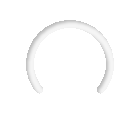
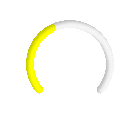
But theInnerShadowit is expensive - it increases creation time and I need dozen or more of them on not much capable device.
So I would like to replace InnerShadow with image of it, but I don't know how to generate/grab it.
When I'm trying to usegrabToImage()I'm getting the arc with the shadow, but I need only the shadow.
Please help.
Good thing is that all dimensions are static (width, height, stroke width, angels).Below is the code for above images:
import QtQuick 2.14
import QtQuick.Shapes 1.14
import QtGraphicalEffects 1.14


Rectangle {
  width: 140; height: 140

  Shape {
    id: dialShape
    anchors.centerIn: parent
    width: 116; height: 116
    visible: false
    antialiasing: true
    smooth: true

    ShapePath {
      strokeColor: "#f5f5f5"
      fillColor: "transparent"
      capStyle: Qt.RoundCap
      strokeWidth: 8

      PathAngleArc {
        radiusX: 40; radiusY: 40
        centerX: dialShape.width / 2
        centerY: dialShape.height / 2 - 6
        startAngle: 140
        sweepAngle: 260
      }
    }
    ShapePath {
      strokeColor: "yellow"
      fillColor: "transparent"
      capStyle: Qt.RoundCap
      strokeWidth: 8

      PathAngleArc {
        radiusX: 40; radiusY: 40
        centerX: dialShape.width / 2
        centerY: dialShape.height / 2 - 6
        startAngle: 140
        sweepAngle: 260 * 0.4 // 0.4 is coefficient - it can change
      }
    }
  }

  InnerShadow {
    anchors.fill: dialShape
    horizontalOffset: 2; verticalOffset: 2
    radius: 4
    samples: 32
    color: Qt.rgba(0, 0, 0, 0.24)
    source: dialShape
  }
}
