Qt 6.11 is out! See what's new in the release
blog
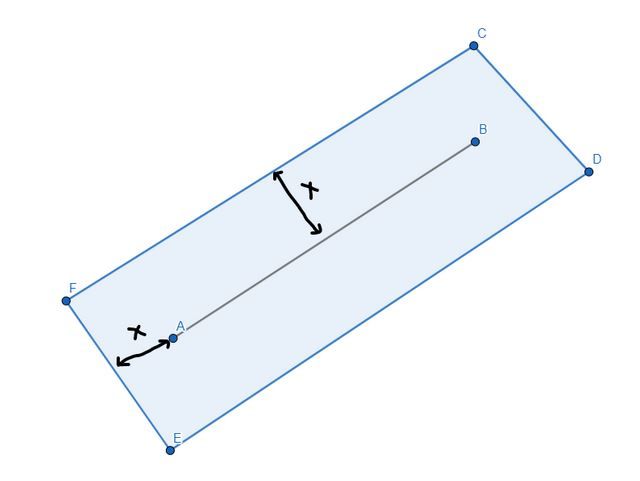
QLine to QRect with Margin
-
Create a QTransform to move A to 0,0 (translate) and B to 0,y (rotate, you can get the rotation from QLineF::angle()). Apply the transform to your line.
Then you can calculate the margin points and transform them back with your calculated transform from above. -
@DonCoder said in QLine to QRect with Margin:
I am new to QTransform,
See the documentation - a little bit of matematics.