Skip to content
  • Categories
  • Recent
  • Tags
  • Popular
  • Users
  • Groups
  • Search
  • Get Qt Extensions
  • Unsolved
Collapse
Brand Logo
  1. Home
  2. Qt Development
  3. General and Desktop
  4. Changes in designer behave different wit CMake vs QMake
Qt 6.11 is out! See what's new in the release blog

Changes in designer behave different wit CMake vs QMake

Scheduled Pinned Locked Moved Unsolved General and Desktop
2 Posts 2 Posters 206 Views 1 Watching
  • Oldest to Newest
  • Newest to Oldest
  • Most Votes
Reply
  • Reply as topic
Log in to reply
This topic has been deleted. Only users with topic management privileges can see it.
  • B Offline
    B Offline
    Bert59
    wrote on last edited by
    #1

    I noticed a strange behavior when I use CMake.

    I create a new project using QMake with a very basic panel and just a label.
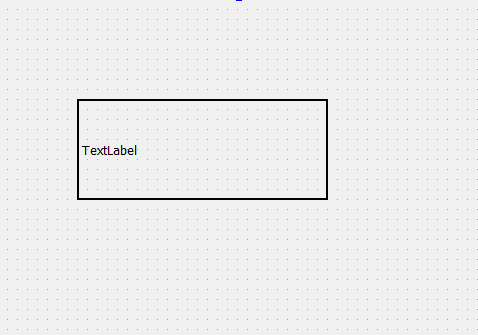
    81101241-bfa0-417b-baa8-f924498eefe7-image.png

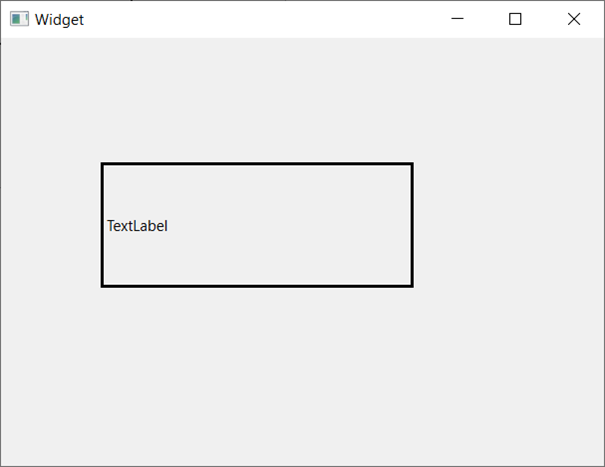
    I run the program and get
    1ebaf219-a9d2-4bd4-b968-67324b1d1c39-image.png

    Now I go back to designer and change the H Alignment
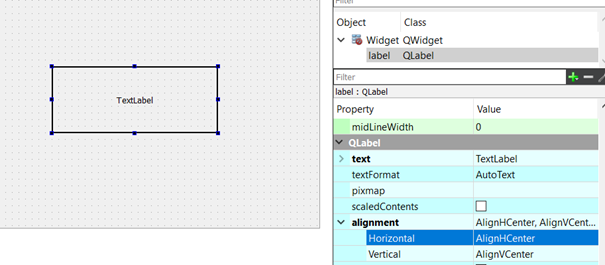
    47b1ef93-4ee0-477f-bd08-1e193953ad22-image.png

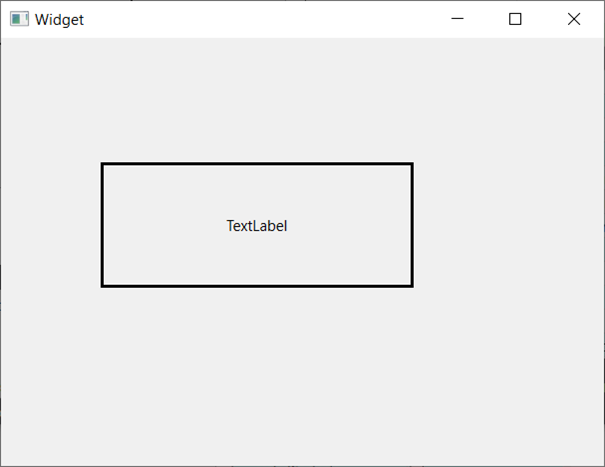
    I run the program and get
    a7077ebe-b22c-4932-9a5a-dfbdd1b37f27-image.png

    If I do exactly the same with a project using CMake, after I change the alignment, the text is in the center in the designer window but when I run the program it remains on the left. I have to re-run the program a second time to see the changes made in the designer.

    Did someone else experinence this behavior with CMake?

    eyllanescE 1 Reply Last reply
    0
    • B Bert59

      I noticed a strange behavior when I use CMake.

      I create a new project using QMake with a very basic panel and just a label.
      81101241-bfa0-417b-baa8-f924498eefe7-image.png

      I run the program and get
      1ebaf219-a9d2-4bd4-b968-67324b1d1c39-image.png

      Now I go back to designer and change the H Alignment
      47b1ef93-4ee0-477f-bd08-1e193953ad22-image.png

      I run the program and get
      a7077ebe-b22c-4932-9a5a-dfbdd1b37f27-image.png

      If I do exactly the same with a project using CMake, after I change the alignment, the text is in the center in the designer window but when I run the program it remains on the left. I have to re-run the program a second time to see the changes made in the designer.

      Did someone else experinence this behavior with CMake?

      eyllanescE Offline
      eyllanescE Offline
      eyllanesc
      wrote on last edited by
      #2

      @Bert59 I do not reproduce the problem, try deleting the build folder and recompile

      If you want me to help you develop some work then you can write to my email: e.yllanescucho@gmal.com.

      1 Reply Last reply
      3

      • Login

      • Login or register to search.
      • First post
        Last post
      0
      • Categories
      • Recent
      • Tags
      • Popular
      • Users
      • Groups
      • Search
      • Get Qt Extensions
      • Unsolved