Skip to content
  • Categories
  • Recent
  • Tags
  • Popular
  • Users
  • Groups
  • Search
  • Get Qt Extensions
  • Unsolved
Collapse
Brand Logo
  1. Home
  2. Qt Development
  3. General and Desktop
  4. I want to place the controls in the center of the layout.

I want to place the controls in the center of the layout.

Scheduled Pinned Locked Moved Solved General and Desktop
8 Posts 4 Posters 872 Views 2 Watching
  • Oldest to Newest
  • Newest to Oldest
  • Most Votes
Reply
  • Reply as topic
Log in to reply
This topic has been deleted. Only users with topic management privileges can see it.
  • I Offline
    I Offline
    IknowQT
    wrote on last edited by
    #1

    68ab701b-374c-460a-8834-9e8ee87876d4-image.png

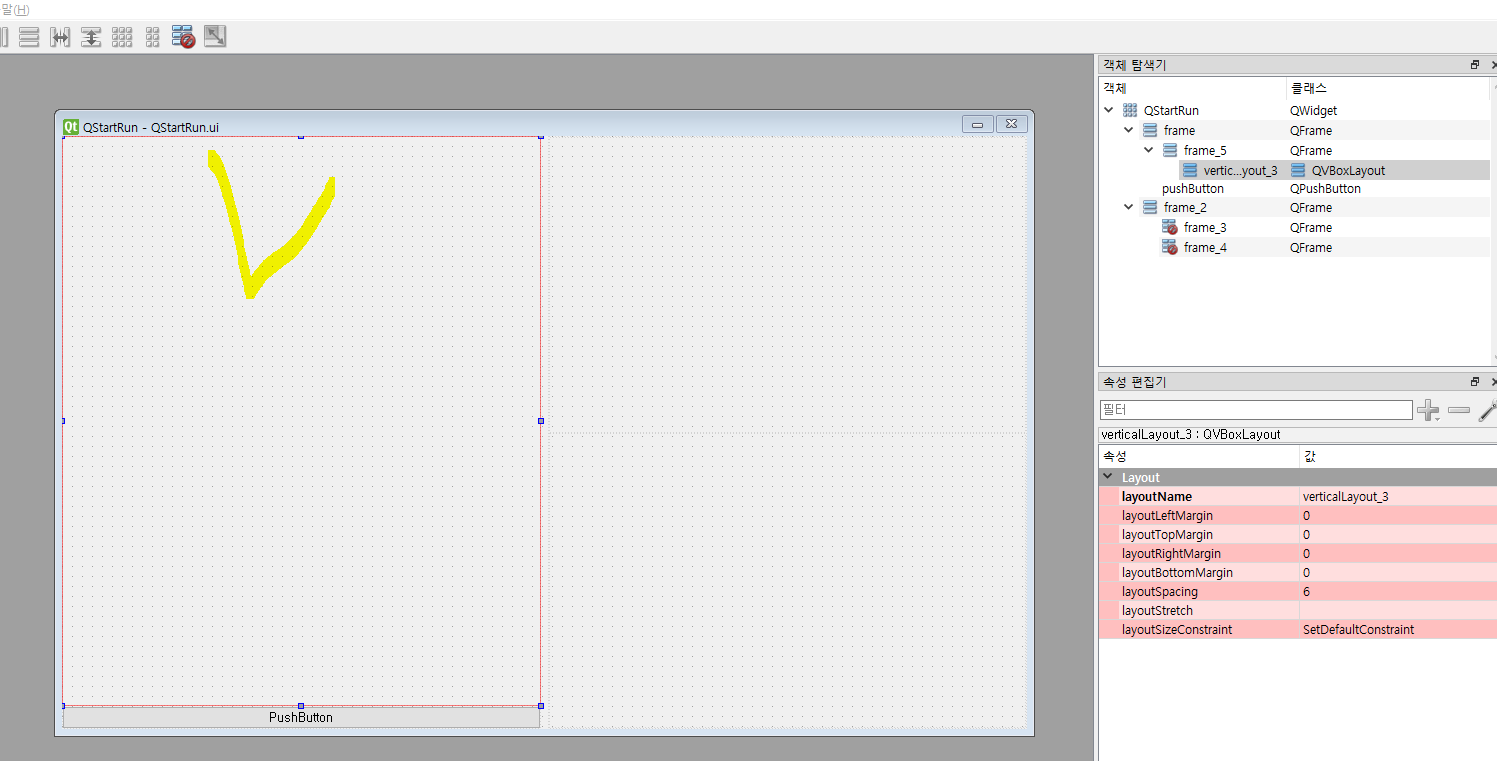
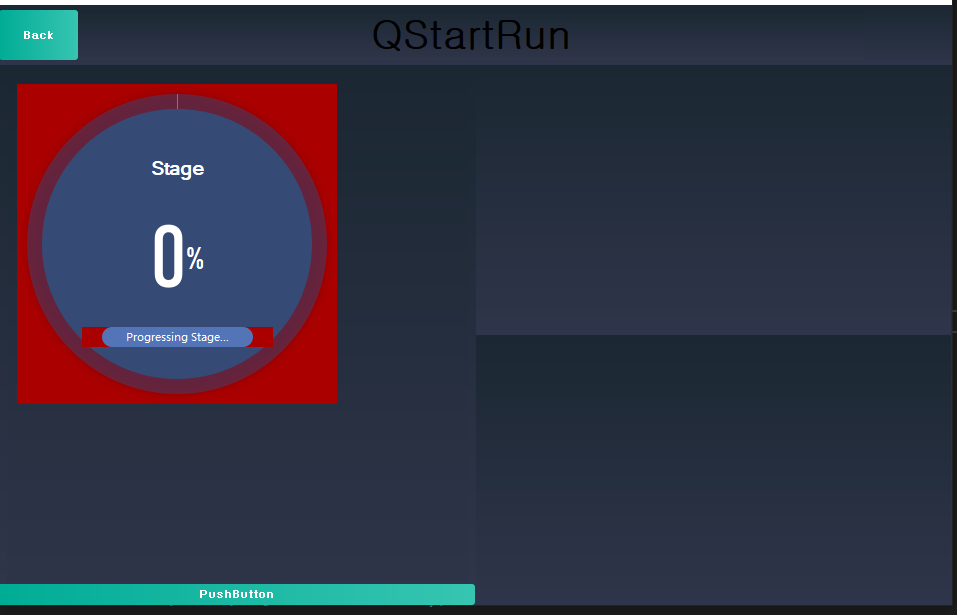
    There's a layout like this, and I'm trying to addwidget a customized control on the checked layout, but when I do addwidget, it's always drawn on (0,0).
    I want to go to the center of the checked layout. I tried to go to geometry().center().x().y, but no, I tried to use spacer, but the ui was broken overall. If I put spacer in the checked layout, is there a way to fix the size of the other layout?

    VRoninV 1 Reply Last reply
    0
    • I IknowQT

      68ab701b-374c-460a-8834-9e8ee87876d4-image.png

      There's a layout like this, and I'm trying to addwidget a customized control on the checked layout, but when I do addwidget, it's always drawn on (0,0).
      I want to go to the center of the checked layout. I tried to go to geometry().center().x().y, but no, I tried to use spacer, but the ui was broken overall. If I put spacer in the checked layout, is there a way to fix the size of the other layout?

      VRoninV Offline
      VRoninV Offline
      VRonin
      wrote on last edited by
      #2

      @IknowQT said in I want to place the controls in the center of the layout.:

      I tried to use spacer

      This is the correct way

      but the ui was broken overall

      How?

      "La mort n'est rien, mais vivre vaincu et sans gloire, c'est mourir tous les jours"
      ~Napoleon Bonaparte

      On a crusade to banish setIndexWidget() from the holy land of Qt

      1 Reply Last reply
      1
      • Kent-DorfmanK Offline
        Kent-DorfmanK Offline
        Kent-Dorfman
        wrote on last edited by Kent-Dorfman
        #3

        QGridLayout using the correct size policies for the widgets it contains

        The dystopian literature that served as a warning in my youth has become an instruction manual in my elder years.

        1 Reply Last reply
        0
        • I Offline
          I Offline
          IknowQT
          wrote on last edited by
          #4

          m_pProgress->move(this->size().width()/4 , this->size().height() );

          This way, it won't move.
          I did split 2 in the whole widget size to make sure the move worked, so I wanted to make sure it was in the middle, but it didn't move at all.

          mrjjM 1 Reply Last reply
          0
          • I IknowQT

            m_pProgress->move(this->size().width()/4 , this->size().height() );

            This way, it won't move.
            I did split 2 in the whole widget size to make sure the move worked, so I wanted to make sure it was in the middle, but it didn't move at all.

            mrjjM Offline
            mrjjM Offline
            mrjj
            Lifetime Qt Champion
            wrote on last edited by
            #5

            @IknowQT

            Hi
            When a widget is inside a layout, you cannot move it manually.
            It will be ignored.

            You could use a GridLayout instead and set its aligment.

            alt text

            I 2 Replies Last reply
            3
            • mrjjM mrjj

              @IknowQT

              Hi
              When a widget is inside a layout, you cannot move it manually.
              It will be ignored.

              You could use a GridLayout instead and set its aligment.

              alt text

              I Offline
              I Offline
              IknowQT
              wrote on last edited by
              #6

              @mrjj

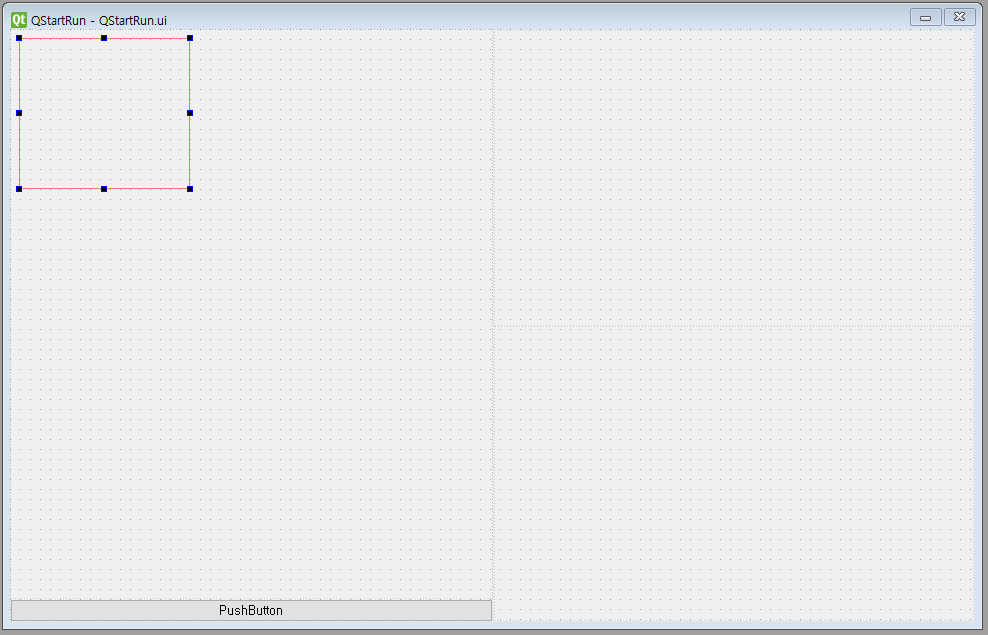
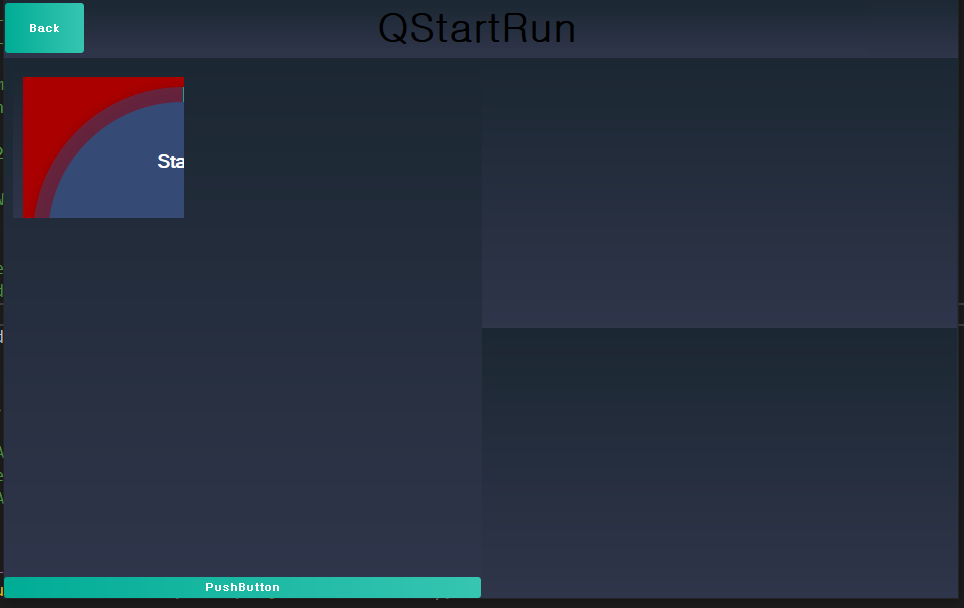
              I'm trying to put the dynamic ui in the gridlayout, how do I put the properties?

              this->ui.gridLayout_2->addWidget(m_pProgress, 1, 1, Qt::AlignCenter);
              I put it in like this, but I can't see the ui. I think it's out of range.

              1 Reply Last reply
              0
              • mrjjM mrjj

                @IknowQT

                Hi
                When a widget is inside a layout, you cannot move it manually.
                It will be ignored.

                You could use a GridLayout instead and set its aligment.

                alt text

                I Offline
                I Offline
                IknowQT
                wrote on last edited by
                #7

                @mrjj

                11086950-1d13-426f-9713-6f74d143b856-image.png
                b3503a58-d169-4df1-86f8-5d61d27d3578-image.png
                0817f3bc-8b7d-417a-9eeb-78bef55cb1a1-image.png
                0355784a-45d7-4045-8487-550b33261de4-image.png

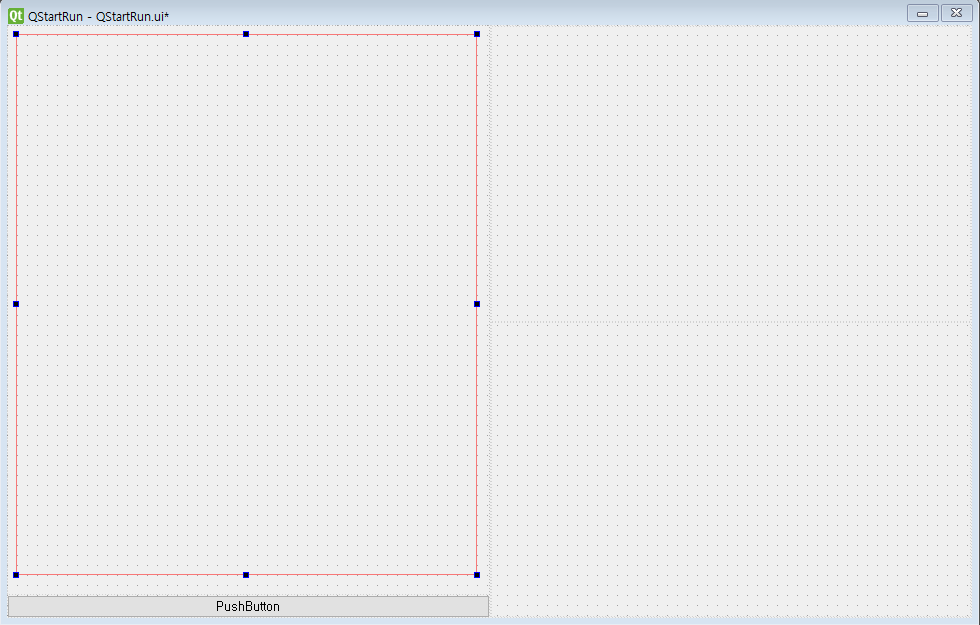
                Is it because the size of the widget I made is fixed or it is maintained regardless of the size of the layout?

                How do I resize to fit the layout?

                1 Reply Last reply
                0
                • mrjjM Offline
                  mrjjM Offline
                  mrjj
                  Lifetime Qt Champion
                  wrote on last edited by
                  #8

                  Hi
                  The main issue i think is that the red layout shown is not inside another layout.
                  Those red ones are meant to be used with other layouts.

                  To apply a layout to that widget shown. Right click in and there is a layout menu.

                  1 Reply Last reply
                  0

                  • Login

                  • Login or register to search.
                  • First post
                    Last post
                  0
                  • Categories
                  • Recent
                  • Tags
                  • Popular
                  • Users
                  • Groups
                  • Search
                  • Get Qt Extensions
                  • Unsolved