Skip to content
  • Categories
  • Recent
  • Tags
  • Popular
  • Users
  • Groups
  • Search
  • Get Qt Extensions
  • Unsolved
Collapse
Brand Logo
  1. Home
  2. Qt Development
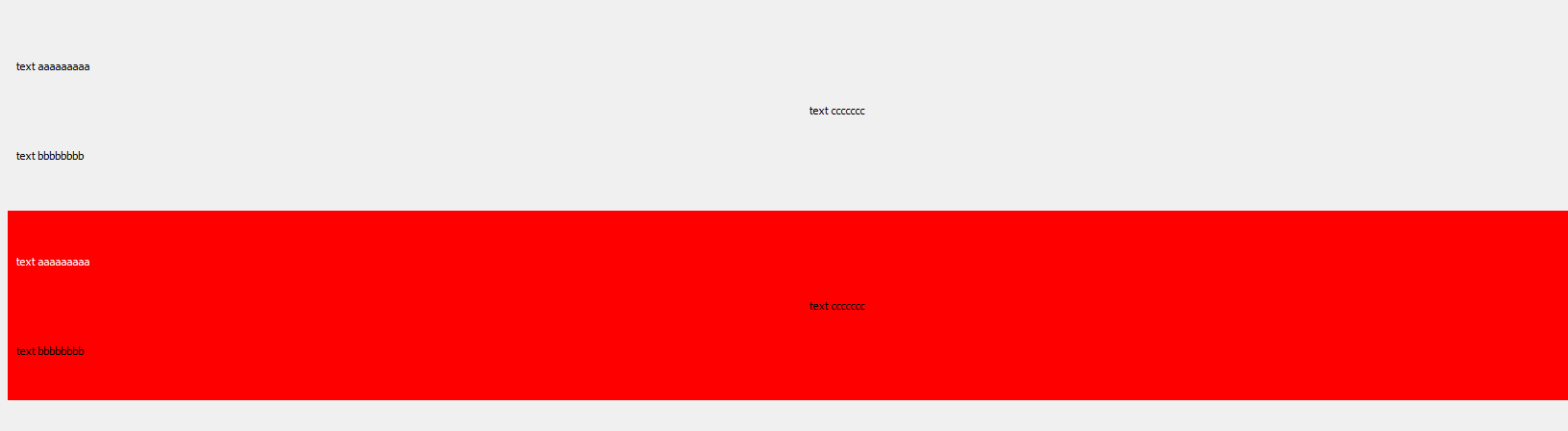
  3. General and Desktop
  4. Blinking background
Qt 6.11 is out! See what's new in the release blog

Blinking background

Scheduled Pinned Locked Moved Solved General and Desktop
17 Posts 3 Posters 6.0k Views 3 Watching
  • Oldest to Newest
  • Newest to Oldest
  • Most Votes
Reply
  • Reply as topic
Log in to reply
This topic has been deleted. Only users with topic management privileges can see it.
  • mrjjM Offline
    mrjjM Offline
    mrjj
    Lifetime Qt Champion
    wrote on last edited by
    #3

    Hi
    I tried your code on win 10 with Qt 5.15.1

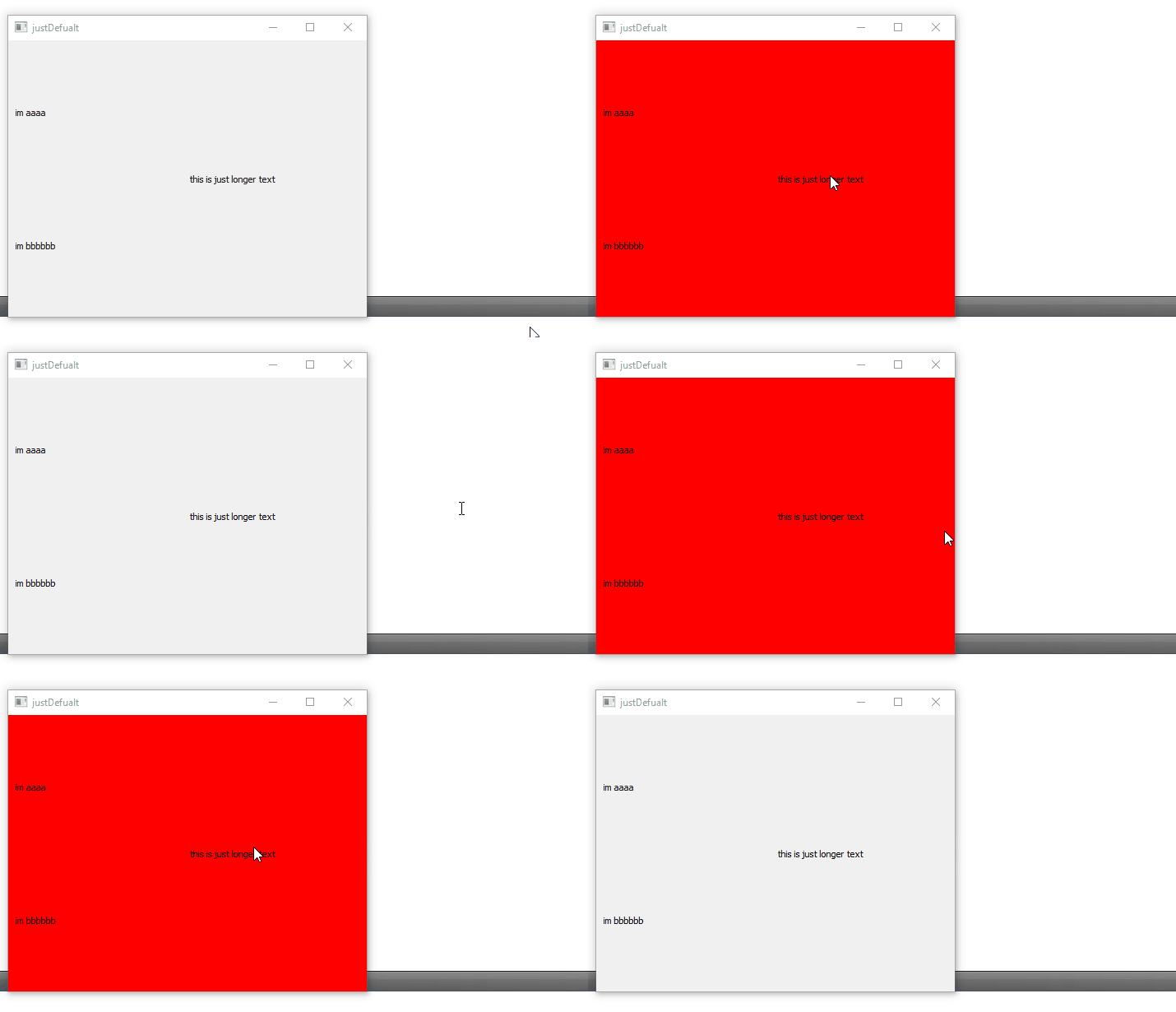
    I didn't not see such an effect so i wonder if you are using a small board or something that draws slowly ?
    alt text

    1 Reply Last reply
    0
    • C Offline
      C Offline
      Corvette653
      wrote on last edited by Corvette653
      #4

      Strange, I can't record it, but it's seeable with the naked eye.
      I use Qt 5.14.2 - Windows 10

      mainwindow.h:

      #ifndef MAINWINDOW_H
      #define MAINWINDOW_H
      
      #include <QMainWindow>
      #include <QLabel>
      #include <QGridLayout>
      #include <QScreen>
      
      class MyWidget : public QWidget
      {
          Q_OBJECT
      public:
          MyWidget(QString string1, QString string2, QString string3, QWidget *parent = 0) : QWidget(parent) {
              setAttribute(Qt::WA_StyledBackground);
              QLabel *label1 = new QLabel;
              QLabel *label2 = new QLabel;
              QLabel *label3 = new QLabel;
              QGridLayout *layout = new QGridLayout;
      
              label1->setText(string1);
              label2->setText(string2);
              label3->setText(string3);
              layout->addWidget(label1, 0, 0);
              layout->addWidget(label2, 1, 0);
              layout->addWidget(label3, 0, 1, 2, 1);
      
              setLayout(layout);
              setStyleSheet(":hover{background-color: red;}");
          }
          ~MyWidget(){}
      };
      
      class MainWindow : public QMainWindow
      {
          Q_OBJECT
      
      public:
          MainWindow();
          ~MainWindow();
      
          QLabel *spacer1 = new QLabel;
          MyWidget *widget1 = new MyWidget("text aaaaaaaaa", "text bbbbbbbb", "text ccccccc");
          MyWidget *widget2 = new MyWidget("text aaaaaaaaa", "text bbbbbbbb", "text ccccccc");
          MyWidget *widget3 = new MyWidget("text aaaaaaaaa", "text bbbbbbbb", "text ccccccc");
          QLabel *spacer2 = new QLabel;
          QGridLayout *layout = new QGridLayout;
          QWidget *central = new QWidget;
      };
      #endif // MAINWINDOW_H
      

      mainwindow.cpp:

      #include "mainwindow.h"
      
      MainWindow::MainWindow() {
          showMaximized();
          setGeometry(screen()->geometry());
      
          layout->addWidget(spacer1);
          layout->addWidget(widget1);
          layout->addWidget(widget2);
          layout->addWidget(widget3);
          layout->addWidget(spacer2);
          central->setLayout(layout);
          setCentralWidget(central);
      }
      MainWindow::~MainWindow() {}
      

      Like I said earlier it's a split second, but I have list which is made of these objects. When each of them 'blinks', it looks really bad.
      Is it possible, that my computer/screen is the reason?

      1 Reply Last reply
      0
      • C Offline
        C Offline
        Corvette653
        wrote on last edited by
        #5

        I recorded it by my phone, I can't insert video here, so it's link to my google drive:
        video

        mrjjM 1 Reply Last reply
        0
        • C Corvette653

          I recorded it by my phone, I can't insert video here, so it's link to my google drive:
          video

          mrjjM Offline
          mrjjM Offline
          mrjj
          Lifetime Qt Champion
          wrote on last edited by
          #6

          @Corvette653
          Ok that looks indeed odd.

          • Is it possible, that my computer/screen is the reason?
            well it would have to be a really, really old flat screen for it to be the redraw time.

          I can see you have multiply MyWidets on screen.

          I only tried one. let me see with more.

          1 Reply Last reply
          0
          • mrjjM Offline
            mrjjM Offline
            mrjj
            Lifetime Qt Champion
            wrote on last edited by
            #7

            Hi
            Nope even with your new test code
            and full screen window size i dont get that effect.

            Could you try

                label1->setAutoFillBackground(false);
                label2->setAutoFillBackground(false);
                label3->setAutoFillBackground(false);
            

            inside myWidget ?
            Should be off but just to be sure.

            1 Reply Last reply
            0
            • C Offline
              C Offline
              Corvette653
              wrote on last edited by Corvette653
              #8

              @mrjj, I don't know how it was set originally, but adding "setAutoFillBackground" changes nothing :/
              Edit: I ran this app on another computer and it's visible there too.

              mrjjM 1 Reply Last reply
              0
              • C Corvette653

                @mrjj, I don't know how it was set originally, but adding "setAutoFillBackground" changes nothing :/
                Edit: I ran this app on another computer and it's visible there too.

                mrjjM Offline
                mrjjM Offline
                mrjj
                Lifetime Qt Champion
                wrote on last edited by
                #9

                @Corvette653
                Hi
                Ok, was the only thing i could think of.

                Im not sure what you see.
                If you move mouse more slowly, does it also happen ?

                1 Reply Last reply
                0
                • C Offline
                  C Offline
                  Corvette653
                  wrote on last edited by
                  #10

                  @mrjj
                  Me neither.
                  When I move mouse very slow, everything is alright.
                  How often is it checked if mouse is over widget?
                  Is it possible that it happens when I move mouse: label -> out of widget,
                  but if I move: margin -> out of widget, everything is ok?

                  widget_with_margins.png

                  mrjjM 1 Reply Last reply
                  0
                  • C Corvette653

                    @mrjj
                    Me neither.
                    When I move mouse very slow, everything is alright.
                    How often is it checked if mouse is over widget?
                    Is it possible that it happens when I move mouse: label -> out of widget,
                    but if I move: margin -> out of widget, everything is ok?

                    widget_with_margins.png

                    mrjjM Offline
                    mrjjM Offline
                    mrjj
                    Lifetime Qt Champion
                    wrote on last edited by
                    #11

                    @Corvette653
                    Hi
                    I think on every mouse move event as to check its still over it.
                    Well both the main Widget and the Labels are affected by your stylesheet but
                    Labels are transparent so not sure it would do so much.

                    But yes from the video , it does seem related to the labels background as the
                    white ghost thing seems to be where the labels are.

                    1 Reply Last reply
                    0
                    • C Offline
                      C Offline
                      Corvette653
                      wrote on last edited by
                      #12

                      :/ It's strange, I wanted to change font color, of the whole widget(3 labels), but it doesn't work in the way I want

                      setStyleSheet(":hover{background-color: red; color: white;}");
                      
                      mrjjM 1 Reply Last reply
                      0
                      • C Corvette653

                        :/ It's strange, I wanted to change font color, of the whole widget(3 labels), but it doesn't work in the way I want

                        setStyleSheet(":hover{background-color: red; color: white;}");
                        
                        mrjjM Offline
                        mrjjM Offline
                        mrjj
                        Lifetime Qt Champion
                        wrote on last edited by
                        #13

                        Hi
                        What happens ?

                        1 Reply Last reply
                        0
                        • C Offline
                          C Offline
                          Corvette653
                          wrote on last edited by Corvette653
                          #14

                          widget.png

                          Only label I directly hover has the white text, I want the whole widget to has.
                          Background color is set in the same line, but works good (except that strange white ghosts which I have already ignored)

                          mrjjM 1 Reply Last reply
                          0
                          • C Corvette653

                            widget.png

                            Only label I directly hover has the white text, I want the whole widget to has.
                            Background color is set in the same line, but works good (except that strange white ghosts which I have already ignored)

                            mrjjM Offline
                            mrjjM Offline
                            mrjj
                            Lifetime Qt Champion
                            wrote on last edited by mrjj
                            #15

                            @Corvette653
                            Well that is kinda to be expected as only one widget is actually "hovered" at a given time.
                            You do see the red all over as labels are transparent so we see the master widget in red under it.

                            You could add the function to class MyWidget : public QWidget

                            to handle hover directly and in there then set style sheet to master widget to turn red and
                            then set style sheet to each label to turn white at same time.

                            in ctor
                            this->setAttribute(Qt::WA_HOVER, true);
                            
                            void MyWidget ::enterEvent(QEvent * event)
                            {
                                // set style sheet
                                QWidget::enterEvent(event);
                            }
                            
                            void MyWidget ::leaveEvent(QEvent * event)
                            {
                                // other style sheet to return to nomral color for text
                                QWidget::leaveEvent(event);
                            }
                            

                            https://stackoverflow.com/questions/411823/how-do-i-implement-qhoverevent-in-qt

                            1 Reply Last reply
                            0
                            • C Offline
                              C Offline
                              Corvette653
                              wrote on last edited by
                              #16

                              @mrjj
                              Maybe it's not exactly answear to first question, but it resolves that.
                              I moved bckground-color to those functions and it works correctly

                              mrjjM 1 Reply Last reply
                              0
                              • C Corvette653

                                @mrjj
                                Maybe it's not exactly answear to first question, but it resolves that.
                                I moved bckground-color to those functions and it works correctly

                                mrjjM Offline
                                mrjjM Offline
                                mrjj
                                Lifetime Qt Champion
                                wrote on last edited by
                                #17

                                @Corvette653
                                Hi
                                well it's not really possible to hover more than one widget at a time so
                                pure style sheet would not be able to make all labels use white on hover.

                                1 Reply Last reply
                                0

                                • Login

                                • Login or register to search.
                                • First post
                                  Last post
                                0
                                • Categories
                                • Recent
                                • Tags
                                • Popular
                                • Users
                                • Groups
                                • Search
                                • Get Qt Extensions
                                • Unsolved