
Skip to content
  • Categories
  • Recent
  • Tags
  • Popular
  • Users
  • Groups
  • Search
  • Get Qt Extensions
  • Unsolved
Collapse
Brand Logo
  1. Home
  2. Qt Development
  3. General and Desktop
  4. Flickering with QChartView display
Qt 6.11 is out! See what's new in the release blog

Flickering with QChartView display

Scheduled Pinned Locked Moved Unsolved General and Desktop
9 Posts 2 Posters 1.0k Views
  • Oldest to Newest
  • Newest to Oldest
  • Most Votes
Reply
  • Reply as topic
Log in to reply
This topic has been deleted. Only users with topic management privileges can see it.
  • R Offline
    R Offline
    rahult
    wrote on last edited by
    #1

    I am running a code on group of images and i have a function "updateGraph" used to plot a line graph to observe the number of cars encountered. I am calling this function for every image to update the graph, but i observe the flickering when graph is updated. I feel it is because i am creating a new widget every time i update the graph. Is there any way update the graph is same widget.?

    void MainWindow::updateGraph()
    {
        QChart *chart = new QChart();
        chart->legend()->hide();
        chart->addSeries(series);
        chart->createDefaultAxes();
        chart->setTitle("Counts");
    
        QChartView *chartview = new QChartView(chart);
        chartview->setRenderHint(QPainter::Antialiasing);
        gridLayout->addWidget(chartview,0,0);
    }
    
    1 Reply Last reply
    0
    • Christian EhrlicherC Online
      Christian EhrlicherC Online
      Christian Ehrlicher
      Lifetime Qt Champion
      wrote on last edited by
      #2

      @rahult said in Flickering with QChartView display:

      feel it is because i am creating a new widget every time i update the graph.

      Correct, and even more - you forgot to delete the old ones and create a big memory leak.

      You only have to update your series container, the rest is done automatically.

      Qt Online Installer direct download: https://download.qt.io/official_releases/online_installers/
      Visit the Qt Academy at https://academy.qt.io/catalog

      R 1 Reply Last reply
      2
      • Christian EhrlicherC Christian Ehrlicher

        @rahult said in Flickering with QChartView display:

        feel it is because i am creating a new widget every time i update the graph.

        Correct, and even more - you forgot to delete the old ones and create a big memory leak.

        You only have to update your series container, the rest is done automatically.

        R Offline
        R Offline
        rahult
        wrote on last edited by
        #3

        @Christian-Ehrlicher Thank you

        How to delete the old ones.
        Just by updating the series how can i update my graph. Where to call my updateGraph().

        1 Reply Last reply
        0
        • Christian EhrlicherC Online
          Christian EhrlicherC Online
          Christian Ehrlicher
          Lifetime Qt Champion
          wrote on last edited by
          #4

          @rahult said in Flickering with QChartView display:

          How to delete the old ones.

          You mean old points? See e.g. https://doc.qt.io/qt-5/qxyseries.html#removePoints

          Qt Online Installer direct download: https://download.qt.io/official_releases/online_installers/
          Visit the Qt Academy at https://academy.qt.io/catalog

          R 1 Reply Last reply
          1
          • Christian EhrlicherC Christian Ehrlicher

            @rahult said in Flickering with QChartView display:

            How to delete the old ones.

            You mean old points? See e.g. https://doc.qt.io/qt-5/qxyseries.html#removePoints

            R Offline
            R Offline
            rahult
            wrote on last edited by
            #5

            @Christian-Ehrlicher Thank you..
            As you said

            You only have to update your series container, the rest is done automatically.
            

            i have declared the following in my mainwindow constructor

                QChart *chart = new QChart();
                chart->legend()->hide();
                chart->addSeries(series);
                chart->createDefaultAxes();
                chart->setTitle("Counts");
            
                QChartView *chartview = new QChartView(chart);
                chartview->setRenderHint(QPainter::Antialiasing);
                gridLayout->addWidget(chartview,0,0);
            

            But when i am trying to access to chart from my other function it is not in scope. Did i get it correctly can you tell me whats going wrong.

            1 Reply Last reply
            0
            • Christian EhrlicherC Online
              Christian EhrlicherC Online
              Christian Ehrlicher
              Lifetime Qt Champion
              wrote on last edited by
              #6

              Looks like basic c++ stuff is missing here...
              You can for example make the chart or seriesa member variable.

              Qt Online Installer direct download: https://download.qt.io/official_releases/online_installers/
              Visit the Qt Academy at https://academy.qt.io/catalog

              R 2 Replies Last reply
              1
              • Christian EhrlicherC Christian Ehrlicher

                Looks like basic c++ stuff is missing here...
                You can for example make the chart or seriesa member variable.

                R Offline
                R Offline
                rahult
                wrote on last edited by rahult
                #7

                @Christian-Ehrlicher thank you.. solved the above issue declaring in constructor.

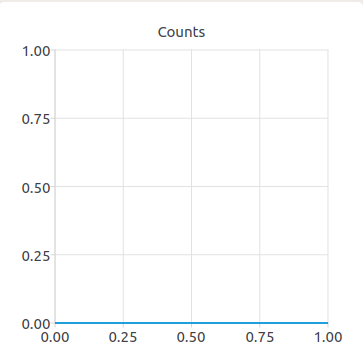
                Series is getting updated but the chart is not getting updated.
                Screenshot from 2020-10-20 15-55-23.png

                1 Reply Last reply
                0
                • Christian EhrlicherC Christian Ehrlicher

                  Looks like basic c++ stuff is missing here...
                  You can for example make the chart or seriesa member variable.

                  R Offline
                  R Offline
                  rahult
                  wrote on last edited by
                  #8

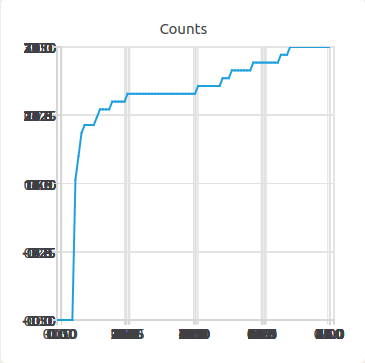
                  @Christian-Ehrlicher I can able to solve the issue by adding chart->removeSeries(series); before updating the series. It works now.

                  But when i update the axes with chart->createDefaultAxes(); after chart->removeSeries(series); i see a blury chart likethis..
                  Screenshot from 2020-10-20 19-23-19.png

                  is there any other way to update the axes with updating the series.

                  1 Reply Last reply
                  0
                  • Christian EhrlicherC Online
                    Christian EhrlicherC Online
                    Christian Ehrlicher
                    Lifetime Qt Champion
                    wrote on last edited by
                    #9

                    There is no need to reset the series afaics. QChart::update() should suffice. If not please provide a testcase.

                    Qt Online Installer direct download: https://download.qt.io/official_releases/online_installers/
                    Visit the Qt Academy at https://academy.qt.io/catalog

                    1 Reply Last reply
                    0

                    • Login

                    • Login or register to search.
                    • First post
                      Last post
                    0
                    • Categories
                    • Recent
                    • Tags
                    • Popular
                    • Users
                    • Groups
                    • Search
                    • Get Qt Extensions
                    • Unsolved