
Project Pane Too Dark
-
I'm running Qt Creator 4.8.0 on Arch Linux (x86_64). The project pane on the left-hand side is dark (which is fine) but the default font is black, making the project files unreadable unless they are highlighted. I've found some old posts that talk about updating the stylesheet for Qt Creator, but it looks like the stylesheet approach doesn't work any longer (I could be wrong, but none of the changes I did made a difference). I've tried all of the available themes in the "Interface" Options setting, but none fix this issue. I've posted an image below. There is actually a project listing on the left-hand side, but you can't really see the files. Any thoughts?

-
Hi
So even the Light themes are too dark ??
Im not sure what could be the cause of this.
You could try altering teh color in the theme files itself
Qt\Tools\QtCreator\share\qtcreator\themes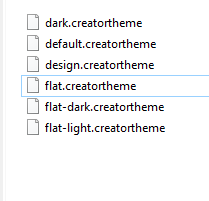
-
Thanks for the suggestion. Can you tell me what variables cover the panel color and the text color? I tried modifying the "darkText" variable with no effect, but there are a large number of options and having to edit, save, load, (rinse, repeat) is taking a while. FYI, this is what the "light flat" theme looks like:

-
Thanks for the suggestion. Can you tell me what variables cover the panel color and the text color? I tried modifying the "darkText" variable with no effect, but there are a large number of options and having to edit, save, load, (rinse, repeat) is taking a while. FYI, this is what the "light flat" theme looks like:
@ggalt
Hi
Sadly im not sure what color key is used for the project tree background.
Also, i doubt it will have any effect as that is very strange why it has dark background even
with light theme so doubt it would have any effect.Do your OS have Dark theme set for the other windows ?
I have never seen this bug before and i do wonder where the color and font color comes from. -
@ggalt
Hi
Sadly im not sure what color key is used for the project tree background.
Also, i doubt it will have any effect as that is very strange why it has dark background even
with light theme so doubt it would have any effect.Do your OS have Dark theme set for the other windows ?
I have never seen this bug before and i do wonder where the color and font color comes from.@mrjj I'm running Arch Linux (x86_64) and Plasma/KDE theme "Breeze Dark". I've reverted to "Breeze" and the panel color changes to a light color (see first screenshot). Compare with the similar screen shot for the "Breeze Dark" theme (second screenshot). Clearly it is pulling the panel color from the Plasma theme. I will explore further, but will probably file a bug report against it.
Breeze Plasma Theme:

Breeze Dark Plasma Theme:

-
OK, so it appears to be pulling the panel color from the "View Background" color in the Plasma theme. You can see a somewhat lighter panel in the screen shot below. I haven't been able to determine where Qt Creator is pulling the text color, because that would be easier to work with (and less disruptive to the Plasma theme).

-
OK, so it appears to be pulling the panel color from the "View Background" color in the Plasma theme. You can see a somewhat lighter panel in the screen shot below. I haven't been able to determine where Qt Creator is pulling the text color, because that would be easier to work with (and less disruptive to the Plasma theme).
-
I had the same problem (but in reverse, the pane was too light and the pale text hard to read) on Manjaro / Xfce. I solved it by running qt5ct from the terminal and changing the appearance settings there. Changing 'style' to Gtk2 worked for me, making the sidebar more like my desktop.
