
Skip to content
  • Categories
  • Recent
  • Tags
  • Popular
  • Users
  • Groups
  • Search
  • Get Qt Extensions
  • Unsolved
Collapse
Brand Logo
  1. Home
  2. Qt Development
  3. General and Desktop
  4. HighDPI and Qt Designer
Qt 6.11 is out! See what's new in the release blog

HighDPI and Qt Designer

Scheduled Pinned Locked Moved Solved General and Desktop
4 Posts 2 Posters 1.5k Views 2 Watching
  • Oldest to Newest
  • Newest to Oldest
  • Most Votes
Reply
  • Reply as topic
Log in to reply
This topic has been deleted. Only users with topic management privileges can see it.
  • davecotterD Offline
    davecotterD Offline
    davecotter
    wrote on last edited by davecotter
    #1

    Re: HighDPI and Qt Designer

    I too am using Qt Designer (Qt 5.9.1). My app shell looks great on mac (retina @ 200%) but tiny small on Windows 10 (HiDPI @ %200)
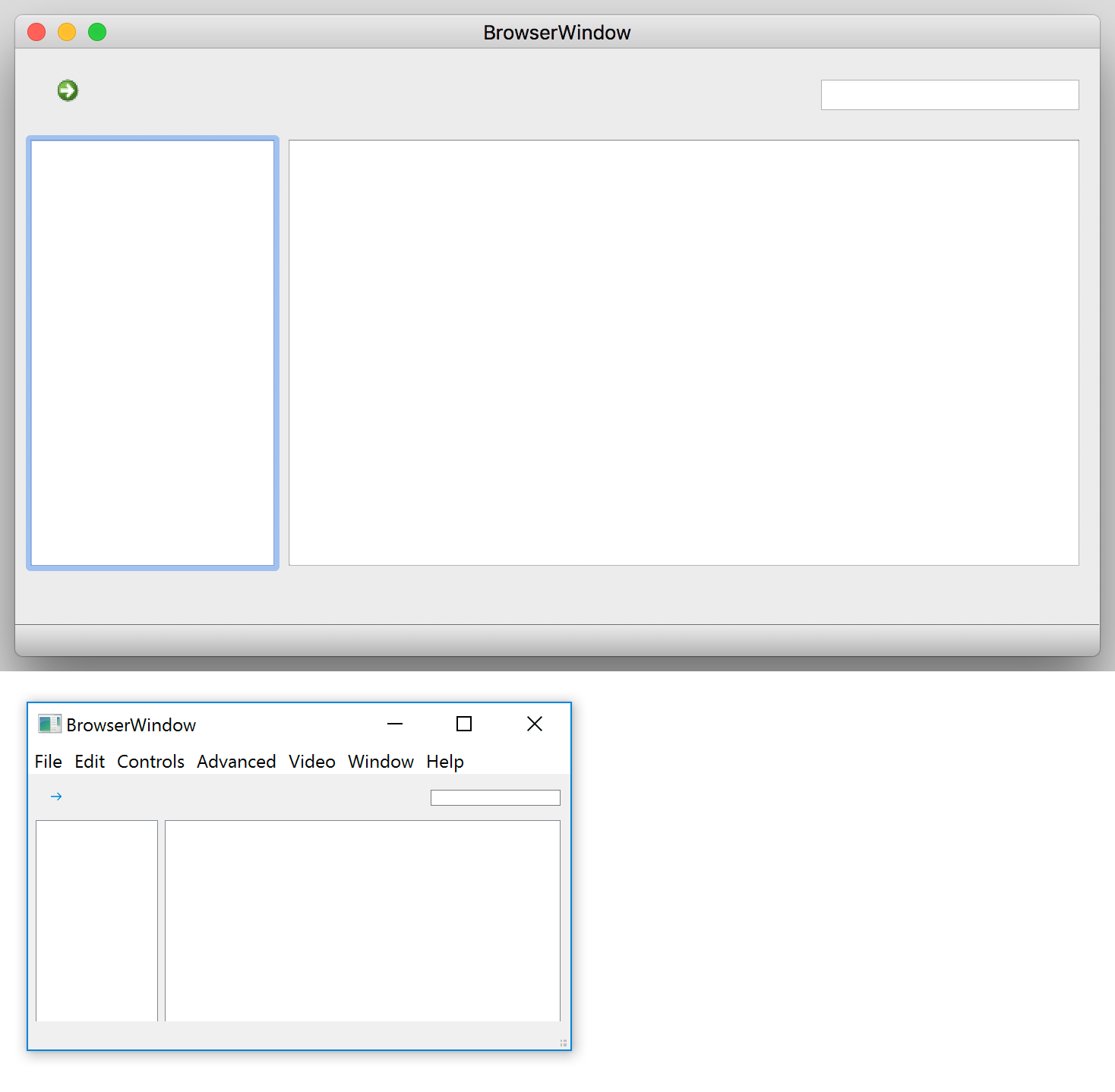
    0_1499660227687_comp.png

    Notice the windows one is half the size of the mac one.

    i've done this at startup:

    QApplication		a(argc, argv);
    
    a.setAttribute(Qt::AA_EnableHighDpiScaling);
    

    but window still teensy.

    any ideas?

    sierdzioS 1 Reply Last reply
    0
    • davecotterD davecotter

      Re: HighDPI and Qt Designer

      I too am using Qt Designer (Qt 5.9.1). My app shell looks great on mac (retina @ 200%) but tiny small on Windows 10 (HiDPI @ %200)

      0_1499660227687_comp.png

      Notice the windows one is half the size of the mac one.

      i've done this at startup:

      QApplication		a(argc, argv);
      
      a.setAttribute(Qt::AA_EnableHighDpiScaling);
      

      but window still teensy.

      any ideas?

      sierdzioS Offline
      sierdzioS Offline
      sierdzio
      Moderators
      wrote on last edited by sierdzio
      #2

      @davecotter said in HighDPI and Qt Designer:

      i've done this at startup:
      QApplication a(argc, argv);

      a.setAttribute(Qt::AA_EnableHighDpiScaling);

      AA_EnableHighDpiScaling has to be set before Q*Application constructor is called. So in your case it will not turn this feature on. See the documentation.

      This should work:

      QApplication::setAttribute(Qt::AA_EnableHighDpiScaling);
      QApplication app(argc, argv);
      

      (Z(:^

      1 Reply Last reply
      6
      • davecotterD Offline
        davecotterD Offline
        davecotter
        wrote on last edited by davecotter
        #3

        oh! so that worked, even for my Widgets app! so yay!

        1 Reply Last reply
        2
        • sierdzioS Offline
          sierdzioS Offline
          sierdzio
          Moderators
          wrote on last edited by
          #4

          Nice :-) Happy coding!

          (Z(:^

          1 Reply Last reply
          0

          • Login

          • Login or register to search.
          • First post
            Last post
          0
          • Categories
          • Recent
          • Tags
          • Popular
          • Users
          • Groups
          • Search
          • Get Qt Extensions
          • Unsolved