

TraceScope v1.0 — A C++/Qt 6 desktop application for investigating logs, with live following, session comparison, and detachable workspaces
-
Hi everyone!
I've recently released TraceScope v1.0.0, an open-source desktop application built with C++17 and Qt 6 Widgets for investigating application, service, QA, and diagnostic logs.
The idea is to take file-based logs from different sources, turn them into a structured investigation, and make it easier to find patterns, follow events, preserve evidence, and share what you've found. Everything runs locally, without requiring a centralized logging server or hosted service.
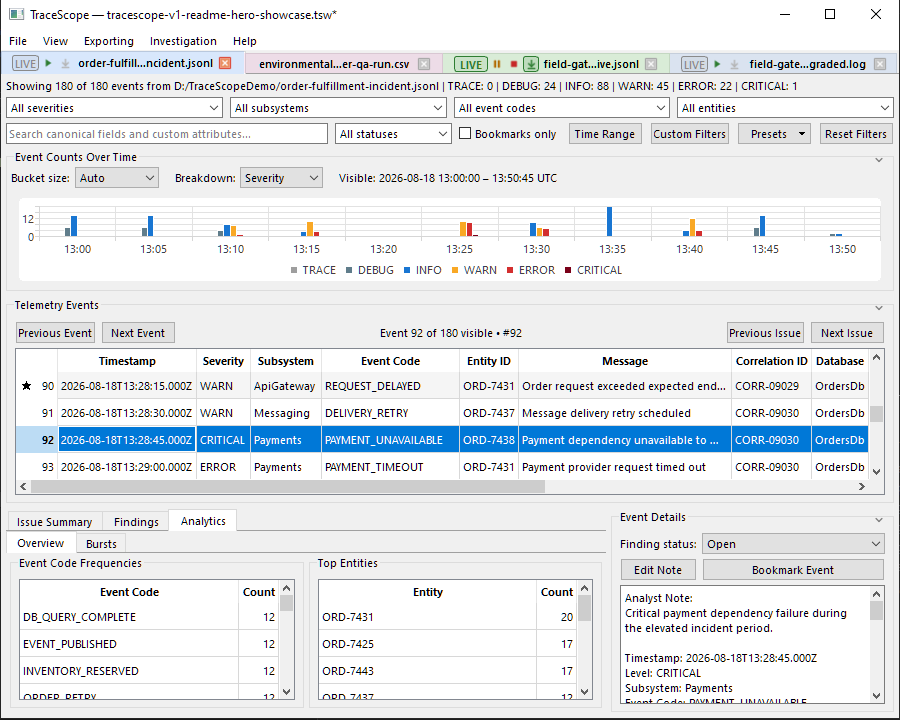
Main features
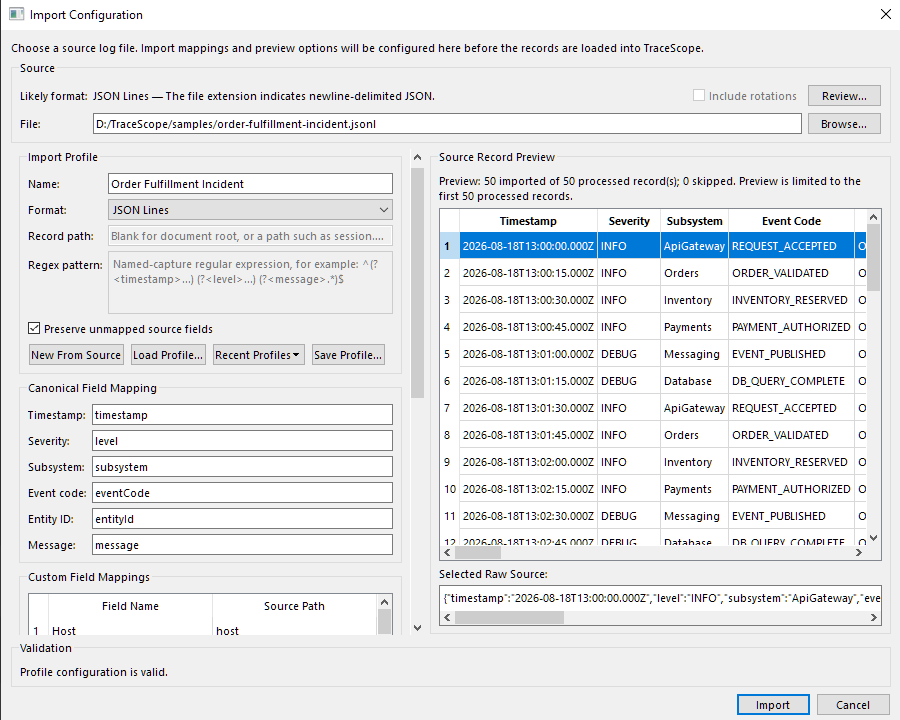
- Flexible log importing: Supports JSON Lines, structured JSON, CSV/TSV, Syslog, key-value/logfmt, IIS W3C, XML (including XML-formatted Windows Events), and regex-based text formats. Reusable import profiles provide field mapping, timestamp rules, severity aliases, and preservation of source-specific attributes.
- Investigation workspace: A dynamic event table with sorting, searching, multi-criteria filtering, saved filter presets, record details, timelines, and navigation between related events.
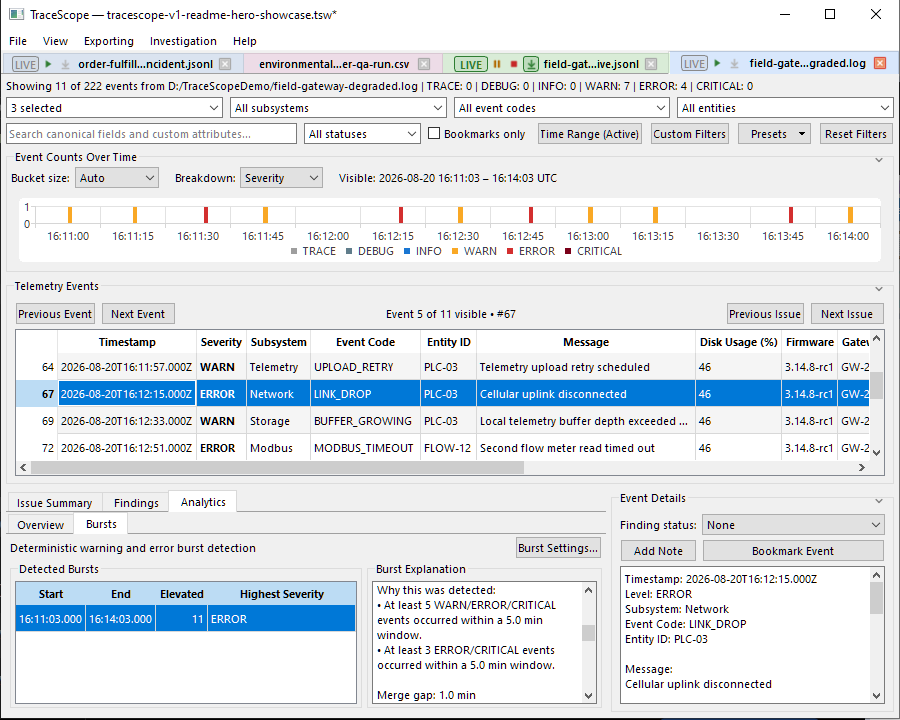
- Issue analysis: Deterministic analytics for warning/error patterns, repeated events, subsystem and entity activity, and time-based bursts, with navigation back to supporting records.
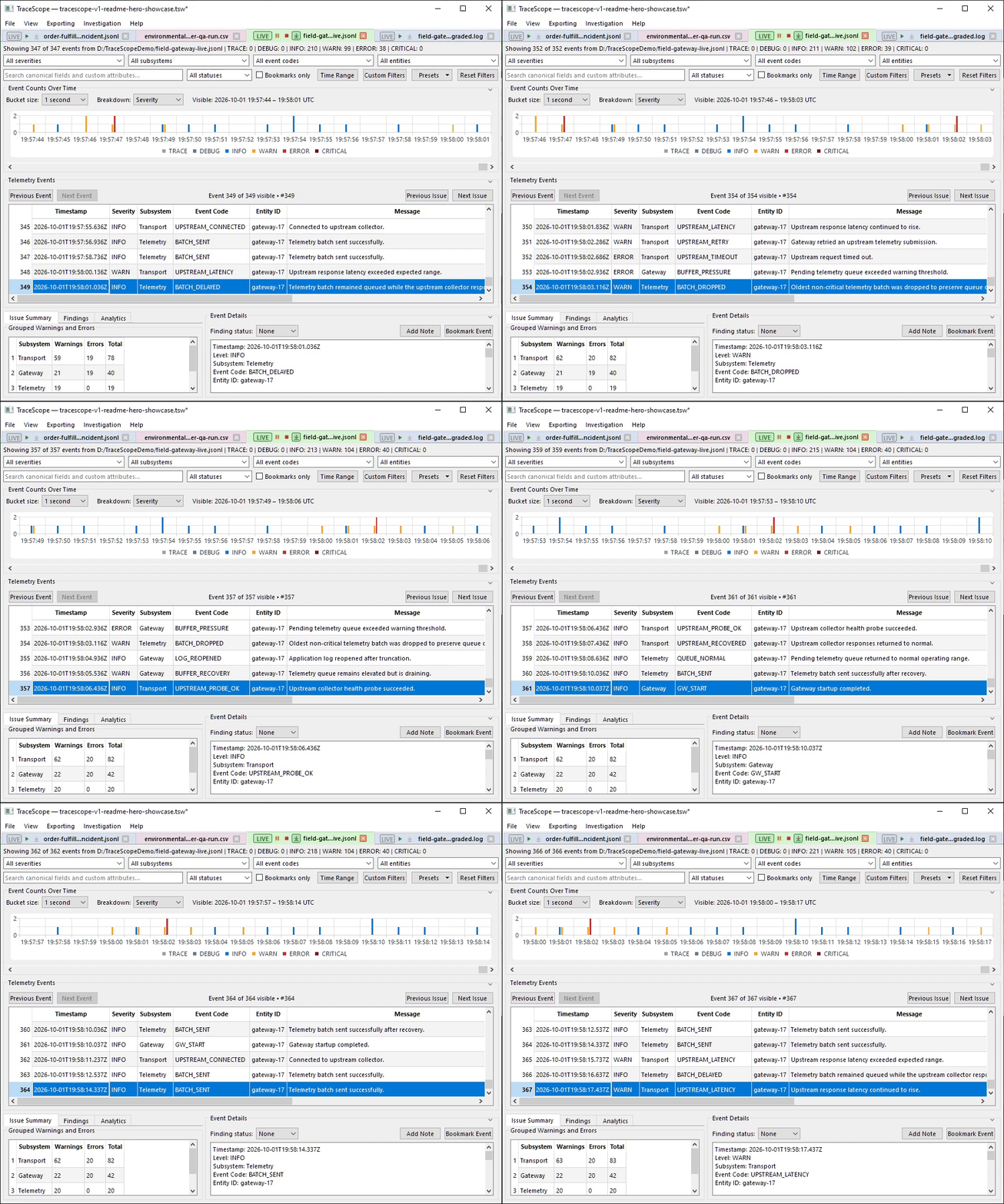
- Live file following: Follow logs as another process writes to them, with incremental record updates, pause/resume, rotation and replacement handling, and mechanisms to preserve investigation evidence across source changes.
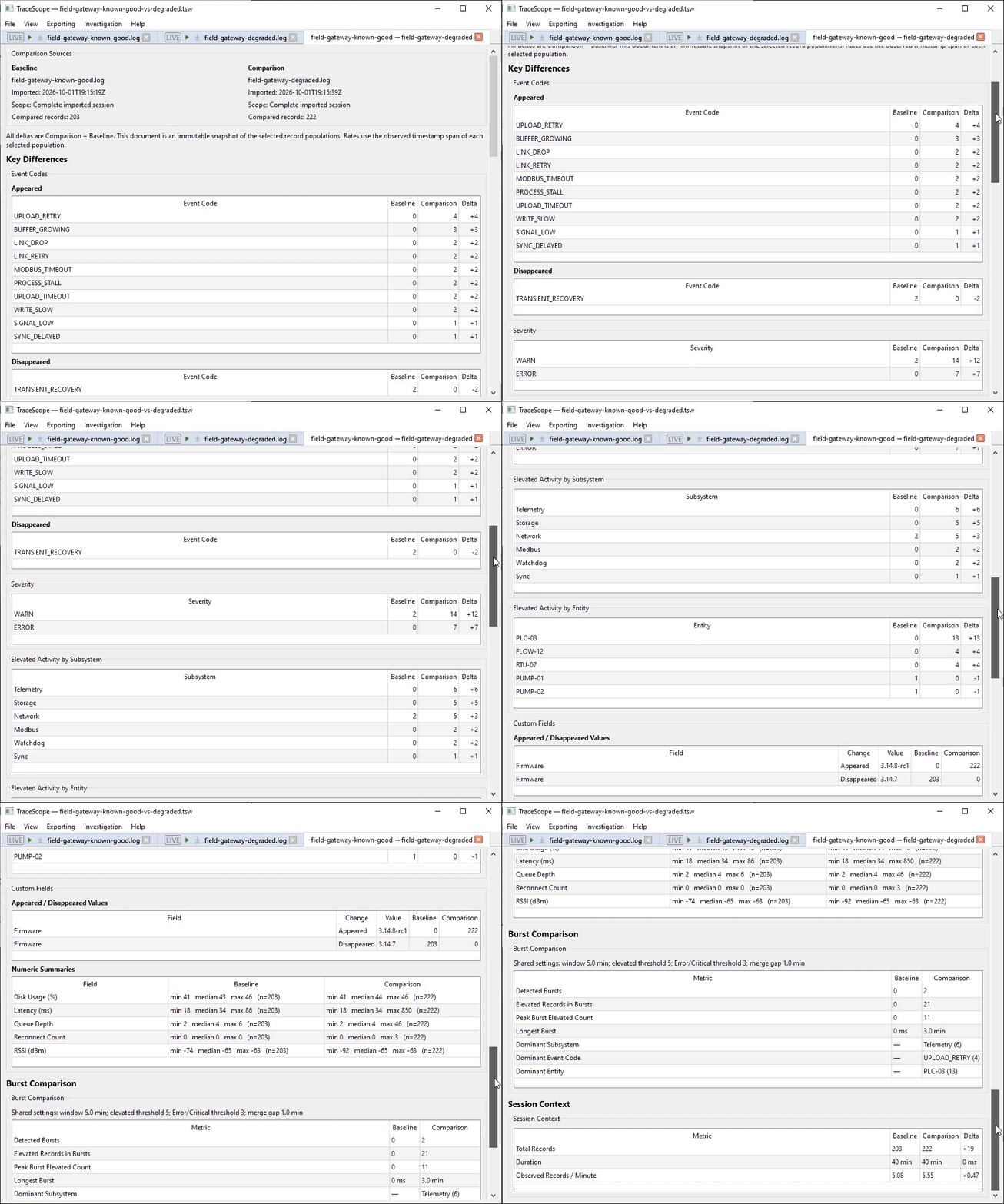
- Session comparison: Compare two investigations as baseline and comparison, including severity distributions, event codes, activity patterns, and optional independent time ranges. Comparison results are captured as documents within the workspace.
- Findings and annotations: Bookmark events, attach analyst notes, and track findings through Open, Resolved, or Dismissed states.
- Persistence and reporting: Save and restore complete workspaces, preserve standalone investigation snapshots, export CSV, and generate self-contained HTML reports that can be reviewed offline or printed.
Import configuration and source preview:
Investigation analysis and drill-down:
Live Following in action:
Comparing investigation sessions:
Some of the Qt engineering behind it
As the application expanded, a few architectural decisions became especially important:
- Qt Model/View: Investigation records are exposed through a
QAbstractTableModel-based model and a filtering/sorting proxy. This supports dynamic columns and multiple presentation filters while maintaining the identity of underlying records when users navigate, annotate, or inspect filtered rows. - Responsive importing and live updates: Import operations run outside the main UI thread with progress and cancellation support. Live records enter the existing investigation model incrementally, while more expensive analytics and derived views update on a coalesced cadence rather than rebuilding on every file poll.
- Interactive Qt Widgets presentation: The investigation interface combines data tables, configurable filters, Qt Charts-based timelines, resizable/collapsible sections, and persistent interface scaling. Keeping these surfaces responsive and usable across different window sizes and display scaling configurations was a substantial part of development.
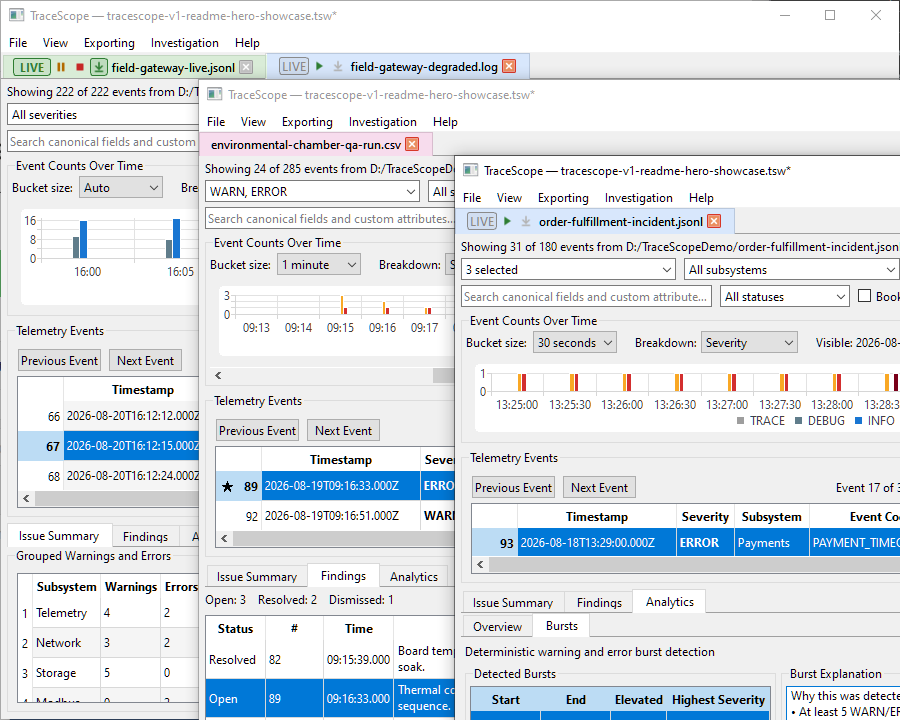
- Detachable documents and equal-parity windows: Investigations and comparisons live in a tabbed document workspace, but tabs can move between native top-level windows. The visible windows are peers sharing the same workspace: each has equivalent document operations, and moving a document doesn't duplicate its underlying investigation or change its identity. Workspace-level operations and lifecycle handling remain coordinated across windows.
- Cross-platform verification: The application uses CMake and automated Qt tests, with Windows and Linux CI. The v1.0.0 release includes a portable Windows x64 ZIP and Linux x86_64 AppImage.
Multiple windows and tabbed investigation documents:
Download, source, and documentation
- Source code, README, and screenshots: https://github.com/w-cook/tracescope-qt-log-inspector
- Stable v1.0.0 release (Windows/Linux): https://github.com/w-cook/tracescope-qt-log-inspector/releases/tag/v1.0.0
- Documentation and getting started: https://w-cook.github.io/tracescope-qt-log-inspector/
- Example interactive HTML investigation report: https://w-cook.github.io/tracescope-qt-log-inspector/examples/field-gateway-investigation-report.html
The release includes fictional sample logs and matching import profiles, so you can explore the workflows without preparing your own data first. The project is licensed under GPLv3.
I'd particularly welcome feedback from people who regularly investigate application or diagnostic logs: are there unsupported formats, missing investigation workflows, or other practical limitations that would keep you from using a tool like TraceScope?
I'm also happy to discuss the Qt implementation and design decisions with anyone interested.
-
W wcookdev marked this topic as a regular topic