
QGraphicsView touch zoom
-
@mrjj
Thank you.
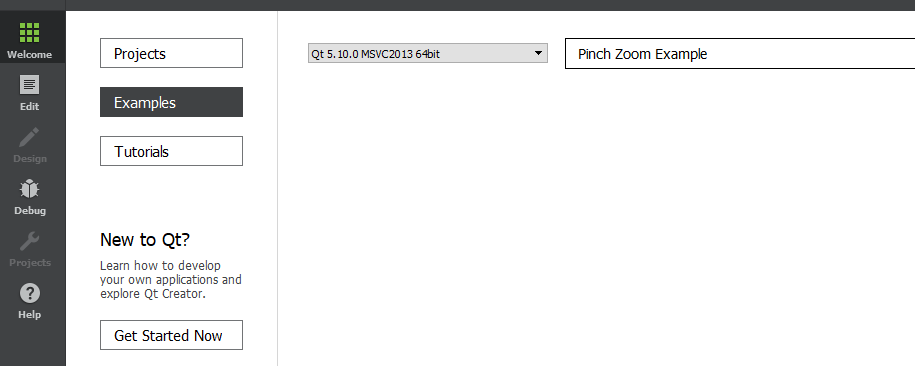
I can't find this example in Qt Creator Examples... does it still exist? do I have to copy the content manually? -
@mrjj
Thank you.
I can't find this example in Qt Creator Examples... does it still exist? do I have to copy the content manually?@Niagarer said in QGraphicsView touch zoom:
I can't find this example in Qt Creator Examples
How did you install Qt?
-
@Niagarer said in QGraphicsView touch zoom:
I can't find this example in Qt Creator Examples
How did you install Qt?
-
@jsulm
normal, via maintance tool...strange. I will try tomorrow on my desk, I am on my notebook right now.
@Niagarer You can open the examples by navigating to them from File menu
-
@jsulm
I even can't find it on my desk in Qt Creator.
I navigated to the Qt5.12\Examples\Qt-5.12.0\widgets\touch\pinchzoom folder (so, it actually exists), but when running it manually (opening pinchzoom.pro) it just crashes... really trange, I didn't have any problems with Qt Creator so far. I'm sorry, that this is drifting away from the actual question -
@jsulm
I even can't find it on my desk in Qt Creator.
I navigated to the Qt5.12\Examples\Qt-5.12.0\widgets\touch\pinchzoom folder (so, it actually exists), but when running it manually (opening pinchzoom.pro) it just crashes... really trange, I didn't have any problems with Qt Creator so far. I'm sorry, that this is drifting away from the actual question@Niagarer
Ok, i just tried the sample here. just ran but i have no touch.Try to set a break point in main.cpp and step over code to see what makes it crash.
also set break point here
bool GraphicsView::viewportEvent(QEvent *event)
{
    switch (event->type()) {
    case QEvent::TouchBegin:
    case QEvent::TouchUpdate:
    case QEvent::TouchEnd:
    {
        QTouchEvent *touchEvent = static_cast<QTouchEvent *>(event);
and see if it crashes when processing touch events.
-
@Niagarer
Ok, i just tried the sample here. just ran but i have no touch.Try to set a break point in main.cpp and step over code to see what makes it crash.
also set break point here
bool GraphicsView::viewportEvent(QEvent *event)
{
    switch (event->type()) {
    case QEvent::TouchBegin:
    case QEvent::TouchUpdate:
    case QEvent::TouchEnd:
    {
        QTouchEvent *touchEvent = static_cast<QTouchEvent *>(event);
and see if it crashes when processing touch events.
@mrjj
thank you, it works now -.-
yesterday it just crashed, really strange (I didn't even recreated the project). Qt Creator seems to have bad days somethimes. Thanks anyway!The zoom works, but there is a problem. In the example, the transform of the view itself is just changed. But proxywidgets placed in the scene get scaled too when changing transform. What I need is some kind of scale that does not effect the scale of the proxys in the scene. The proxys shall always be in the same viewport position. How can I achieve both, scaling that way and fixed proxys?
-
@mrjj
thank you, it works now -.-
yesterday it just crashed, really strange (I didn't even recreated the project). Qt Creator seems to have bad days somethimes. Thanks anyway!The zoom works, but there is a problem. In the example, the transform of the view itself is just changed. But proxywidgets placed in the scene get scaled too when changing transform. What I need is some kind of scale that does not effect the scale of the proxys in the scene. The proxys shall always be in the same viewport position. How can I achieve both, scaling that way and fixed proxys?
-
Hi
Ok. odd.
i was wondering if
QGraphicsItem::ItemIgnoresTransformationsworks QGraphicsProxyWidget
@mrjj
Thank you, this is a really useful one. It actually works just to saymyProxy->ItemIgnoresTransformations;(is this really the right way to do it?)
but when zooming, the proxy also gets scaled for a moment and then jumps back to it's old scale which looks really ugly :D -
@mrjj
Thank you, this is a really useful one. It actually works just to saymyProxy->ItemIgnoresTransformations;(is this really the right way to do it?)
but when zooming, the proxy also gets scaled for a moment and then jumps back to it's old scale which looks really ugly :Dehh that look odd.
If you press F2 on it what does it show ?
Im not even sure what it is :) dont look like function call.Normally it set via
http://doc.qt.io/qt-5/qgraphicsitem.html#setFlags -
ehh that look odd.
If you press F2 on it what does it show ?
Im not even sure what it is :) dont look like function call.Normally it set via
http://doc.qt.io/qt-5/qgraphicsitem.html#setFlags@mrjj
Oh, I just realized, that the mouseWheelEvent also gets triggered, when zooming via touch (!?) and in the mouseWheelEvent I did some scaling on the proxy manually. I deleted that (because I don't even need the manual scaling when ignoring tranformations, so the tip was really useful) and now I can tell:proxy->ItemIgnoresTransformations;doesn't work right (but it doesn't scale and jump back anymore now, my bad).
proxy->setFlag(QGraphicsItem::ItemIgnoresTransformations, true);works perfectly well.
-
@mrjj
Oh, I just realized, that the mouseWheelEvent also gets triggered, when zooming via touch (!?) and in the mouseWheelEvent I did some scaling on the proxy manually. I deleted that (because I don't even need the manual scaling when ignoring tranformations, so the tip was really useful) and now I can tell:proxy->ItemIgnoresTransformations;doesn't work right (but it doesn't scale and jump back anymore now, my bad).
proxy->setFlag(QGraphicsItem::ItemIgnoresTransformations, true);works perfectly well.
-
Hi
Super.
Im not even sure why proxy->ItemIgnoresTransformations;
can compile :)
Anyway the setFlag is the way to go as you also then dont overwrite any exiting flags.@mrjj said in QGraphicsView touch zoom:
Im not even sure why proxy->ItemIgnoresTransformations;
can compile :)Yes, it has been one of these moments
"this can surely not work, it's nonsense... but why not just hitting ctl+r"
<<program starts>>
"uuh, wait, what?!" -
@mrjj said in QGraphicsView touch zoom:
Im not even sure why proxy->ItemIgnoresTransformations;
can compile :)Yes, it has been one of these moments
"this can surely not work, it's nonsense... but why not just hitting ctl+r"
<<program starts>>
"uuh, wait, what?!"@Niagarer
Hi
Yes c++ is good at such moments :)
Just checked it - it reads like
proxy->GraphicsItemFlag::ItemIgnoresTransformations;
and compiler just sees
0x20;
which is perfectly valid and at same time complete nonsense :)
But hey - its valid so no complains :) -
@Niagarer
Hi
Yes c++ is good at such moments :)
Just checked it - it reads like
proxy->GraphicsItemFlag::ItemIgnoresTransformations;
and compiler just sees
0x20;
which is perfectly valid and at same time complete nonsense :)
But hey - its valid so no complains :)I've got one more question on this.
I have custom selection procedure in my graphicsView like thisvoid GraphWidget::mouseMoveEvent(QMouseEvent *event){ if(leftMousePressed && !itemAt(event->pos())){ if(zooming){ //pass }else{ selectingMultipleNodes = true; // ... } QGraphicsView::mouseMoveEvent(event); }selectingMultipleNodes obviously causes a selection of objects in the graph. But when I zoom, I don't want to select objects, so I added the zoom variable to it like
bool GraphWidget::viewportEvent(QEvent *event)
{
    switch (event->type()) {
    case QEvent::TouchBegin:
    case QEvent::TouchUpdate:
    case QEvent::TouchEnd:
    {
        zooming = true;
        // ...
        if (touchPoints.count() == 2) {
            // ...
        }else{
            zooming = false;
        }
        return true;
    }
    default: break;
    }
    return QGraphicsView::viewportEvent(event);
}
But when zooming via touch, almost always one finger touches the screen a little (recognizable) bit earlier that the other one. How is this normally handeled in Qt?
-
Hi
I think people use
http://doc.qt.io/qt-5/gestures-overview.html
but i have not used it myself since im always stuck with single point touch.
I do see the issue though.
Give it some hours and see if someone has a good way of fixing this as
gestures might be overkill :) -
Hi
I think people use
http://doc.qt.io/qt-5/gestures-overview.html
but i have not used it myself since im always stuck with single point touch.
I do see the issue though.
Give it some hours and see if someone has a good way of fixing this as
gestures might be overkill :)@mrjj
Hi, thanks for the tip.I just implemented needed methods for the pinch gesture, but I still have the same problem. The gesture is just an event and the mousePressEvent still gets triggered too.
In the mousePressEvent I do plenty of important stuff, so I need to find a way of knowing in the mousePressEvent, weather a gesture is triggered at the same time (and ignore then) or something like that.
Does someone know a workaround or how this problem is typically handeled?


