Skip to content
  • Categories
  • Recent
  • Tags
  • Popular
  • Users
  • Groups
  • Search
  • Get Qt Extensions
  • Unsolved
Collapse
Brand Logo
  1. Home
  2. Qt Development
  3. General and Desktop
  4. QGraphicsScene is not working on player widget?

QGraphicsScene is not working on player widget?

Scheduled Pinned Locked Moved Unsolved General and Desktop
7 Posts 2 Posters 1.2k Views 1 Watching
  • Oldest to Newest
  • Newest to Oldest
  • Most Votes
Reply
  • Reply as topic
Log in to reply
This topic has been deleted. Only users with topic management privileges can see it.
  • R_IrudezuR Offline
    R_IrudezuR Offline
    R_Irudezu
    wrote on last edited by R_Irudezu
    #1

    I'll try explain the problem as much as i can.

    First of all, i have a QGraphicsScene item with animated:

        timeline = new QTimeLine;
        timeline->setDuration (3000);
        timeline->setCurveShape (QTimeLine::CosineCurve);
    
        QObject::connect (timeline, SIGNAL(finished()), timeline, SLOT(deleteLater()));
    
        scene = new QGraphicsScene(ui->playerWidget);   
        ui->graphicsView->setScene(scene);
        ui->graphicsView->setStyleSheet("background-color: transparent; border: none;");
        ui->graphicsView->setHorizontalScrollBarPolicy(Qt::ScrollBarAlwaysOff);
        ui->graphicsView->setVerticalScrollBarPolicy(Qt::ScrollBarAlwaysOff );
        scene->setSceneRect (-60, -60, 150, 150);
    
        setupRot (timeline, scene->addEllipse (rect (50), QPen (QBrush (QColor (0, 153, 255)), 4, Qt::DotLine)));
        scene->addEllipse (rect (45), QPen (QBrush (QColor ("grey")), 4));
        timeline->setLoopCount (0);
        timeline->start();
    

    this plays a circular shape with infinite loop. I want to show this on player widget, the player widget is:

        // I dragged and dropped a widget in UI named "playerWidget" 
        player = new QMediaPlayer(this);
        videoWidget = new QVideoWidget(ui->playerWidget); 
    

    The problem is (or my blindness), this graphic scene is working on a dragged and dropped widget but not working on playerWidget, i don't know why.

    By the way, playerWidget is playing an RTSP stream.

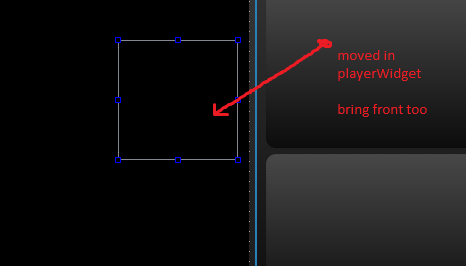
    0_1541396498763_cap1.PNG

    0_1541396511229_cap2.PNG

    0_1541396518074_cap3.PNG

    1 Reply Last reply
    0
    • R_IrudezuR Offline
      R_IrudezuR Offline
      R_Irudezu
      wrote on last edited by
      #2
      This post is deleted!
      1 Reply Last reply
      0
      • R_IrudezuR Offline
        R_IrudezuR Offline
        R_Irudezu
        wrote on last edited by
        #3

        up ↑ what's may cause the problem...

        1 Reply Last reply
        0
        • mrjjM Offline
          mrjjM Offline
          mrjj
          Lifetime Qt Champion
          wrote on last edited by
          #4

          Hi
          Im not sure what issue really is.
          However, if you mean when you drag a widget
          to the playing video and widget is no longer shown, its mostly due
          to the video being an overlay so it will always be in front.

          R_IrudezuR 1 Reply Last reply
          0
          • mrjjM mrjj

            Hi
            Im not sure what issue really is.
            However, if you mean when you drag a widget
            to the playing video and widget is no longer shown, its mostly due
            to the video being an overlay so it will always be in front.

            R_IrudezuR Offline
            R_IrudezuR Offline
            R_Irudezu
            wrote on last edited by
            #5

            @mrjj exactly this is, so this graphicsScene layer is behind the player. So is there anyway to show graphicsScene widget in front of the playerWidget?

            mrjjM 1 Reply Last reply
            0
            • R_IrudezuR R_Irudezu

              @mrjj exactly this is, so this graphicsScene layer is behind the player. So is there anyway to show graphicsScene widget in front of the playerWidget?

              mrjjM Offline
              mrjjM Offline
              mrjj
              Lifetime Qt Champion
              wrote on last edited by
              #6

              @R_Irudezu
              On windows, i think no. At least i had no success.
              However, it seems you can subclass and add a paintEvent to draw what you want.
              https://forum.qt.io/topic/1024/paint-over-qvideowidget/9

              R_IrudezuR 1 Reply Last reply
              0
              • mrjjM mrjj

                @R_Irudezu
                On windows, i think no. At least i had no success.
                However, it seems you can subclass and add a paintEvent to draw what you want.
                https://forum.qt.io/topic/1024/paint-over-qvideowidget/9

                R_IrudezuR Offline
                R_IrudezuR Offline
                R_Irudezu
                wrote on last edited by R_Irudezu
                #7

                @mrjj If possible, can you show me a simple example with referencing to my first message above.
                By the way. is it possible to set a new transparent widget or label over playerWidget then draw on it. I tried but didn't get success.

                1 Reply Last reply
                0

                • Login

                • Login or register to search.
                • First post
                  Last post
                0
                • Categories
                • Recent
                • Tags
                • Popular
                • Users
                • Groups
                • Search
                • Get Qt Extensions
                • Unsolved