Skip to content
  • Categories
  • Recent
  • Tags
  • Popular
  • Users
  • Groups
  • Search
  • Get Qt Extensions
  • Unsolved
Collapse
Brand Logo
  1. Home
  2. Qt Development
  3. General and Desktop
  4. How can I add a frame to the entire QTabwidget?

How can I add a frame to the entire QTabwidget?

Scheduled Pinned Locked Moved Unsolved General and Desktop
4 Posts 2 Posters 787 Views 1 Watching
  • Oldest to Newest
  • Newest to Oldest
  • Most Votes
Reply
  • Reply as topic
Log in to reply
This topic has been deleted. Only users with topic management privileges can see it.
  • K Offline
    K Offline
    kintony
    wrote on last edited by
    #1

    How can I add a frame to the entire QTabwidget?

    I added it with QFrame, but it will collapse depending on the window size when put in the layout.

    1 Reply Last reply
    0
    • mrjjM Offline
      mrjjM Offline
      mrjj
      Lifetime Qt Champion
      wrote on last edited by
      #2

      Hi
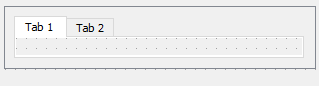
      Tried with QFrame.
      What you mean - it will collapse ?
      If i put QFrame + layout + tabwidget into other layout, im not seeing any odd effects
      alt text

      so am wondering why this didn't work out for you ?

      1 Reply Last reply
      2
      • K Offline
        K Offline
        kintony
        wrote on last edited by
        #3

        I'm sorry I didn't make it clear enough.

        The margin between QTabWidget and QFrame is 0.
        However, changing the window size will result in margins.
        QFrame is in QHBoxLayout.

        mrjjM 1 Reply Last reply
        0
        • K kintony

          I'm sorry I didn't make it clear enough.

          The margin between QTabWidget and QFrame is 0.
          However, changing the window size will result in margins.
          QFrame is in QHBoxLayout.

          mrjjM Offline
          mrjjM Offline
          mrjj
          Lifetime Qt Champion
          wrote on last edited by
          #4

          @kintony
          Ok, sounds like you need to tweak the QHBoxLayout
          so it uses all space. when window size changes.

          1 Reply Last reply
          1

          • Login

          • Login or register to search.
          • First post
            Last post
          0
          • Categories
          • Recent
          • Tags
          • Popular
          • Users
          • Groups
          • Search
          • Get Qt Extensions
          • Unsolved