Skip to content
  • Categories
  • Recent
  • Tags
  • Popular
  • Users
  • Groups
  • Search
  • Get Qt Extensions
  • Unsolved
Collapse
Brand Logo
  1. Home
  2. Qt Development
  3. General and Desktop
  4. Resizing cell without headers?
Qt 6.11 is out! See what's new in the release blog

Resizing cell without headers?

Scheduled Pinned Locked Moved Unsolved General and Desktop
4 Posts 4 Posters 1.1k Views 3 Watching
  • Oldest to Newest
  • Newest to Oldest
  • Most Votes
Reply
  • Reply as topic
Log in to reply
This topic has been deleted. Only users with topic management privileges can see it.
  • S Offline
    S Offline
    ShinSat
    wrote on last edited by
    #1

    Hi Gurus,

    Does anybody know if there's a way to implement resizing capability without horizontal/vertical headers in QTableView/QAbstraceTableModel? What is a right direction to customize the behavior?

    I want cell to be resized by dragging its border, which is exactly a functionality that Ms-Excel provides.
    I know it's possible with the headers, but want to look for a way to achieve without that.
    This is for good-looking purpose. :)

    Thanks in advance for your information.
    Regards,
    Sat

    raven-worxR VRoninV 2 Replies Last reply
    0
    • S ShinSat

      Hi Gurus,

      Does anybody know if there's a way to implement resizing capability without horizontal/vertical headers in QTableView/QAbstraceTableModel? What is a right direction to customize the behavior?

      I want cell to be resized by dragging its border, which is exactly a functionality that Ms-Excel provides.
      I know it's possible with the headers, but want to look for a way to achieve without that.
      This is for good-looking purpose. :)

      Thanks in advance for your information.
      Regards,
      Sat

      raven-worxR Offline
      raven-worxR Offline
      raven-worx
      Moderators
      wrote on last edited by
      #2

      @ShinSat said in Resizing cell without headers?:

      What is a right direction to customize the behavior?

      1. call setResizeMode(QHeaderView::Fixed) on the horizontal header
      2. hide the horizontal header view
      3. filter mouse events on the table view's viewport and change the mouse cursor accordingly
      4. resize dragged column via QHeaderView::resizeSection()

      --- SUPPORT REQUESTS VIA CHAT WILL BE IGNORED ---
      If you have a question please use the forum so others can benefit from the solution in the future

      1 Reply Last reply
      3
      • S ShinSat

        Hi Gurus,

        Does anybody know if there's a way to implement resizing capability without horizontal/vertical headers in QTableView/QAbstraceTableModel? What is a right direction to customize the behavior?

        I want cell to be resized by dragging its border, which is exactly a functionality that Ms-Excel provides.
        I know it's possible with the headers, but want to look for a way to achieve without that.
        This is for good-looking purpose. :)

        Thanks in advance for your information.
        Regards,
        Sat

        VRoninV Offline
        VRoninV Offline
        VRonin
        wrote on last edited by VRonin
        #3

        Slightly OT

        @ShinSat said in Resizing cell without headers?:

        which is exactly a functionality that Ms-Excel provides

        Maybe I'm just using an old version of excel but I need to use headers to resize rows/cols

        Edit

        I'm on MS Office 2013

        "La mort n'est rien, mais vivre vaincu et sans gloire, c'est mourir tous les jours"
        ~Napoleon Bonaparte

        On a crusade to banish setIndexWidget() from the holy land of Qt

        mrjjM 1 Reply Last reply
        1
        • VRoninV VRonin

          Slightly OT

          @ShinSat said in Resizing cell without headers?:

          which is exactly a functionality that Ms-Excel provides

          Maybe I'm just using an old version of excel but I need to use headers to resize rows/cols

          Edit

          I'm on MS Office 2013

          mrjjM Offline
          mrjjM Offline
          mrjj
          Lifetime Qt Champion
          wrote on last edited by
          #4

          @VRonin
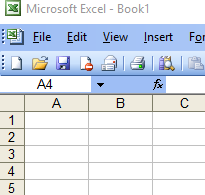
          Indeed. excel 2003 do not have this feature
          alt text

          But that is older than old :)

          1 Reply Last reply
          0

          • Login

          • Login or register to search.
          • First post
            Last post
          0
          • Categories
          • Recent
          • Tags
          • Popular
          • Users
          • Groups
          • Search
          • Get Qt Extensions
          • Unsolved