Unsolved Monochrome QImage transformation - void area looks black
-
Hi there,
I want to rotate a monochrome image of Type QImage using QImage::transformed method.
After applying rotation, the background color of the void area is always black.The Image before Rotation lookes like this:

After rotation, of 45° clockwise, it lookes like this:

But it should look like this:
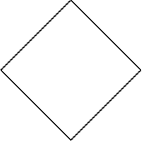
My question is how can I make sure that the void area color is white?
Thanks in advance!Here is my sample code:
#include <QImage> #include <QPainter> int main() { // size of square Image const int nSize = 100; // create monochrome Image QImage img = QImage(nSize, nSize, QImage::QImage::Format_Mono); QPainter pnt; pnt.begin(&img); // fill background with white pnt.fillRect(0, 0, nSize, nSize, Qt::color0); pnt.setPen(QPen(Qt::color1)); // draw a rectangle pnt.drawRect(0, 0, nSize-1, nSize-1); pnt.end(); img.save("original.bmp"); // rotate image QMatrix m; m.rotate(45); img = img.transformed(m); img.save("rotated.bmp"); return 0; } -
Top of my head: call
img.invertPixels()both before and after the transformationP.S.
QMatrix is deprecated, use QTransform instead -
First of all, thank you for your reply!
I already tried your approach before, but my application is very time critical and I want to avoid unnecessary computation time! Is there a way to tell the transformation process which color to take for the void area pixels?
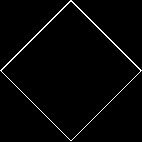
By the way, the approach doesn't work, it produces the following:
-
1_original.bmp

-
2_original_inverted.bmp

-
3_rotated_inverted.bmp
-
4_rotated_normal.bmp:

Using this code fragment:
#include <QImage> #include <QPainter> int main() { // size of square Image const int nSize = 100; // create monochrome Image QImage img = QImage(nSize, nSize, QImage::QImage::Format_Mono); QPainter pnt; pnt.begin(&img); // fill background with white pnt.fillRect(0, 0, nSize, nSize, Qt::color0); pnt.setPen(QPen(Qt::color1)); // draw a rectangle pnt.drawRect(0, 0, nSize-1, nSize-1); pnt.end(); img.save("1_original.bmp"); img.invertPixels(); img.save("2_original_inverted.bmp"); // rotate image QMatrix m; m.rotate(45); img = img.transformed(m); img.save("3_rotated_inverted.bmp"); img.invertPixels(); img.save("4_rotated_normal.bmp"); return 0; } -
-
img = img.transformed(m);will convert theformat()toQImage::Format_ARGB32_Premultiplied(you can check by addingqDebug() << img.format();beforeimg.save("3_rotated_inverted.bmp");) so you have to convert it back to Mono#include <QImage> #include <QPainter> int main() { // size of square Image const int nSize = 100; // create monochrome Image QImage img = QImage(nSize, nSize, QImage::Format_Mono); QPainter pnt; pnt.begin(&img); // fill background with white pnt.fillRect(0, 0, nSize, nSize, Qt::color0); pnt.setPen(QPen(Qt::color1)); // draw a rectangle pnt.drawRect(0, 0, nSize-1, nSize-1); pnt.end(); img.save("1_original.bmp"); img.invertPixels(); img.save("2_original_inverted.bmp"); // rotate image QTransform m; m.rotate(45); img = img.transformed(m); img.save("3_rotated_inverted.bmp"); img=img.convertToFormat(QImage::Format_Mono); img.invertPixels(); img.save("4_rotated_normal.bmp"); return 0; }I had a quick look at the sources and I couldn't see any way of setting the "background" colour nor to prevent the conversion to ARGB32.
