Unsolved Display various size of ListElements with GridView
-
Hello Experts,
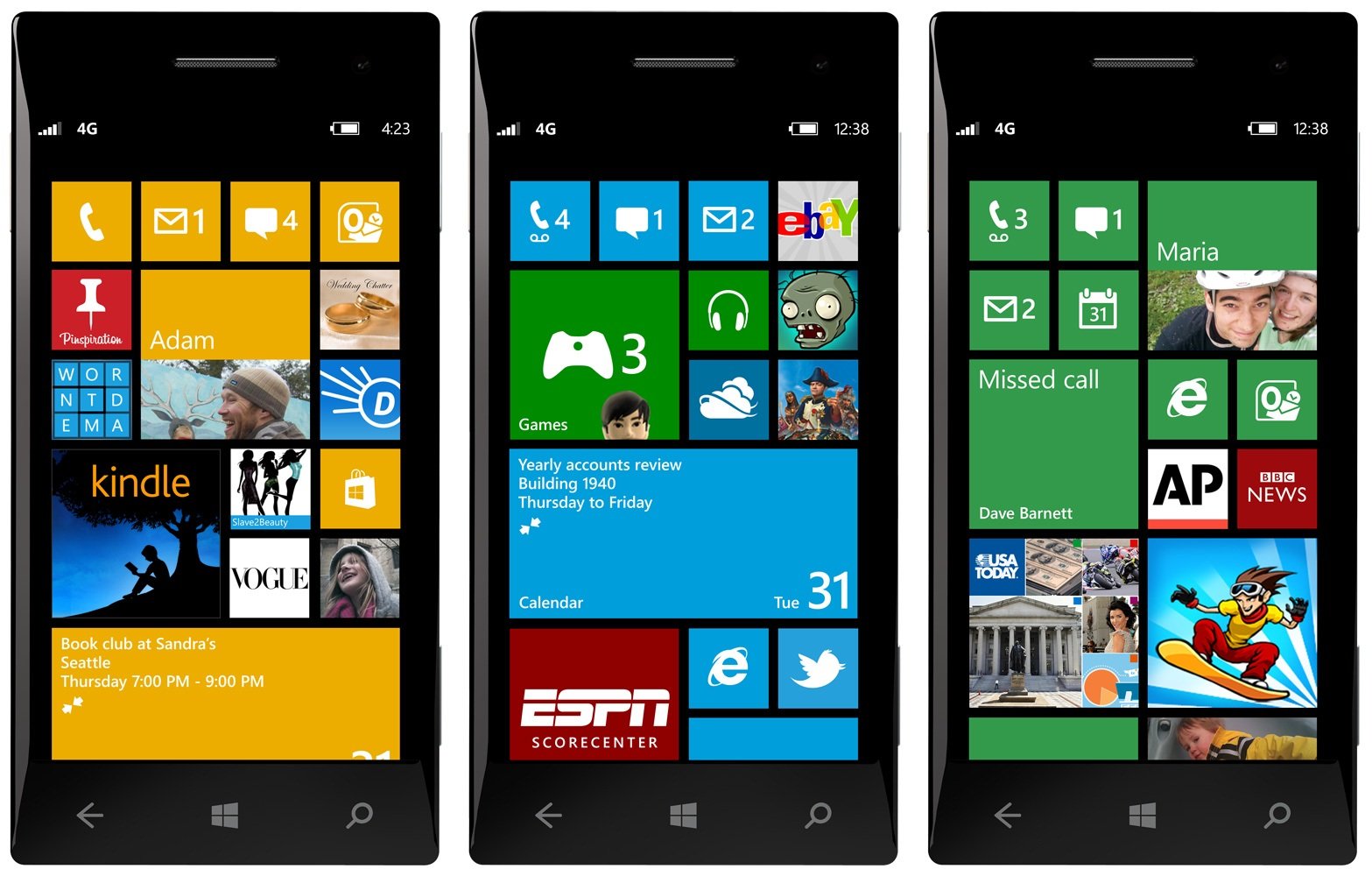
my goal is to design a UI like the windows phone (example), with rezieable tiles and automatic reassabling of the items and various items height and width. I posted already a question at StackOverflow with more information.
Display variuos size of ListElements with GridView
After trying and failing for long time, I'am almost sure I use the wrong approach.
I used the GridView Demo from QT and tried to modify it, but I failed.
Maybe on of you experts can give me a hint for solving this. I'm relatively new at QML but willing to learn and motivated. Hope you can help. Thanks in advance! -
I don't believe that GridView can be tricked to handle elements of different sizes (at least not without a lot of hacky code). I would go with custom solution here.
-
Hello Qt-Experts,
following up on my "old" request, I ended up accepting that I have to solve my problem on the hard way. Now, playing around with DropArea, I found out some issues, I cannot bring in consens with the Qt manpage.
This is the expamle-code:
    Rectangle {
        id:dropRect
        property var droppedObject
        anchors {
            top: parent.top
            right:  parent.right
            bottom:  parent.bottom
        }
        width: parent.width / 2
        color: "gold"
        DropArea {
            id: dropZone
            anchors.fill: parent

            onContainsDragChanged: {
                var i = 1
            }

            onEntered:{
                   if (dropRect.droppedObject === undefined) {
                   dropRect.droppedObject = drag.source
                   drag.source.caught = true;
                   }
            }
            onExited: {
                    dropRect.droppedObject = undefined
                    drag.source.caught = false;
            }
            onDropped: {
                dropRect.droppedObject = drag.source
            }
        }
    }
Ok, lets start with first issue: I can only use QtQuick 2.5 in this project. Need to know, because the documentation states 2.7.
For code explanation:
dopZone.containsDrag is only true, if the drag is moved. stopping the movement will set "containsDrag" to false immediately. Also dropZone.drag.source is null when the drag is not moving. I proved this by using a timer which prints out both in 10ms interval.
So for my project, I have to check if the dropZone already contains an object. This is why I did:onEntered:{ if (dropRect.droppedObject === undefined) { dropRect.droppedObject = drag.source drag.source.caught = true; } }This piece is working at the first glance, but then I faced an issue. If the object leaves the area, I have to set
onExited: {
                    dropRect.droppedObject = undefined
                    drag.source.caught = false;
            }
So far so good. The problem is, that onExited is also emitted, when I only drop the Drag. The manual states:
exited()

This signal is emitted when a drag exits the bounds of a DropArea.

The corresponding handler is onExited.
Source
So my understanding is, that my drag did not leave the bounds of the DropArea, but onExited is emitted anyway.Next issue:
onDropped: {
                dropRect.droppedObject = drag.source
            }
onDropped is never emitted. Manual states:
dropped(DragEvent drop) This signal is emitted when a drop event occurs within the bounds of a DropArea. The corresponding handler is onDropped.Can anyone give me a hint why this signal is not emitted? Is there another way to find out when a drag is dropped?
MAybe all this issues are caused because I use 2.5 instead of 2.7, maybe they are caused because I have a misunderstanding of the manual. Anyway, to proceed, it would be great if someone can give me some hints or workarounds.
Thank you all guys in advance.