Skip to content
  • Categories
  • Recent
  • Tags
  • Popular
  • Users
  • Groups
  • Search
  • Get Qt Extensions
  • Unsolved
Collapse
Brand Logo
  1. Home
  2. Qt Development
  3. General and Desktop
  4. Add actions to QPushButton and QLineEdit

Add actions to QPushButton and QLineEdit

Scheduled Pinned Locked Moved Unsolved General and Desktop
3 Posts 3 Posters 1.1k Views 2 Watching
  • Oldest to Newest
  • Newest to Oldest
  • Most Votes
Reply
  • Reply as topic
Log in to reply
This topic has been deleted. Only users with topic management privileges can see it.
  • M Offline
    M Offline
    Meugiwara
    wrote on last edited by
    #1

    Hello !

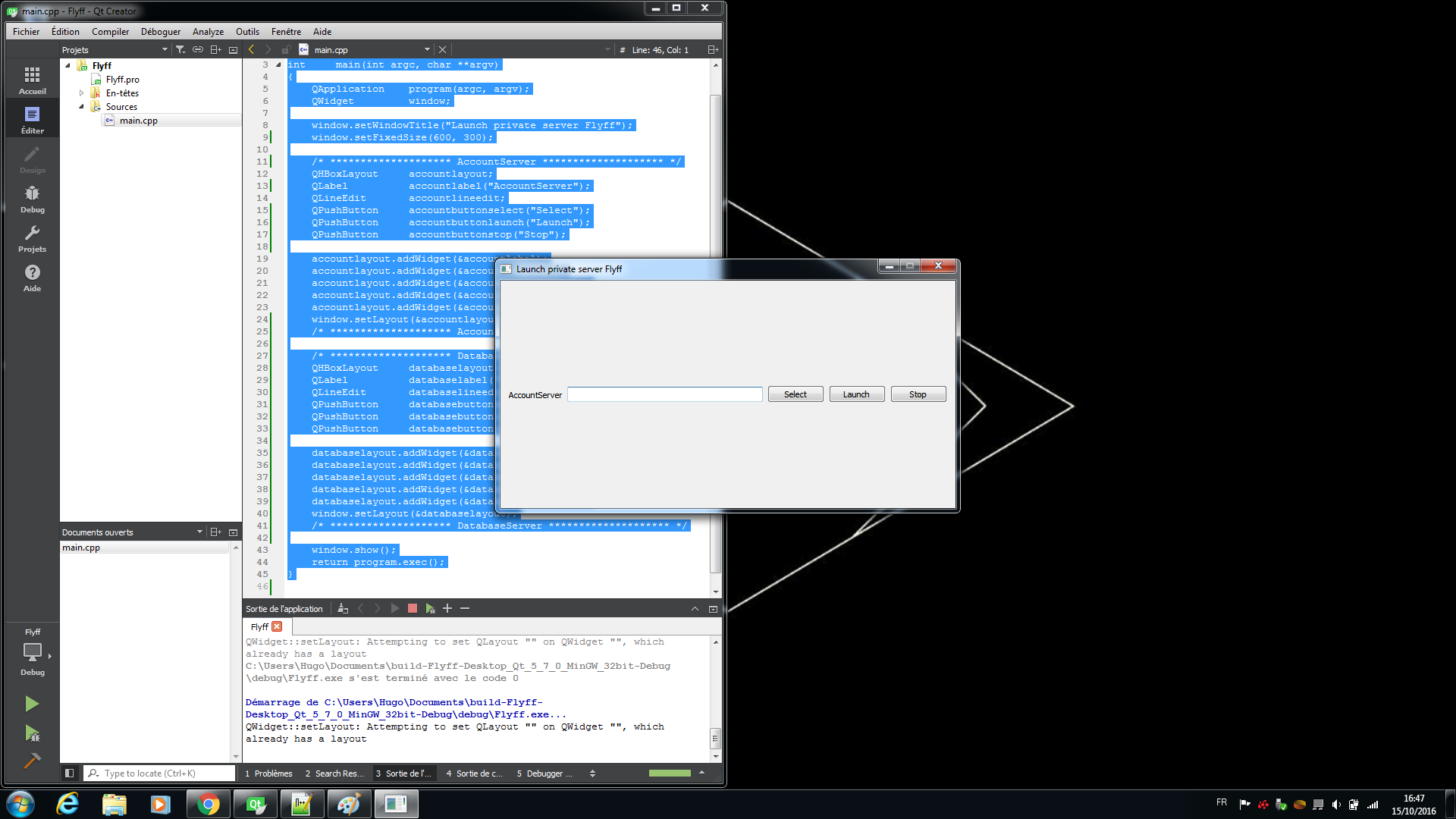
    I'm doing wrong when I use QObject::connect with QPushButton and I think that my question can be useful. I have actually on QHBoxLayout : 1 QLabel, 1 QLineEdit, 3 QPushButton. We don't consider the QLabel. I wanted that the first QPushButton named "Select" permits find an executable file and writes the directory access in the QLineEdit. The second QPushButton named "Launch" permits launch the executable file and the third QPushButton permits arrets the executable file. If the program is closed, when we launch it again, he keeps the directory access and we have just to press the QPushButton to execute the executable file already registered.

    For understand what I said, I took this picture.
    alt text

    If someone may help me, thank you.

    1 Reply Last reply
    0
    • SGaistS Offline
      SGaistS Offline
      SGaist
      Lifetime Qt Champion
      wrote on last edited by
      #2

      Hi,

      QSettings to remember what you want between application relaunch.
      QProcess to handle the executable file.

      Interested in AI ? www.idiap.ch
      Please read the Qt Code of Conduct - https://forum.qt.io/topic/113070/qt-code-of-conduct

      1 Reply Last reply
      1
      • Chris KawaC Offline
        Chris KawaC Offline
        Chris Kawa
        Lifetime Qt Champion
        wrote on last edited by
        #3

        and getOpenFileName to select the file.

        1 Reply Last reply
        1

        • Login

        • Login or register to search.
        • First post
          Last post
        0
        • Categories
        • Recent
        • Tags
        • Popular
        • Users
        • Groups
        • Search
        • Get Qt Extensions
        • Unsolved