Unsolved How do I pass test /any "widget" to QT dialog class ?
-
DeviceDiscoveryDialog accepts as default null pointer and "shows" default widget.
How do I change such default ?
( I know it is basic, but I (still) really do not get the QT ui syntax... )MainWindow::MainWindow()
: mdiArea(new QMdiArea)
{
DeviceDiscoveryDialog *DDD = new DeviceDiscoveryDialog(??????));
DDD->show(); -
@AnneRanch
If yourDeviceDiscoveryDialogis intended to be a standalone modeless dialog, not an MDI subwindow in yourQMdiArea, then all you want is:DeviceDiscoveryDialog *DDD = new DeviceDiscoveryDialog(this);Here
thisis yourMainWindow, so it will be a dialog "owned" by your main window.and "shows" default widget.
Not sure what you mean by this.
DeviceDiscoveryDialogshows whatever widget(s) you have placed on it. That might be whatever you put on it in Designer if you did it that way. Or, if you did not use Designer for it and just created it in code it will be whatever widget(s) you added to it there. If you did not put any widgets on it it will just be blank. If you are asking how to add widgets now at runtime, for whatever reason, you would want something likeQVBoxLayout *layout = new QVBoxLayout; DDD->setLayout(layout); layout->addWidget(new QLabel); layout->addWidget(new QTextEdit); ...If you actually intend the
DeviceDiscoveryDialogto be added as an MDI subwindow on your main window (I'm not sure whether this is the case) you would want something likeQMdiSubWindow *mdiSubWindow = mdiArea->addSubWindow(DDD); mdiSubWindow->show(); -
As usual - I did not explain well what I need.
Here is actual code
DeviceDiscoveryDialog *DDD = new DeviceDiscoveryDialog(this);
where "this" is a parent of MainWindow
and the resulting WRONG test dialog is placed as top dialog
However coded this way
DeviceDiscoveryDialog *DDD = new DeviceDiscoveryDialog();I still get the wrong dialog placed in center of main (parent) window.
'
I am trying to find out from WHERE it comes from - irregardless who is the parent. .In other words - what code goes into as DEFAULT parent , from where , and how can I add it as my own parent .
There MUST be a real code somewhere - similar to "this" pointer.
How do I code this "default" ?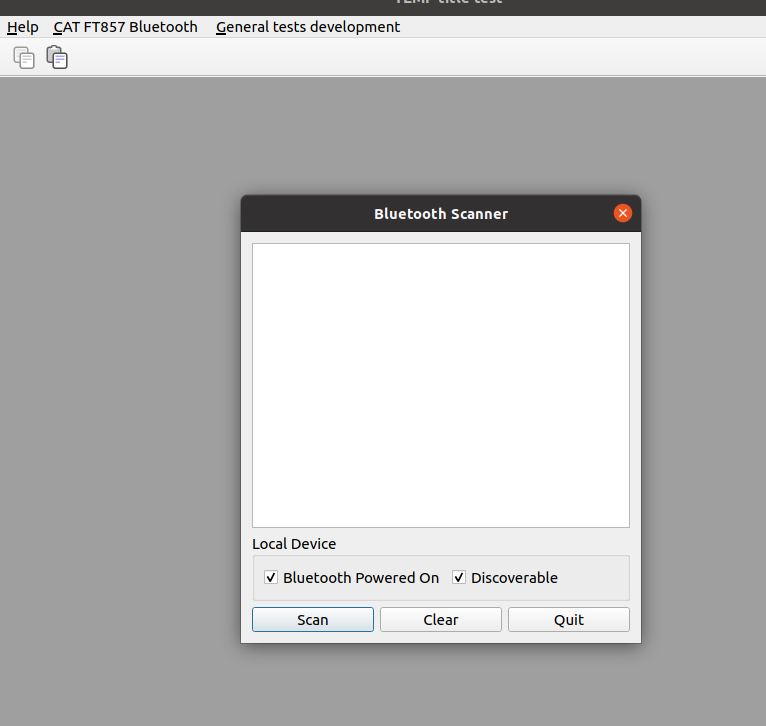

In different words - I need SAME object with DIFFERENT parent and NOT same "default". AND I CANNOT FIGURE OUT THE syntax passing "widget pointer " if all I have is "form" pointer. .
-
NEVER MIND, I was looking at wrong parameter ....
Standby for solution...
The actual widget is buried in last part of the code and that is what I need to change.
