Skip to content
  • Categories
  • Recent
  • Tags
  • Popular
  • Users
  • Groups
  • Search
  • Get Qt Extensions
  • Unsolved
Collapse
Brand Logo
  1. Home
  2. Qt Development
  3. QML and Qt Quick
  4. States Question, Retractable display controlled by a button

States Question, Retractable display controlled by a button

Scheduled Pinned Locked Moved Unsolved QML and Qt Quick
1 Posts 1 Posters 147 Views
  • Oldest to Newest
  • Newest to Oldest
  • Most Votes
Reply
  • Reply as topic
Log in to reply
This topic has been deleted. Only users with topic management privileges can see it.
  • E Offline
    E Offline
    EJ180
    wrote on last edited by
    #1

    Hello-

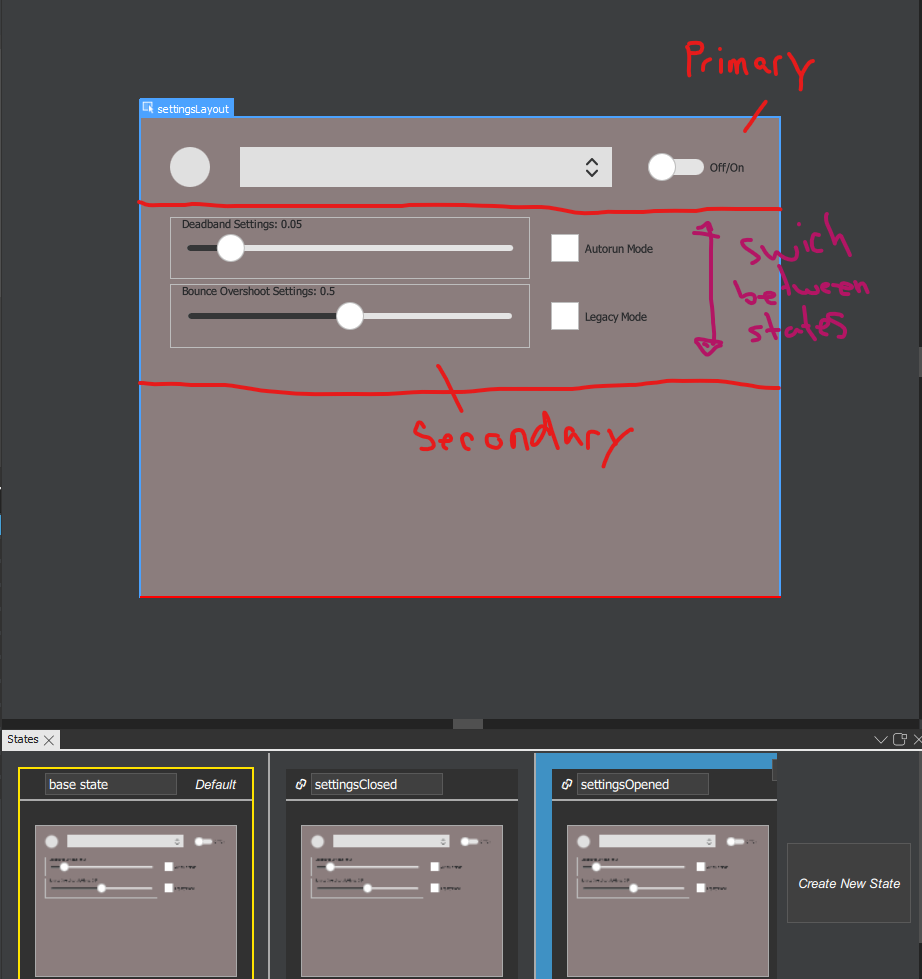
    I'm working with States to build a retractable settings control panel. Figure 1, shows this panel along with the different states I have tried to create at the bottom. The top portion if the rectangle is my primary controls ( the button, combo box, and on/off button). The bottom is my secondary controls ( the two sliders and the two check boxes. What I want to happen is to have one state only show the primary controls, another to retract the secondary controls, and the last to close the secondary controls by detracting. This is all done by the button in the top left corner.
    states.example.png

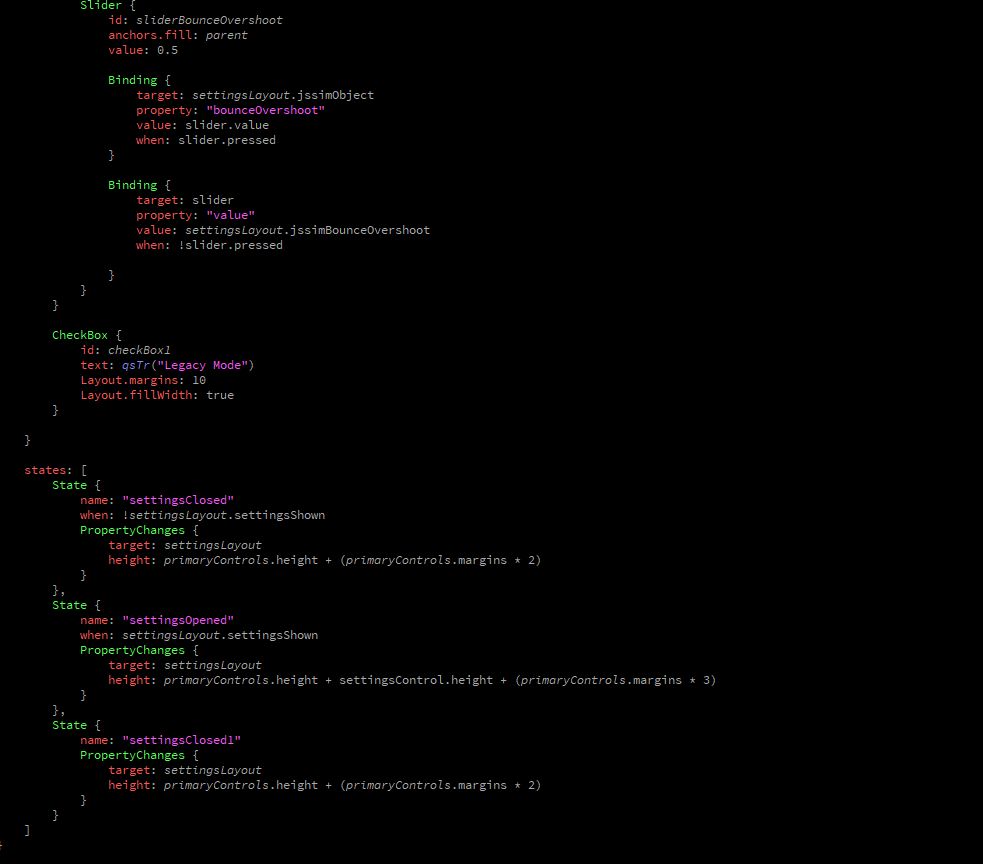
    Figure 2 shows the code I have used
    states code.png

    Question: What am I doing wrong to transition between states? The states view in the bottom of figure 1 doesn't show any changes between states. Any ideas on how to fix this??

    1 Reply Last reply
    0

    • Login

    • Login or register to search.
    • First post
      Last post
    0
    • Categories
    • Recent
    • Tags
    • Popular
    • Users
    • Groups
    • Search
    • Get Qt Extensions
    • Unsolved