Skip to content
  • Categories
  • Recent
  • Tags
  • Popular
  • Users
  • Groups
  • Search
  • Get Qt Extensions
  • Unsolved
Collapse
Brand Logo
  1. Home
  2. Qt Development
  3. General and Desktop
  4. Flickering with QChartView display
Forum Updated to NodeBB v4.3 + New Features

Flickering with QChartView display

Scheduled Pinned Locked Moved Unsolved General and Desktop
9 Posts 2 Posters 909 Views
  • Oldest to Newest
  • Newest to Oldest
  • Most Votes
Reply
  • Reply as topic
Log in to reply
This topic has been deleted. Only users with topic management privileges can see it.
  • R Offline
    R Offline
    rahult
    wrote on last edited by
    #1

    I am running a code on group of images and i have a function "updateGraph" used to plot a line graph to observe the number of cars encountered. I am calling this function for every image to update the graph, but i observe the flickering when graph is updated. I feel it is because i am creating a new widget every time i update the graph. Is there any way update the graph is same widget.?

    void MainWindow::updateGraph()
    {
        QChart *chart = new QChart();
        chart->legend()->hide();
        chart->addSeries(series);
        chart->createDefaultAxes();
        chart->setTitle("Counts");
    
        QChartView *chartview = new QChartView(chart);
        chartview->setRenderHint(QPainter::Antialiasing);
        gridLayout->addWidget(chartview,0,0);
    }
    
    1 Reply Last reply
    0
    • Christian EhrlicherC Offline
      Christian EhrlicherC Offline
      Christian Ehrlicher
      Lifetime Qt Champion
      wrote on last edited by
      #2

      @rahult said in Flickering with QChartView display:

      feel it is because i am creating a new widget every time i update the graph.

      Correct, and even more - you forgot to delete the old ones and create a big memory leak.

      You only have to update your series container, the rest is done automatically.

      Qt Online Installer direct download: https://download.qt.io/official_releases/online_installers/
      Visit the Qt Academy at https://academy.qt.io/catalog

      R 1 Reply Last reply
      2
      • Christian EhrlicherC Christian Ehrlicher

        @rahult said in Flickering with QChartView display:

        feel it is because i am creating a new widget every time i update the graph.

        Correct, and even more - you forgot to delete the old ones and create a big memory leak.

        You only have to update your series container, the rest is done automatically.

        R Offline
        R Offline
        rahult
        wrote on last edited by
        #3

        @Christian-Ehrlicher Thank you

        How to delete the old ones.
        Just by updating the series how can i update my graph. Where to call my updateGraph().

        1 Reply Last reply
        0
        • Christian EhrlicherC Offline
          Christian EhrlicherC Offline
          Christian Ehrlicher
          Lifetime Qt Champion
          wrote on last edited by
          #4

          @rahult said in Flickering with QChartView display:

          How to delete the old ones.

          You mean old points? See e.g. https://doc.qt.io/qt-5/qxyseries.html#removePoints

          Qt Online Installer direct download: https://download.qt.io/official_releases/online_installers/
          Visit the Qt Academy at https://academy.qt.io/catalog

          R 1 Reply Last reply
          1
          • Christian EhrlicherC Christian Ehrlicher

            @rahult said in Flickering with QChartView display:

            How to delete the old ones.

            You mean old points? See e.g. https://doc.qt.io/qt-5/qxyseries.html#removePoints

            R Offline
            R Offline
            rahult
            wrote on last edited by
            #5

            @Christian-Ehrlicher Thank you..
            As you said

            You only have to update your series container, the rest is done automatically.
            

            i have declared the following in my mainwindow constructor

                QChart *chart = new QChart();
                chart->legend()->hide();
                chart->addSeries(series);
                chart->createDefaultAxes();
                chart->setTitle("Counts");
            
                QChartView *chartview = new QChartView(chart);
                chartview->setRenderHint(QPainter::Antialiasing);
                gridLayout->addWidget(chartview,0,0);
            

            But when i am trying to access to chart from my other function it is not in scope. Did i get it correctly can you tell me whats going wrong.

            1 Reply Last reply
            0
            • Christian EhrlicherC Offline
              Christian EhrlicherC Offline
              Christian Ehrlicher
              Lifetime Qt Champion
              wrote on last edited by
              #6

              Looks like basic c++ stuff is missing here...
              You can for example make the chart or seriesa member variable.

              Qt Online Installer direct download: https://download.qt.io/official_releases/online_installers/
              Visit the Qt Academy at https://academy.qt.io/catalog

              R 2 Replies Last reply
              1
              • Christian EhrlicherC Christian Ehrlicher

                Looks like basic c++ stuff is missing here...
                You can for example make the chart or seriesa member variable.

                R Offline
                R Offline
                rahult
                wrote on last edited by rahult
                #7

                @Christian-Ehrlicher thank you.. solved the above issue declaring in constructor.

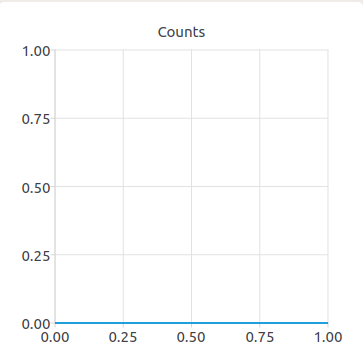
                Series is getting updated but the chart is not getting updated.
                Screenshot from 2020-10-20 15-55-23.png

                1 Reply Last reply
                0
                • Christian EhrlicherC Christian Ehrlicher

                  Looks like basic c++ stuff is missing here...
                  You can for example make the chart or seriesa member variable.

                  R Offline
                  R Offline
                  rahult
                  wrote on last edited by
                  #8

                  @Christian-Ehrlicher I can able to solve the issue by adding chart->removeSeries(series); before updating the series. It works now.

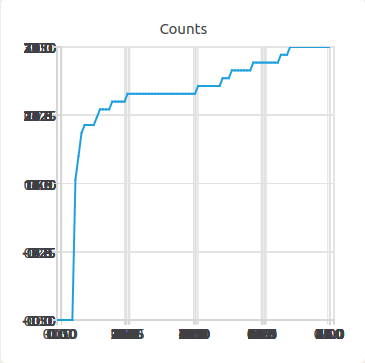
                  But when i update the axes with chart->createDefaultAxes(); after chart->removeSeries(series); i see a blury chart likethis..
                  Screenshot from 2020-10-20 19-23-19.png

                  is there any other way to update the axes with updating the series.

                  1 Reply Last reply
                  0
                  • Christian EhrlicherC Offline
                    Christian EhrlicherC Offline
                    Christian Ehrlicher
                    Lifetime Qt Champion
                    wrote on last edited by
                    #9

                    There is no need to reset the series afaics. QChart::update() should suffice. If not please provide a testcase.

                    Qt Online Installer direct download: https://download.qt.io/official_releases/online_installers/
                    Visit the Qt Academy at https://academy.qt.io/catalog

                    1 Reply Last reply
                    0

                    • Login

                    • Login or register to search.
                    • First post
                      Last post
                    0
                    • Categories
                    • Recent
                    • Tags
                    • Popular
                    • Users
                    • Groups
                    • Search
                    • Get Qt Extensions
                    • Unsolved