Unsolved Resize elements inside window by dragging they edges
-
Hello
I'm trying to implement application with few separate tiles inside application and a mechanism that will resize them by dragging the edges between them like in Spotify:

I was thinking about create
MouseAreacomponent at the edges and using signalOnPressed()but maybe there is easier way to do that or example which has implemented that functionality? -
Try Drawer; https://doc.qt.io/qt-5/qml-qtquick-controls2-drawer.html
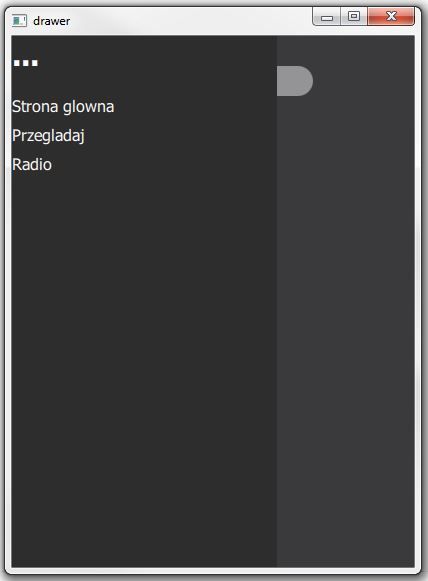
Mock up of drawer in action;
import QtQuick 2.14
import QtQuick.Controls 2.14

ApplicationWindow {
    id: window
    width: 540
    height: 960
    visible: true

    Rectangle {
        color: "#4c4c4c"
        anchors.fill: parent
    }
    Rectangle {
        id: searchBar
        width: 200; height: 30
        color: "white"; radius: 40
        anchors.top: parent.top
        anchors.topMargin: 30
        anchors.horizontalCenter: parent.horizontalCenter
    }

    Label {
        id: strona
        text: "<b>Strona glowna</b>"
        color: "white"
        font.pixelSize: 30
        anchors.top: searchBar.bottom
        anchors.topMargin: 70
        anchors.left: parent.left
        anchors.leftMargin: 10
    }

    Label {
        id: recPlayed
        text: "<b>Recently played</b>"
        color: "white"
        font.pixelSize: 20
        anchors.top: strona.bottom
        anchors.topMargin: 50
        anchors.left: parent.left
        anchors.leftMargin: 10
    }

    Drawer {
        id: drawer
        width: 0.66 * window.width
        height: window.height
        background: Rectangle {
            color: "#2d2d2d"
        }
        Label {
            text: "<b>...</b>"
            color: "white"
            font.pixelSize: 30
        }
        Column {
            spacing: 10
            anchors.top: parent.top
            anchors.topMargin: 60

            Label {
                text: "Strona glowna"
                color: "white"
                font.pixelSize: 16
            }
            Label {
                text: "Przegladaj"
                color: "white"
                font.pixelSize: 16
            }
            Label {
                text: "Radio"
                color: "white"
                font.pixelSize: 16
            }
        }
    }
}