Unsolved Multiple items moving individually - best approach question
-
Hi,
I need to have many (a few thousand) small graphical instances moving around at varying speeds in a given area. Each of them shall look more or less the same, but has to be colored according to one of about 5-10 different states.I have a c++ model exposed to QML that holds position, speed, direction and state for each instance.
I need to be able to interact via mouse-click with these instances and I will need to implement a function for instances that come "near" or even touch/overlap each other.
-
Just using Rectangles would suffice graphic-wise, but I am not sure how to properly manage the massive and uncoordinated/random movement.
-
Using Particles I am not sure if I can bind them to a model with individual speed ect.
-
Using Sprites, I read about performance / memory limitations in the docs.
As I haven't personally used Sprites or Particles yet, I lack experience.
Can you advise me, what might be the proper path to follow?
-
-
Update:
I've meanwhile tried to implement the above with a QML view consisting of simple Rectangles. In my controller I advanced the model QTimer based. That was way too slow and did not make any sense.I have now changed over to painting directly onto an Item derived from QQuickPaintedItem. This is fast enough, but I have to implement everything (mouse interaction / overlapping etc. ) from scratch. More work, but it seems feasible.
I am still curious, if there is a QML solution that's fast enough.
-
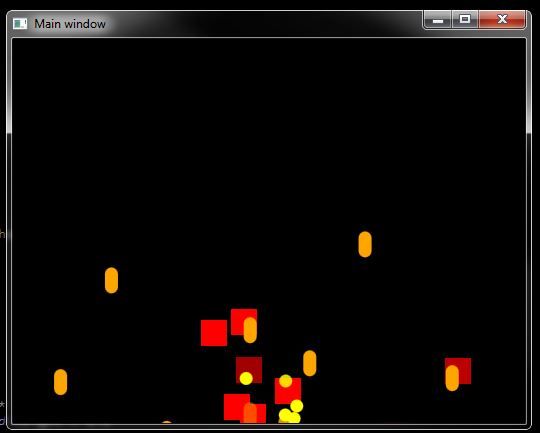
I think you could make use of Particles for your project. I'm not sure about interaction via MouseArea though, this needs investigation!
Create a 'main.qml' file and populate with the following;
import QtQuick 2.0
import QtQuick.Particles 2.0
import QtQuick.Window 2.0
import QtGraphicalEffects 1.0

Window {
    id: background
    visible: true
    color: "black"
    width: 1024; height: 768
    title: qsTr("Main window")

    RedParticle {}
    OrangeParticle {}
    YellowParticle {}
}
Then create 3 other files;
RedParticle.qml
OrangeParticle.qml
YellowParticle.qml
Inside each of the above files (red, yellow, orange), populate with the following code;
import QtQuick 2.0
import QtQuick.Particles 2.0

ParticleSystem {
    id: particles
    anchors.fill: parent
    visible: true

    ItemParticle {
        id: particleOrange
        anchors.fill: parent
        delegate: itemDelegate
    }
    Component {
        id: itemDelegate
        Rectangle {
            width: 13; height: width // change the size of rectangle
            color: 'orange' // change the color here accordingly in each file
        }
    }
    Gravity {
        angle: 90
        magnitude: 800
    }
    Emitter {
        anchors.horizontalCenter: parent.horizontalCenter
        y: parent.height + 20
        emitRate: 10 // here you can change the amount of particles you want
        lifeSpan: 1500
        lifeSpanVariation: 600
        size: 32
        sizeVariation: 16
        velocity: AngleDirection {
            angle: -90;
            angleVariation: 45;
            magnitude: background.height * 1.05
            magnitudeVariation: background.height * 0.6
        }
    }

    Turbulence {
        anchors.fill: parent
        strength: 4
    }
}
There are lots of other modules to use for QML Particle Systems, see here; https://doc.qt.io/qt-5/qtquick-particles-qmlmodule.html