
Skip to content
  • Categories
  • Recent
  • Tags
  • Popular
  • Users
  • Groups
  • Search
  • Get Qt Extensions
  • Unsolved
Collapse
Brand Logo
  1. Home
  2. Qt Development
  3. QML and Qt Quick
  4. the Qt Quick emulation layer crashed. with import QtQuick.Controls【qt6.8.2 m1】
Forum Updated to NodeBB v4.3 + New Features

the Qt Quick emulation layer crashed. with import QtQuick.Controls【qt6.8.2 m1】

Scheduled Pinned Locked Moved Unsolved QML and Qt Quick
5 Posts 3 Posters 599 Views
  • Oldest to Newest
  • Newest to Oldest
  • Most Votes
Reply
  • Reply as topic
Log in to reply
This topic has been deleted. Only users with topic management privileges can see it.
  • L Offline
    L Offline
    LeoJeams
    wrote on last edited by
    #1

    My environment:
    Macbook air m1
    Qt 6.8.2 for mac
    3c55968a-fe8c-4e92-af25-259ac968416f-image.png
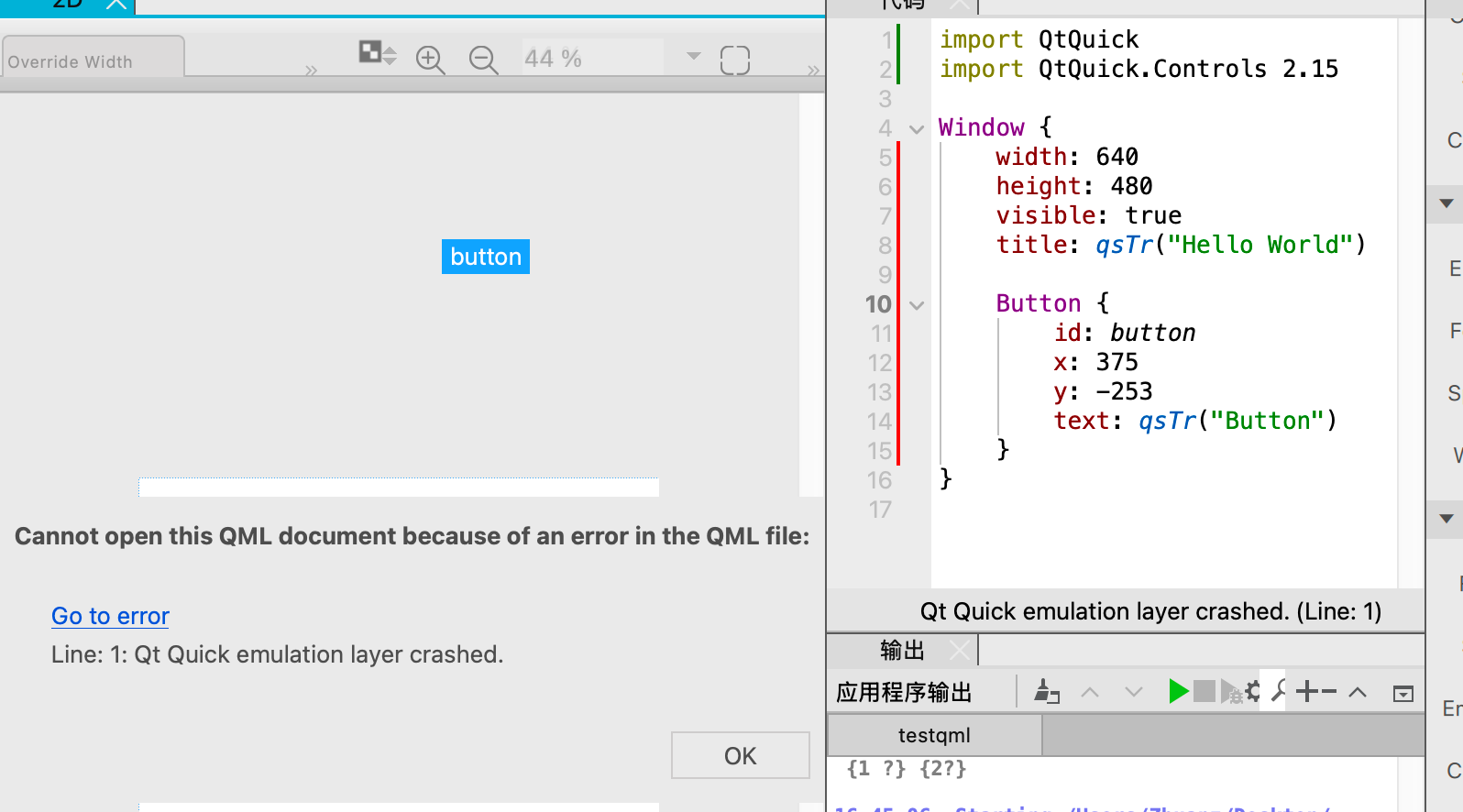
    I've noticed that this problem occurs when I use the components under Control, whether I'm using CMake or qmake. How can I solve it?

    1 Reply Last reply
    0
    • MarkkyboyM Offline
      MarkkyboyM Offline
      Markkyboy
      wrote on last edited by
      #2

      Mixed import statements may not help, try removing the "2.15" from Controls import. As afar as I am aware, numbers no longer follow import statements with QT6.

      Don't just sit there standing around, pick up a shovel and sweep up!

      I live by the sea, not in it.

      L 1 Reply Last reply
      0
      • MarkkyboyM Markkyboy

        Mixed import statements may not help, try removing the "2.15" from Controls import. As afar as I am aware, numbers no longer follow import statements with QT6.

        L Offline
        L Offline
        LeoJeams
        wrote on last edited by
        #3

        @Markkyboy Thank you for your answer, however the issue still persists after i gave it a try.
        JoeCFDJ 1 Reply Last reply
        0
        • MarkkyboyM Offline
          MarkkyboyM Offline
          Markkyboy
          wrote on last edited by
          #4

          OK, what does console say?

          Don't just sit there standing around, pick up a shovel and sweep up!

          I live by the sea, not in it.

          1 Reply Last reply
          0
          • L LeoJeams

            @Markkyboy Thank you for your answer, however the issue still persists after i gave it a try.

            JoeCFDJ Offline
            JoeCFDJ Offline
            JoeCFD
            wrote on last edited by JoeCFD
            #5

            @LeoJeams can you try to replace Window with ApplicationWindow?

            import QtQuick.Window for Window
            and
            import QtQuick.Controls for ApplicationWindow

            1 Reply Last reply
            0

            • Login

            • Login or register to search.
            • First post
              Last post
            0
            • Categories
            • Recent
            • Tags
            • Popular
            • Users
            • Groups
            • Search
            • Get Qt Extensions
            • Unsolved