
Several components is not displayed
-
Hi everyone! I am beginning to learn QML. And throughout the Design section, I created a very simple application, but the busy indicator and label are not shown for some reason. Could you help me please find out what went wrong?
Main.qml
import QtQuick
import QtQuick.Window
import QtQuick.Controls 2.3

Window {
    id: window
    width: 640
    height: 480
    visible: true
    title: qsTr("Hello World")

    BusyIndicator {
        id: busyIndicator
        //x: (window.width - busyIndicator.width) / 2
        //y: (window.height - busyIndicator.height) / 2
        visible: true
        anchors.verticalCenter: parent.verticalCenter
        anchors.horizontalCenter: parent.horizontalCenter
    }

    Label {
        id: label
        x: 185
        y: 198
        text: qsTr("Running = ") + busyIndicator.running

        Component.onCompleted: {
            console.log("Label displayed");
        }
    }

    Component.onCompleted: {
        console.log("Running = " + busyIndicator.running);
    }
}
main.cpp
#include <QGuiApplication>
#include <QQmlApplicationEngine>


int main(int argc, char *argv[])
{
    QGuiApplication app(argc, argv);

    QQmlApplicationEngine engine;
    const QUrl url(u"qrc:/testQMLB-8-3/Main.qml"_qs);
    QObject::connect(&engine, &QQmlApplicationEngine::objectCreationFailed,
        &app, []() { QCoreApplication::exit(-1); },
        Qt::QueuedConnection);
    engine.load(url);

    return app.exec();
}
I have already checked all the necessary info like updates and whether enabled plugins for QtQuick or not and everything is OK:

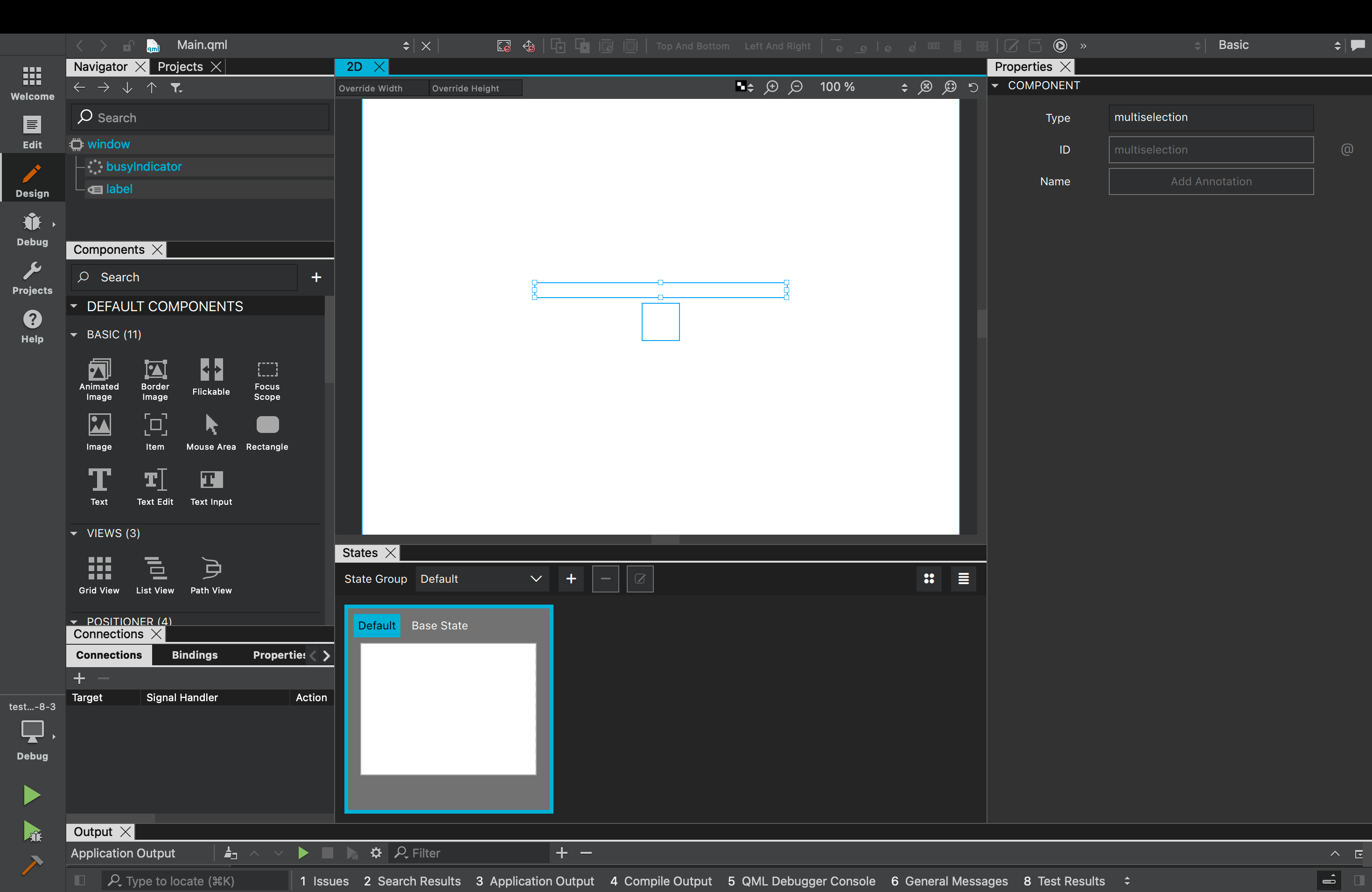
And in the Design section I can select my components but they are invisible:
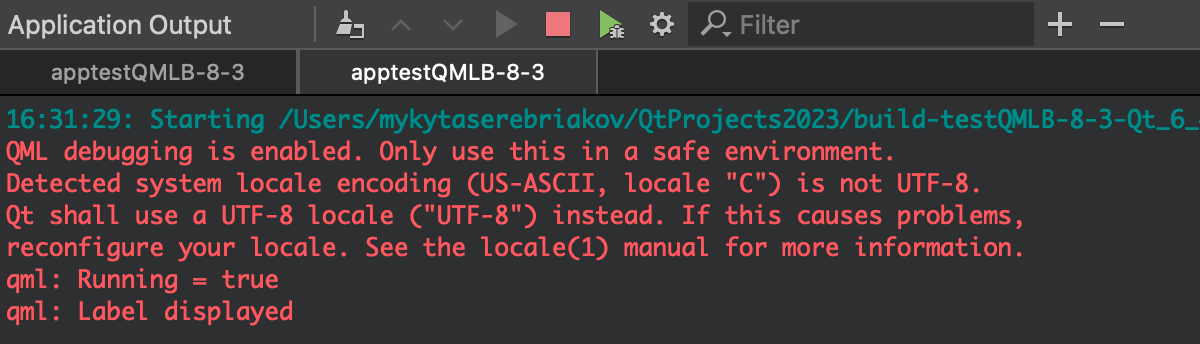
App output:
App:

-
Hi everyone! I am beginning to learn QML. And throughout the Design section, I created a very simple application, but the busy indicator and label are not shown for some reason. Could you help me please find out what went wrong?
Main.qml
import QtQuick
import QtQuick.Window
import QtQuick.Controls 2.3

Window {
    id: window
    width: 640
    height: 480
    visible: true
    title: qsTr("Hello World")

    BusyIndicator {
        id: busyIndicator
        //x: (window.width - busyIndicator.width) / 2
        //y: (window.height - busyIndicator.height) / 2
        visible: true
        anchors.verticalCenter: parent.verticalCenter
        anchors.horizontalCenter: parent.horizontalCenter
    }

    Label {
        id: label
        x: 185
        y: 198
        text: qsTr("Running = ") + busyIndicator.running

        Component.onCompleted: {
            console.log("Label displayed");
        }
    }

    Component.onCompleted: {
        console.log("Running = " + busyIndicator.running);
    }
}
main.cpp
#include <QGuiApplication>
#include <QQmlApplicationEngine>


int main(int argc, char *argv[])
{
    QGuiApplication app(argc, argv);

    QQmlApplicationEngine engine;
    const QUrl url(u"qrc:/testQMLB-8-3/Main.qml"_qs);
    QObject::connect(&engine, &QQmlApplicationEngine::objectCreationFailed,
        &app, []() { QCoreApplication::exit(-1); },
        Qt::QueuedConnection);
    engine.load(url);

    return app.exec();
}
I have already checked all the necessary info like updates and whether enabled plugins for QtQuick or not and everything is OK:
And in the Design section I can select my components but they are invisible:
App output:
App:
Try adding some dimensions to those missing components (
widthandheight).
